• Documentation
    • About ​ValidMind
    • Get Started
    • Guides
    • Support
    • Releases

    • ValidMind Library
    • Python API
    • Public REST API

    • Training Courses
  • Log In
  1. 2.8.26 Release notes
  • All releases

  • Current releases
  • Feature highlights
  • ValidMind Platform releases
  • ValidMind Library releases
  • Documentation updates

  • Breaking changes and deprecations

  • Release archive
  • 2025 Releases
    • April 24, 2025
    • March 7, 2025
    • January 31, 2025
  • 2024 Releases
    • December 24, 2024
    • December 6, 2024
    • October 22, 2024
    • September 25, 2024
    • September 9, 2024
    • August 13, 2024
    • July 22, 2024
    • June 10, 2024
    • May 22, 2024
    • March 27, 2024
    • February 14, 2024
    • January 26, 2024
    • January 18, 2024
  • 2023 Releases
    • December 13, 2023
    • November 9, 2023
    • October 25, 2023
    • September 27, 2023
    • August 15, 2023
    • July 24, 2023
    • June 22, 2023
    • May 30, 2023

On this page

  • Highlights
    • Quickstart guide for model validation with ValidMind Library
    • Add demo notebook for code explainer
    • Interfaces to support code explainer feature in ValidMind
  • Enhancements
    • Support customizable judge LLM and embeddings in ValidMind tests
    • Support qualitative text generation in run_task function
    • Add status flags to ongoing monitoring tests in ValidMind Library
    • Update quickstart for model documentation in Jupyter notebooks
  • Other changes
    • Update registration and login info in docs site and notebooks
  • Edit this page
  • Report an issue

2.8.26 Release notes

validmind-library
2.8.26
patch release
Published

June 26, 2025

This release includes a demo notebook for the code explainer, support for customizable judge LLM and embeddings in ValidMind tests, a section to inject custom context via docstring, and interfaces to support the code explainer feature in ValidMind, among other enhancements.

Highlights

Quickstart guide for model validation with ValidMind Library

Get started with model validation using the ValidMind Library with our new quickstart guide:

  • Learn how to use ValidMind to validate models in a model validation workflow.
  • Set up the ValidMind Library in your environment to audit data quality adjustments and validate a proposed champion model using ValidMind tests for a binary classification model.

Add demo notebook for code explainer

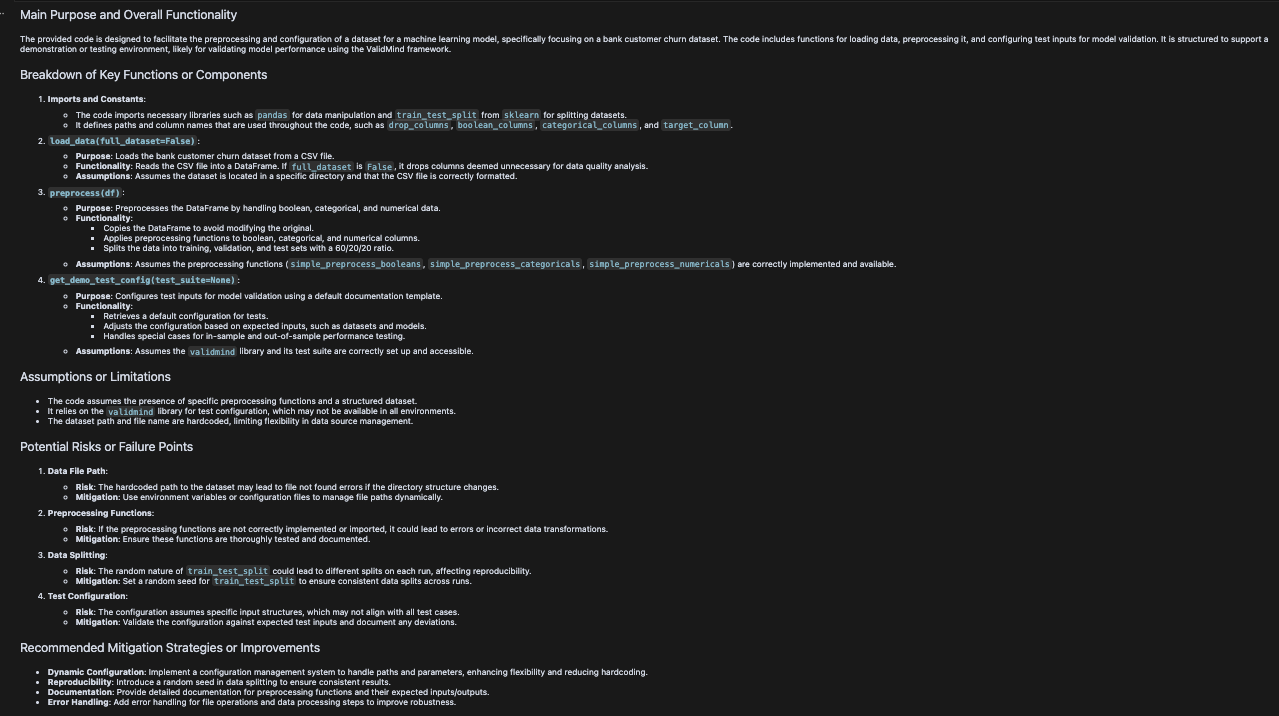
This update introduces a comprehensive script and Jupyter notebook for documenting and explaining a customer churn prediction model using the ValidMind library.

Interfaces to support code explainer feature in ValidMind

This update introduces an experimental feature for text generation tasks within the ValidMind project. It includes interfaces to utilize the code_explainer LLM feature, currently in the experimental namespace to gather feedback.

How to use:

  1. Read the source code as a string:

    with open("customer_churn.py", "r") as f:
        source_code = f.read()
  2. Define the input for the run_task task. The input requires two variables in dictionary format:

    code_explainer_input = {
        "source_code": source_code,
        "additional_instructions": """
        Please explain the code in a way that is easy to understand.
        """
    }
  3. Run the code_explainer task with generation_type="code_explainer":

    result = vm.experimental.agents.run_task(
        task="code_explainer",
        input=code_explainer_input
    )

Example Output: A dark-themed document titled Main Purpose and Overall Functionality outlines the configuration of a tool for machine learning model management. The document is structured with headings and bullet points, detailing sections such as Breakdown of Key Functions or Components, Assumptions or Limitations, and Potential Risks or Failure Points. Key functions include data ingestion, preprocessing, and model deployment, with specific tasks like data validation and feature extraction. Assumptions cover data availability and model performance, while risks address data quality issues and model drift. The document concludes with a section on Recommended Mitigation Strategies or Improvements, suggesting enhanced data validation and monitoring practices.
Enhancements

Support customizable judge LLM and embeddings in ValidMind tests

This update enhances your experience by allowing you to use your own LLM. All existing tests that use an LLM now support a user-defined LLM or Embedding model, provided it is compatible with the Langchain Chat/Embedding framework. This functionality is available for RAGAS and prompt validation tests, offering greater customization and flexibility in your AI and prompt validation processes.

Support qualitative text generation in run_task function

This update enhances the run_task function in the validmind/experimental/agents.py file to support a new task type. You can now generate qualitative text for a specific section of a document using the vm.experimental.agents.run_task method. The generated content will be displayed in the model_overview text block section.
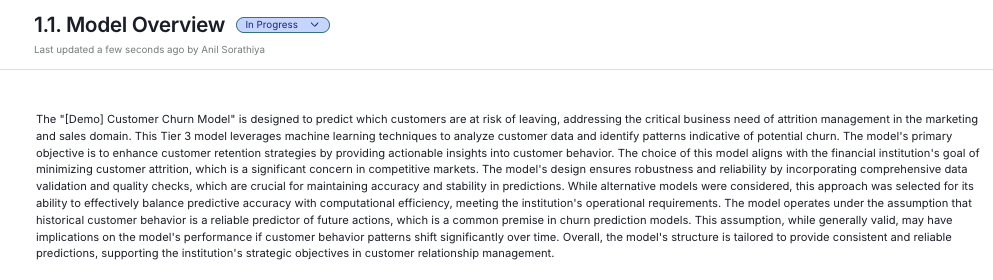
A webpage section titled Model Overview with a status indicator labeled In Progress. Below the title, there is a timestamp indicating the last update was a few seconds ago by Anil Saradhya. The main content is a paragraph discussing the Demo Customer Churn Model, its objectives, and how it integrates with financial institutions to predict customer behavior. The text emphasizes the models use of machine learning techniques and the importance of data validation and quality checks. The layout features a clean, white background with black text, and the section is organized in a single-column format.

Model overview section

Add status flags to ongoing monitoring tests in ValidMind Library

This update enhances the log_metric and alog_metric functions in the ValidMind Library by adding visual status indicators for monitoring metrics. You can now use the passed parameter in the log_metric() function to include status badges in Metrics Over Time blocks. The passed parameter accepts a boolean value: passed=True shows a green "Satisfactory" badge, while passed=False shows a yellow "Requires Attention" badge.

This feature lets you visually assess metric performance against defined business rules. You can set the status manually or determine it programmatically using custom evaluation functions with specific acceptance criteria. The status indicators help quickly identify metrics that need attention, support compliance documentation with clear visual cues, and enable more targeted alerts based on metric status.
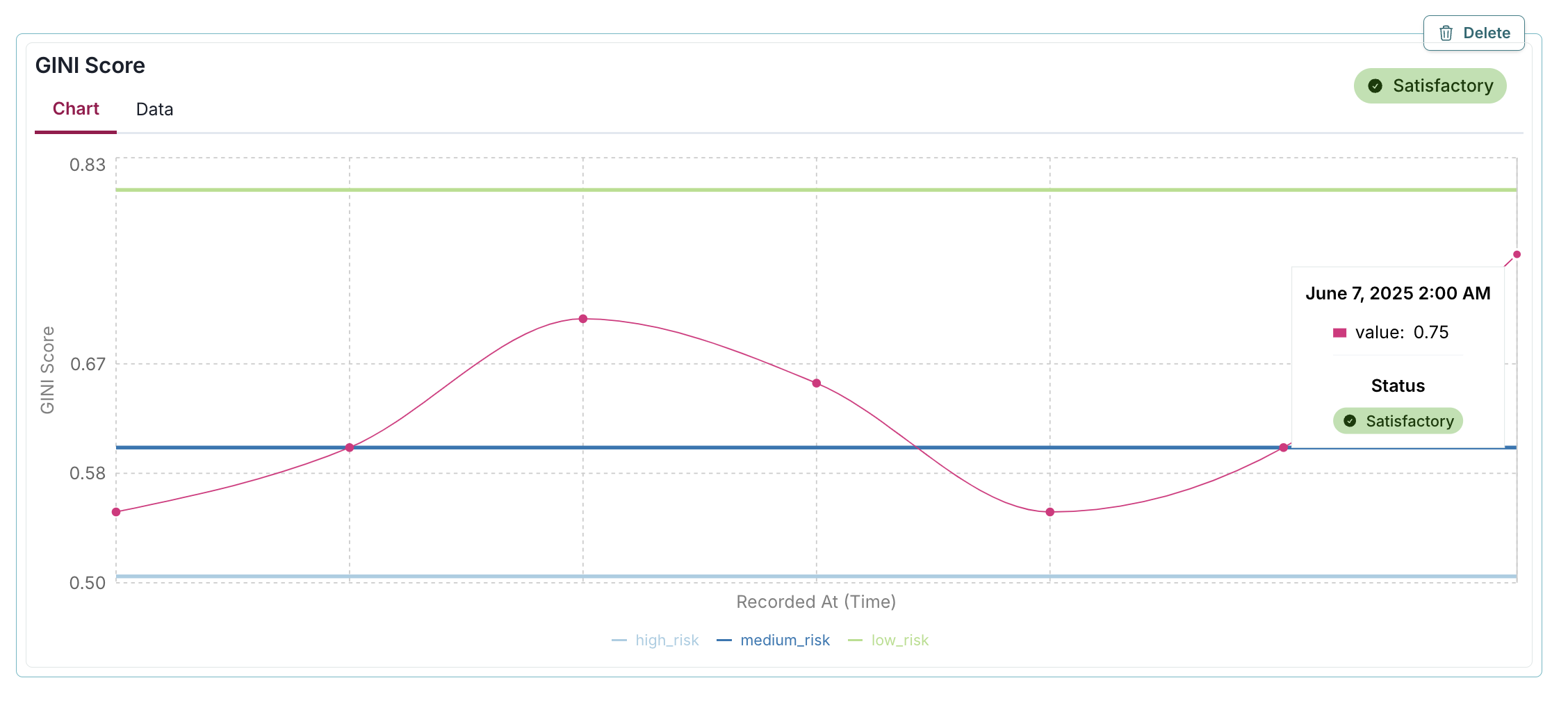
A line chart titled GIN Score displays data over time with the x-axis labeled Recorded At (Time) and the y-axis labeled GIN Score ranging from 0.58 to 0.83. The chart features a pink line with data points, showing a wave-like pattern, indicating fluctuations in the GIN Score. A tooltip is visible near the last data point, showing the date June 7, 2025, 2:00 AM, with a value of 0.75 and a status labeled Satisfactory. A green line labeled Satisfactory runs horizontally across the chart at approximately 0.75, while a blue line labeled low_risk is at 0.58. The interface includes a toggle between Chart and Data views at the top left, a green Satisfactory indicator at the top right, and a Delete button in the upper right corner.

A line chart titled GINI Score displays data over time with the x-axis labeled Recorded At [Time] and the y-axis labeled GINI Score. The chart features a pink line with circular data points, showing a wave-like pattern with peaks and troughs, indicating fluctuations in the GINI score. A tooltip is visible near the last data point, showing the date June 9, 2025, 2:00 AM, a value of 0.5, and a status labeled Requires Attention. Horizontal reference lines in blue, green, and yellow represent high risk, medium risk, and low risk thresholds, respectively. The top right corner contains a Delete button and a yellow badge labeled Requires Attention.

Update quickstart for model documentation in Jupyter notebooks

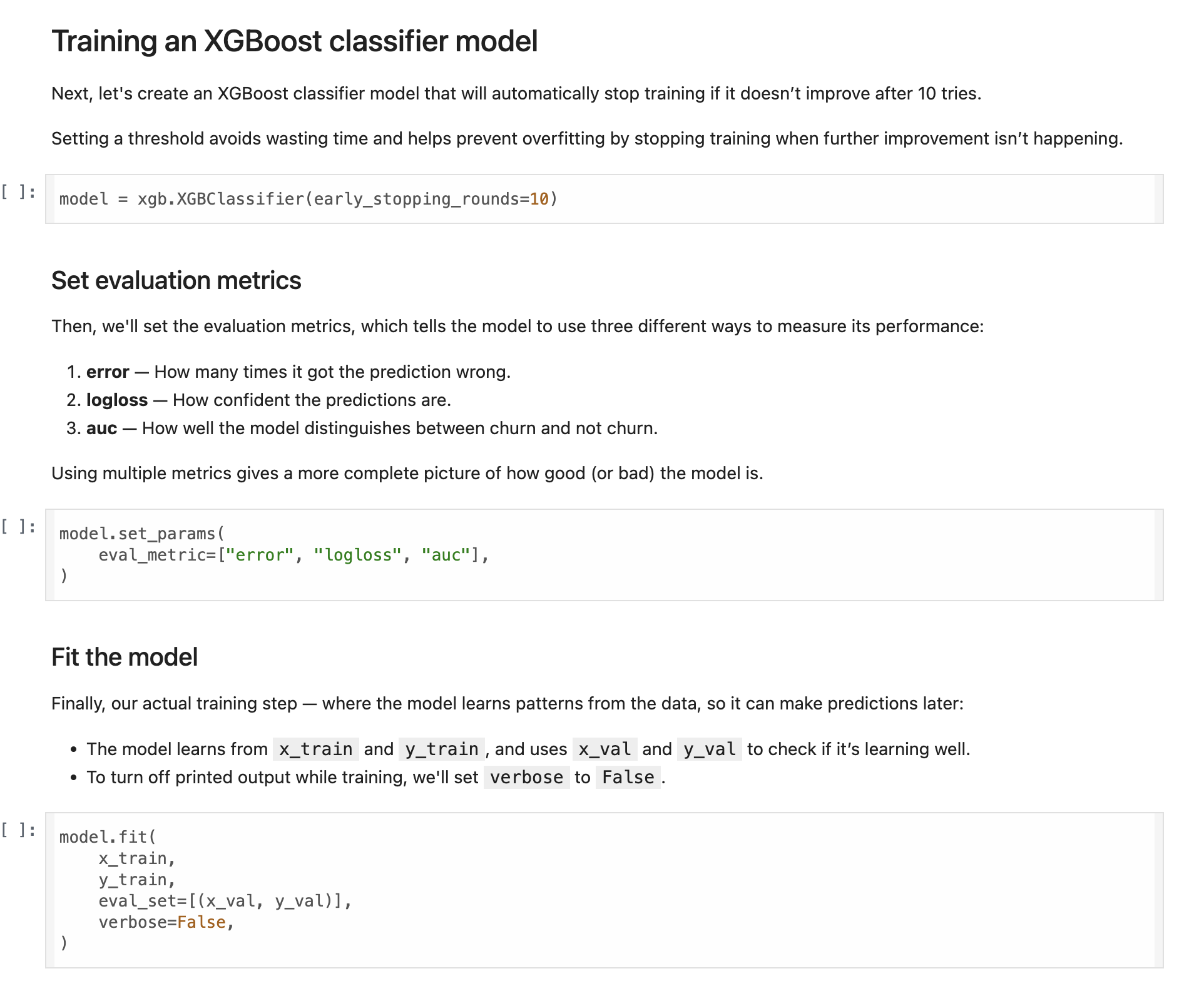
We've improved our Jupyter notebooks to make the model documentation quickstart guide more user-friendly and informative for beginners. A new "quickstart" directory has been added to notebooks/, along with an updated README to guide you:
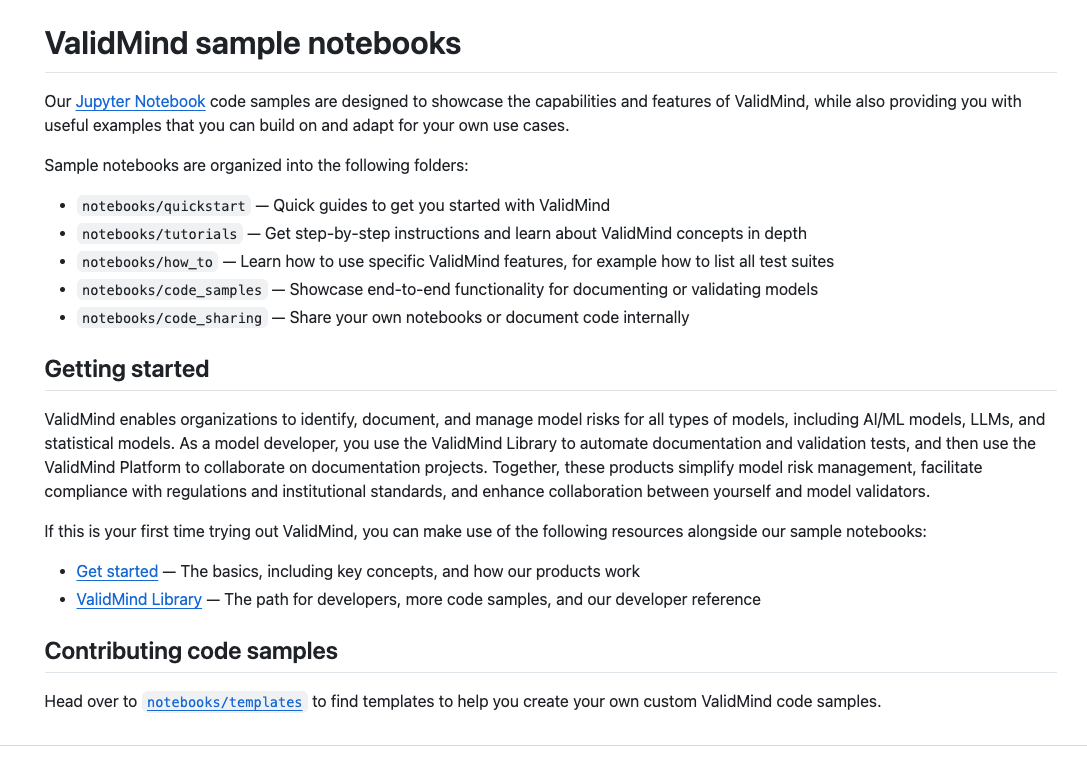
Screenshot 2025-05-14 at 11 29 11 AM

Screenshot 2025-05-14 at 11 29 11 AM

To get started with documenting models using the ValidMind Library, check out our updated Quickstart for model documentation notebook:

  • Learn the basics of using ValidMind to document models as part of a model development workflow.
  • Set up the ValidMind Library in your environment and generate a draft of documentation using ValidMind tests for a binary classification model.

This update removes the old notebooks/code_samples/quickstart_customer_churn_full_suite.ipynb file as the new file and directory replace it.
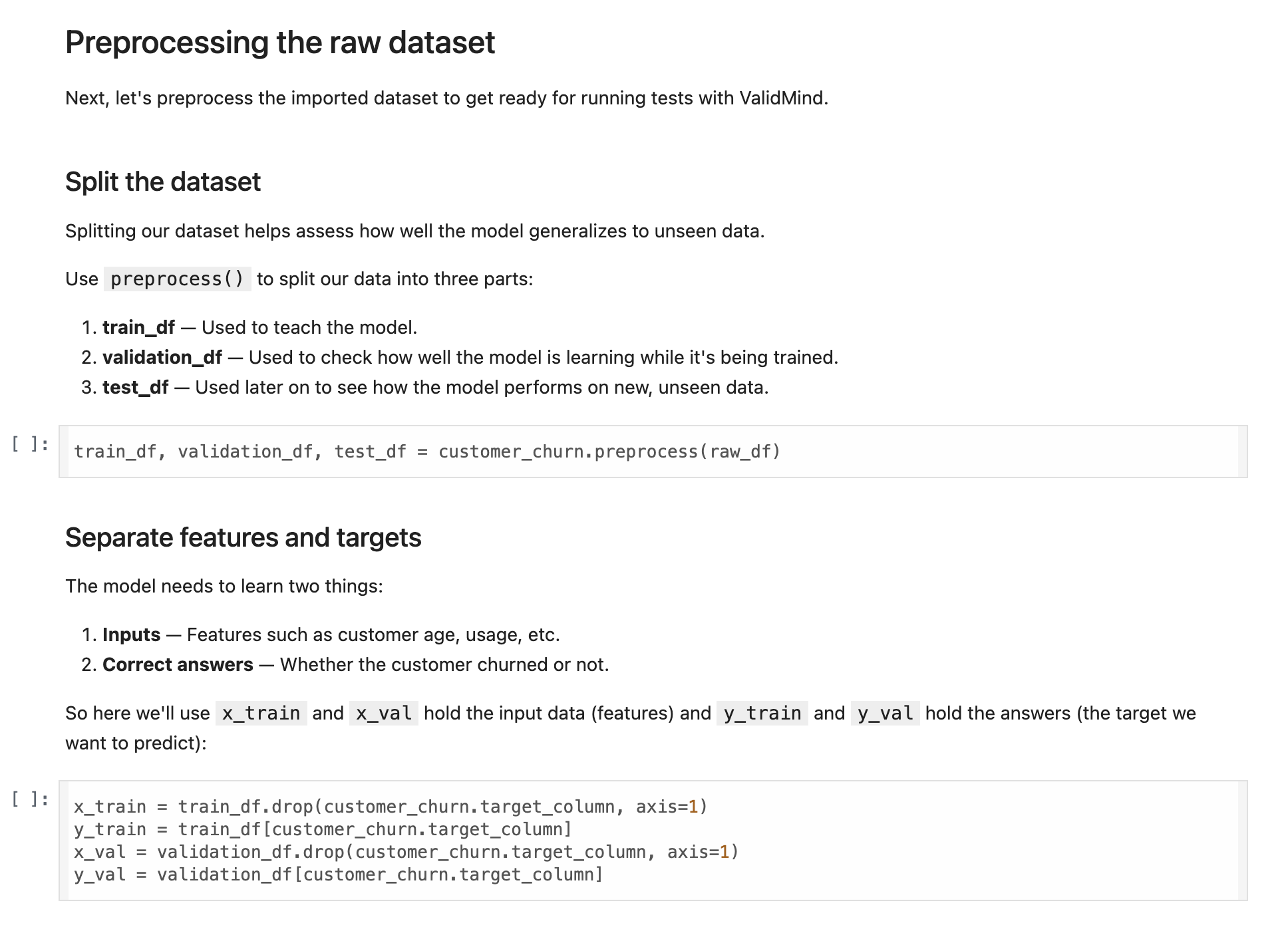
A webpage section titled Preprocessing the raw dataset includes instructions for preparing a dataset for ValidMind. The section is divided into two main parts: Split the dataset and Separate features and targets. Under Split the dataset, three bullet points explain the use of train_df, validation_df, and test_df for training, validation, and testing respectively, with a code snippet showing the command customer_churn.preprocess(raw_df). The Separate features and targets section describes the need to differentiate inputs and correct answers, with code snippets defining x_train, x_val, y_train, and y_val using the customer_churn.target_column variable. The layout uses a clear hierarchy with bold section titles and code snippets in a monospaced font.

A webpage section titled Training an XGBoost classifier model contains text and code snippets. The text explains the process of setting up early stopping to prevent overfitting and evaluating model performance using three metrics: error, logloss, and auc. Below the text, a code snippet demonstrates setting early stopping rounds to 10. Another code block shows setting evaluation metrics with model.set_params and a list of metrics. The final code snippet illustrates fitting the model using model.fit with parameters x_train, y_train, x_val, and y_val, and setting verbose to False. The layout is structured with explanatory text followed by corresponding code examples.

Other changes

Update registration and login info in docs site and notebooks

This update standardizes the alert messages displayed across various notebooks by updating the text and some CSS styling details in the HTML blocks.

  • ValidMind Logo
    ©
    Copyright 2026 ValidMind Inc.
    All Rights Reserved.
    Cookie preferences
    Legal
  • Get started
    • Development
    • Validation
    • Setup & admin
  • Guides
    • Access
    • Configuration
    • Integrations
    • Workflows
    • Inventory
    • Risk tiering
    • Documents & templates
    • Documentation
    • Validation
    • Reporting & auditing
    • Monitoring
    • Attestation
  • ValidMind Library
    • Quickstarts
    • Development tutorial
    • Validation tutorial
    • Run tests & test suites
    • Use library features
    • Code samples
    • Python API
    • Public REST API
  • Training
    • Learning paths
    • Courses
    • Videos
  • Support
    • Troubleshooting
    • FAQ
    • Get help
  • Edit this page
  • Report an issue
  • Community
    • GitHub
    • LinkedIn
    • Events
    • Blog