Workflows: Global timeline, draft workflows, User Action save, and configuration enhancements
frontend
26.05
highlight
View workflow executions across your organization, create draft workflows, save progress in User Action steps, and configure workflows more efficiently.
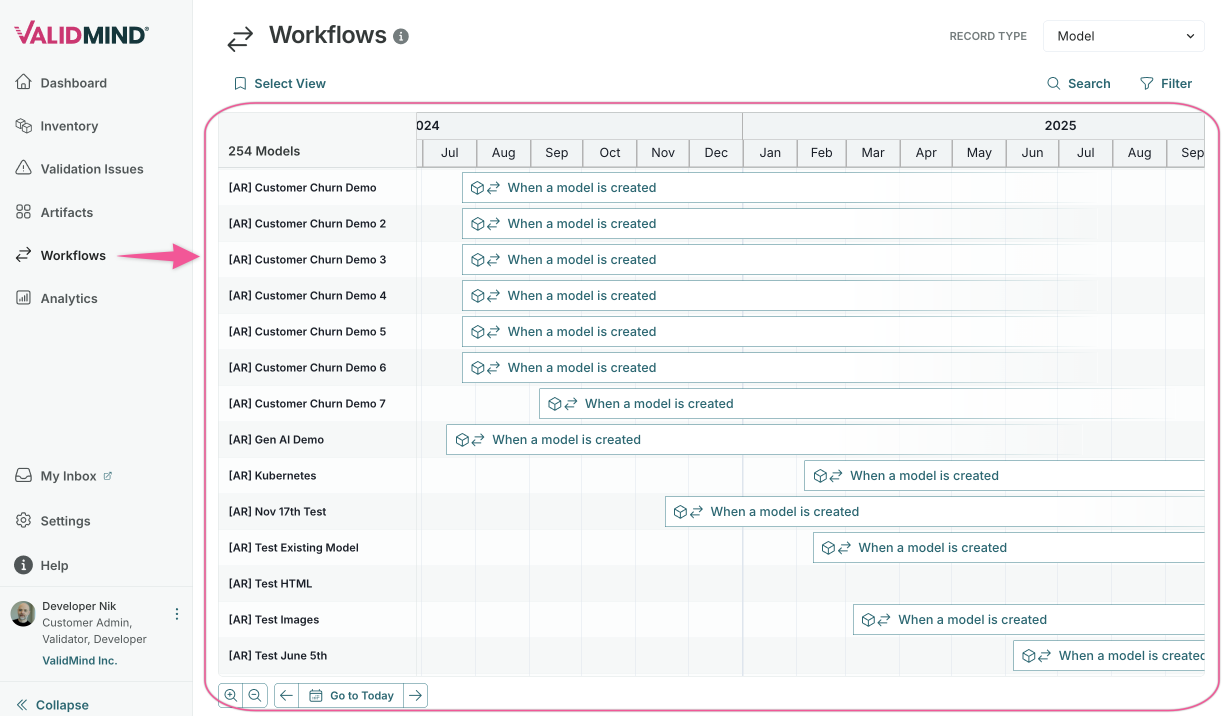
Global workflow executions timeline
A new Workflows page provides an organization-wide Gantt timeline showing all active, waiting, and scheduled workflow executions across your inventory:
- View workflow executions across all inventory records in a single timeline.
- Filter by workflow type, status, inventory record attributes, and record name.
- Save and reload filter configurations as saved views.
- Click any execution bar to open the workflow detail panel.
Draft workflows
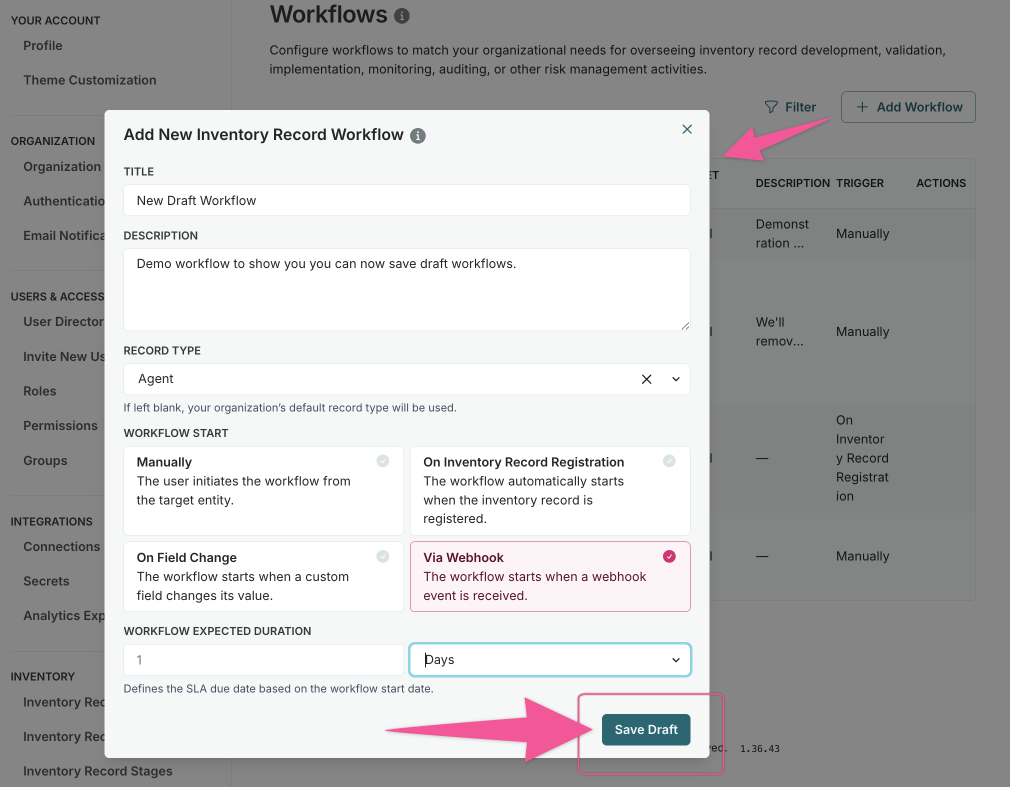
Configure workflows in draft state before making them available for execution:
- Create and refine workflow configurations without affecting active processes.
- Test workflow steps and transitions in a safe environment.
- Publish workflows when configuration is complete.
Save progress in User Action steps
Save your progress when completing User Action steps without advancing the workflow:
- Update field entries in User Action steps without completing the step.
- Return later to finish the remaining fields.
- Submit the step when all required fields are complete.
Workflow configuration enhancements
Configure workflows more efficiently with these improvements:
- Drag an entire field group into User Action or Approval Steps at once.
- Support artifact status changes in artifact-level workflows.
- Add action descriptions to User Action Steps to guide users through the process.