Platform capabilities: MCP Server, redesigned permissions UI, model activity exports, and API enhancements
Agentically interact with the platform using MCP, configure permissions with redesigned settings, view model activity in analytics exports, and use enhanced API endpoints.
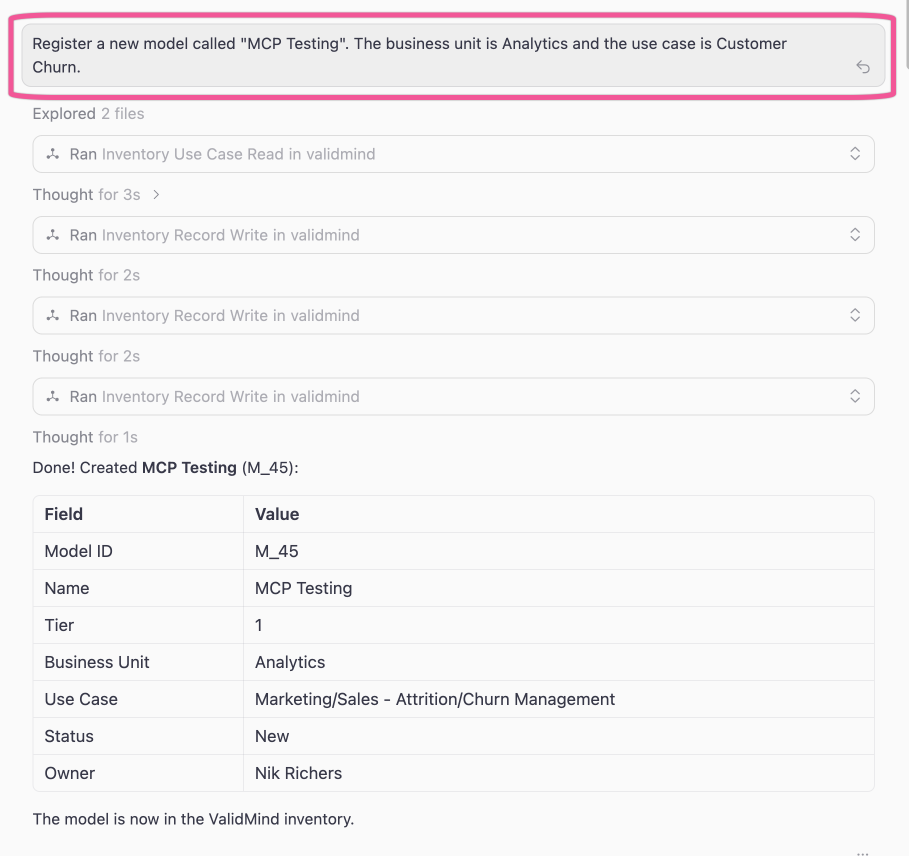
ValidMind MCP server
Connect AI assistants and developer tools to interact with the ValidMind Platform through text prompts via the Model Context Protocol (MCP):
- Connect Claude, Cursor, and other MCP-compatible tools to your ValidMind instance.
- Create and update models, model inventory fields, and documentation programmatically.
- Access model stages, use cases, stakeholders, and organizational data.
- Automate model governance tasks from your preferred development environment.
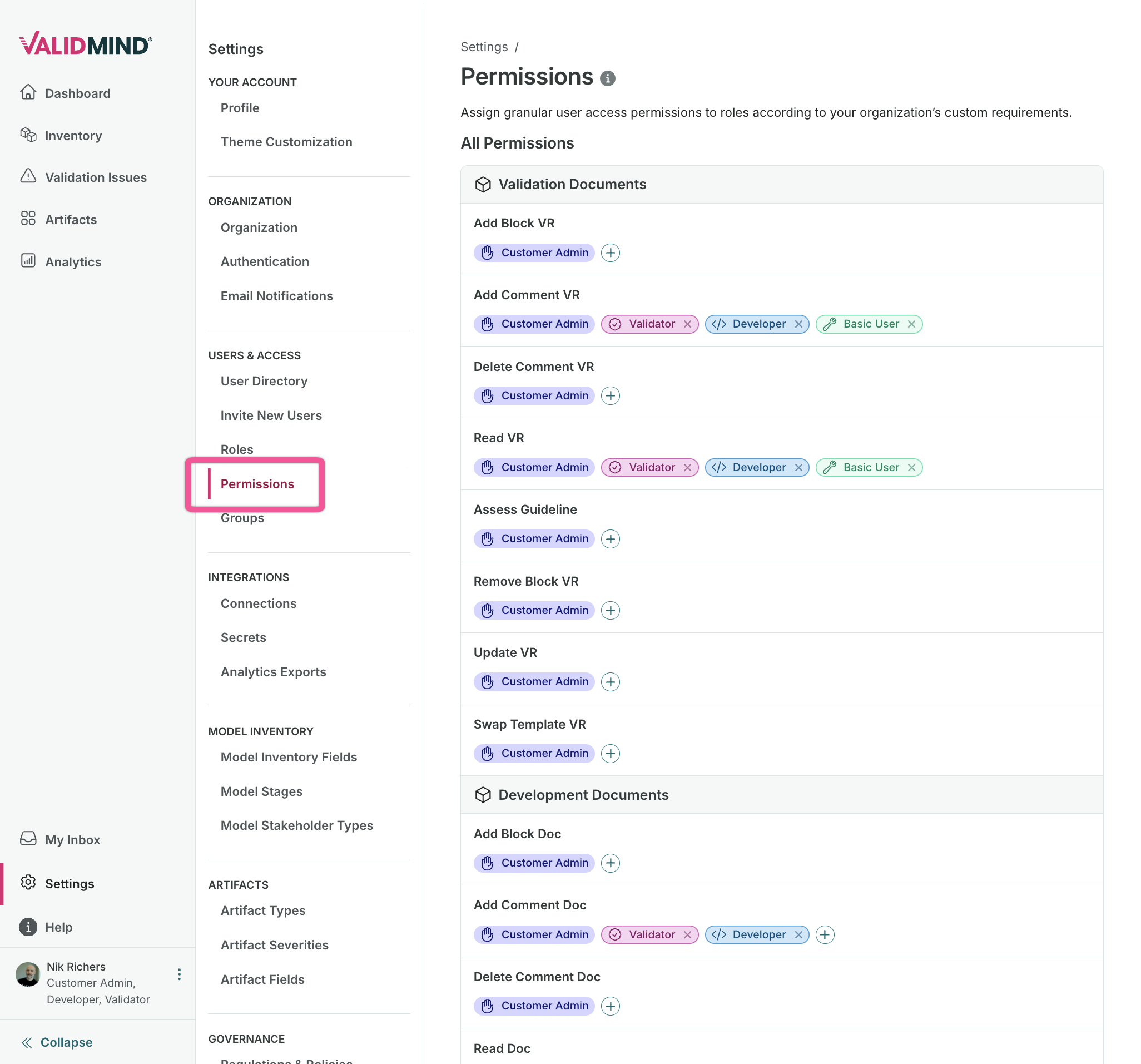
Permissions settings for roles, stakeholders, and groups
New settings pages provide fine-grained control over permissions at the role, stakeholder, and group levels:
- Stakeholder permissions: Control access to model inventory fields, artifact fields, document types, and artifact types per stakeholder role. Search, filter, and bulk-edit permissions in a single view.
- Role settings: New layout for managing role-based permissions with improved visibility into what each role can access.
- Group settings: Manage members assigned to groups under a dedicated management page.
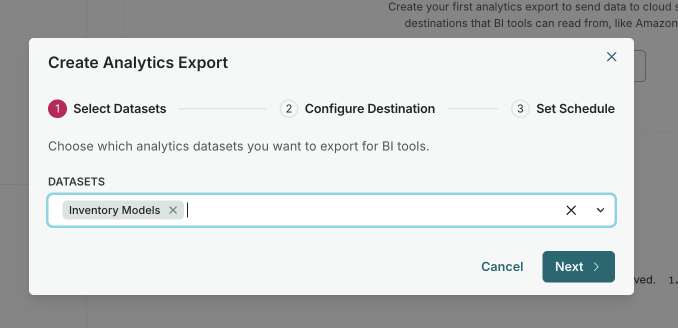
Model activity in exports of analytics data
Include model activity data when exporting analytics to S3 or S3-compatible storage, with schedule options and run history.
The analytics data export feature now supports model activity data:
- Export model activity alongside other analytics metrics.
- Choose a configurable 30, 60, or 90 day rolling window for activity data.
- Configure scheduled exports to S3 or S3-compatible storage.
- View export run history and status.
- Include activity data in your external reporting and data warehouse integrations.
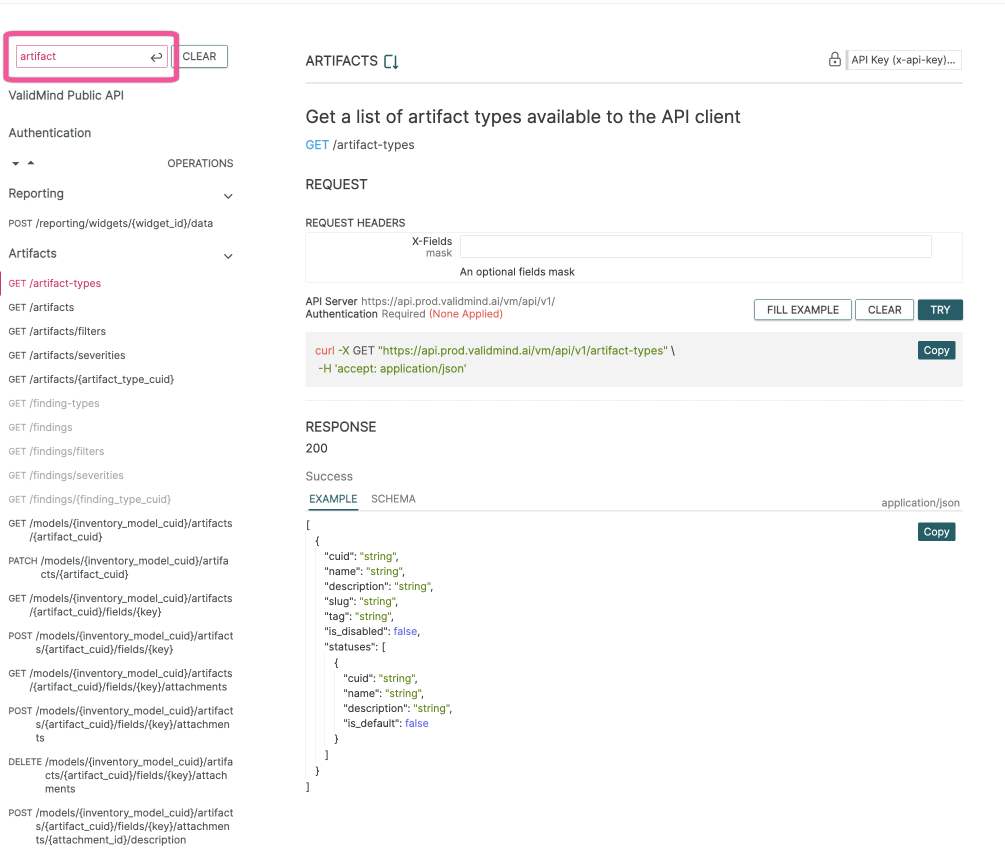
API enhancements
Updated public API endpoints improve data export capabilities and align terminology with the rest of the platform:
- Findings renamed to artifacts: The API now uses artifacts terminology consistently, aligning with the user interface. Existing endpoints remain backwards-compatible during the transition period.
- Analytics widget exports: Export specific analytics dashboard widgets via the reporting API, enabling integration with external reporting tools.
- Model activity in data exports: Include model activity data when exporting analytics to S3 or compatible storage.
GET /artifacts GET /reporting/widgets/{widget_id}/metadata POST /reporting/widgets/{widget_id}/data