• Documentation
    • About ​ValidMind
    • Get Started
    • Guides
    • Support
    • Releases

    • ValidMind Library
    • Python API
    • Public REST API

    • Training Courses
  • Log In
  1. AI-based automation: PDF-to-template translation, evidence mapping, evidence assessments, and Document Checker PDF export
  • All releases

  • Current releases
  • Feature highlights
  • ValidMind Platform releases
  • ValidMind Library releases
  • Documentation updates

  • Breaking changes and deprecations

  • Older releases
  • April 24, 2025
  • March 7, 2025
  • January 31, 2025
  • 2024 Releases
    • December 24, 2024
    • December 6, 2024
    • October 22, 2024
    • September 25, 2024
    • September 9, 2024
    • August 13, 2024
    • July 22, 2024
    • June 10, 2024
    • May 22, 2024
    • March 27, 2024
    • February 14, 2024
    • January 26, 2024
    • January 18, 2024
  • 2023 Releases
    • December 13, 2023
    • November 9, 2023
    • October 25, 2023
    • September 27, 2023
    • August 15, 2023
    • July 24, 2023
    • June 22, 2023
    • May 30, 2023

On this page

  • Convert PDF uploads to ​ValidMind templates
  • Automatically map developer and validator evidence to validation reports
  • Automatically generate evidence assessments in validation reports
  • Export Document Checker results as PDF
  • Edit this page
  • Report an issue

AI-based automation: PDF-to-template translation, evidence mapping, evidence assessments, and Document Checker PDF export

frontend
26.04
highlight
Published

April 2, 2026

Create ​ValidMind templates from PDF documents, automatically map evidence in validation reports, generate evidence assessments, and export Document Checker results as a PDF report.

Convert PDF uploads to ​ValidMind templates

Upload existing PDF documents and automatically translate them into ​ValidMind documentation format.

The document parser enables you to import existing model documentation into ValidMind Platform:

  • Upload PDF files containing model documentation.
  • Automatically extract text, tables, and structure from the PDF.
  • Map extracted content to ​ValidMind document templates.
  • Review and edit the imported content before finalizing.
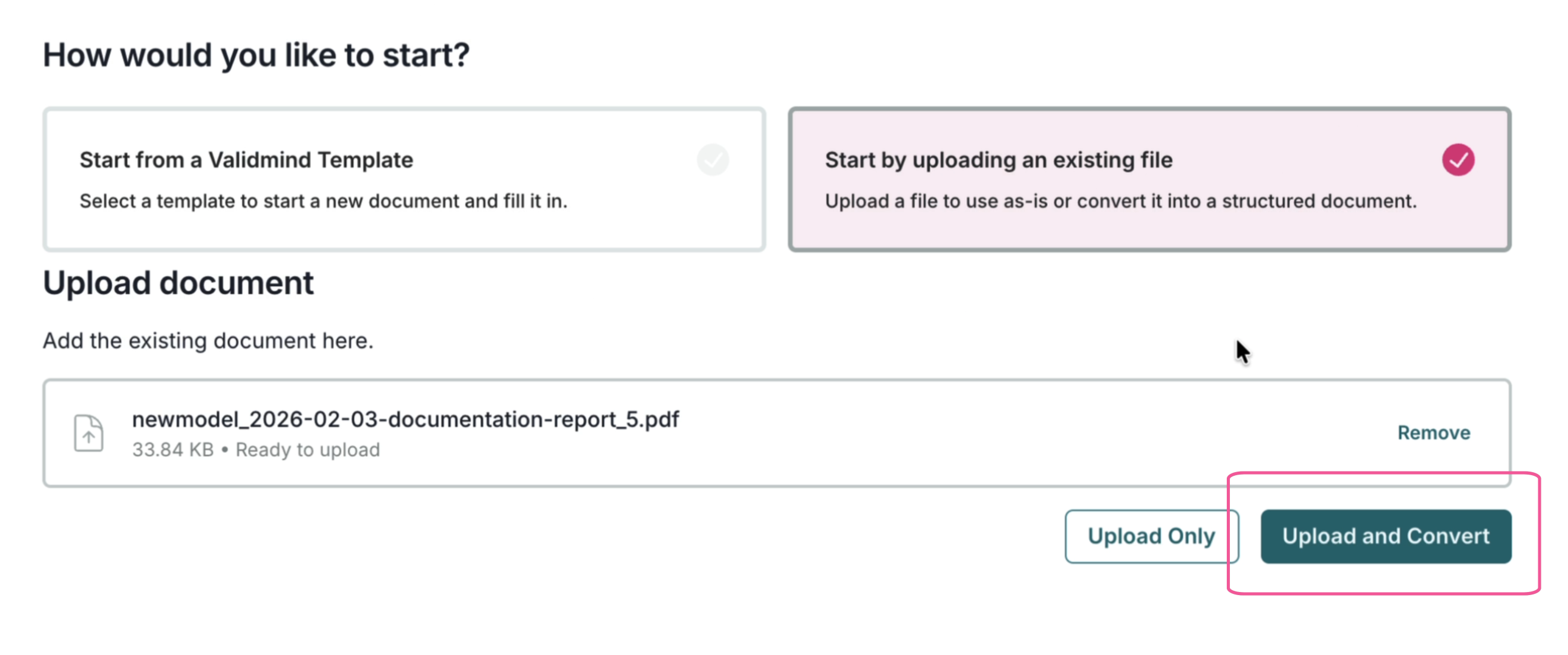
Manage model documents

Documentation interface for importing PDF documents and converting to ​ValidMind templates

Import PDFs and convert to templates

Automatically map developer and validator evidence to validation reports

Analyze your model documentation and validation report to automatically map evidence:

  • Identify relevant evidence from developer documentation.
  • Suggest appropriate mappings to validation report sections.
  • Reduce the manual effort required to link evidence across documents.
  • Speed up the validation and review process.
  • Keep the human in the loop for review.
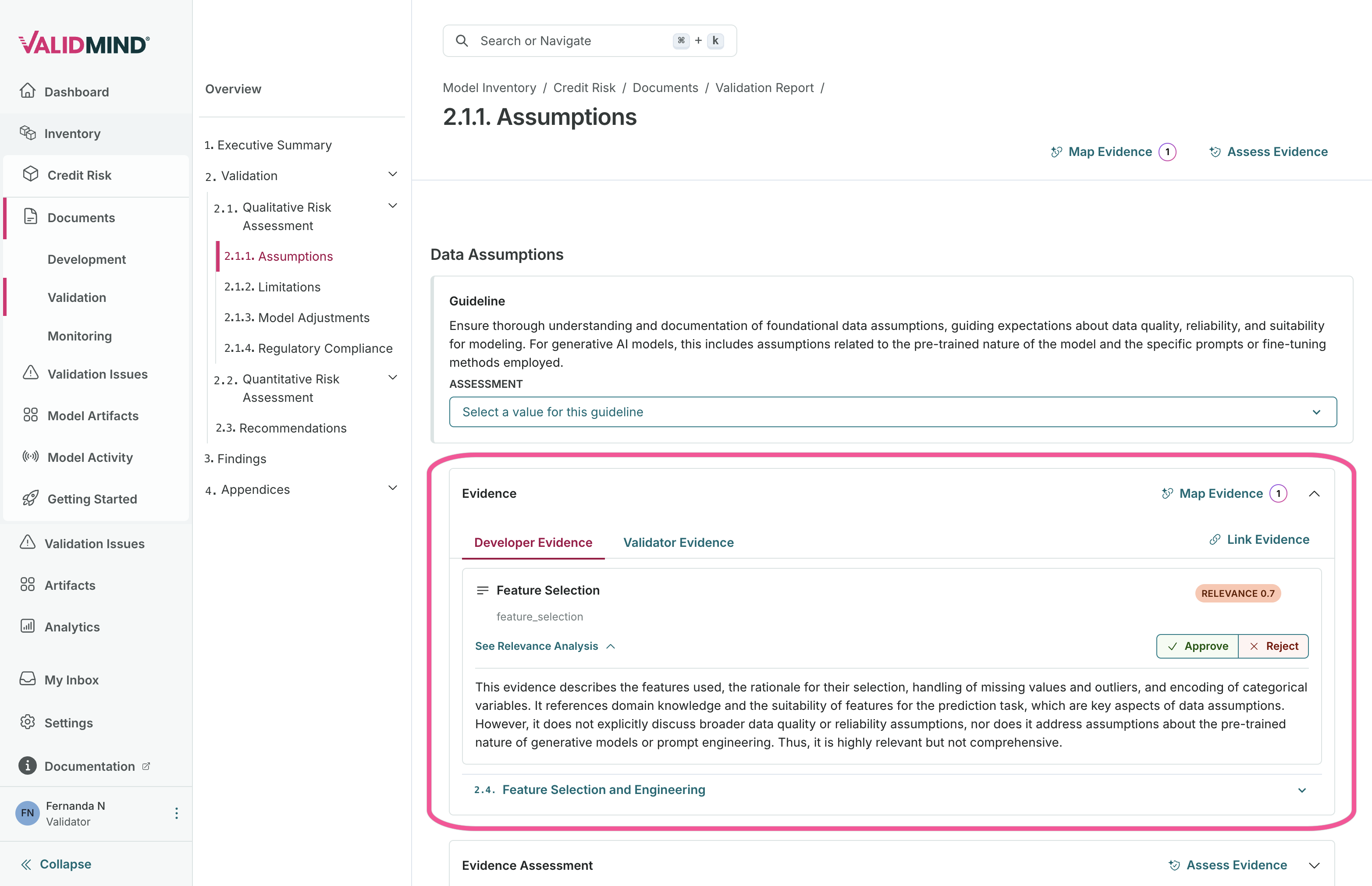
Preparing validation reports

Documentation page with evidence mapping capabilities

Automatically map evidence

Automatically generate evidence assessments in validation reports

Once evidence is linked to your validation report sections, you can auto-generate assessments that:

  • Analyze the linked evidence content.
  • Generate draft assessment text based on the evidence.
  • Provide a starting point for validator review and refinement.
  • Accelerate the documentation of validation findings.
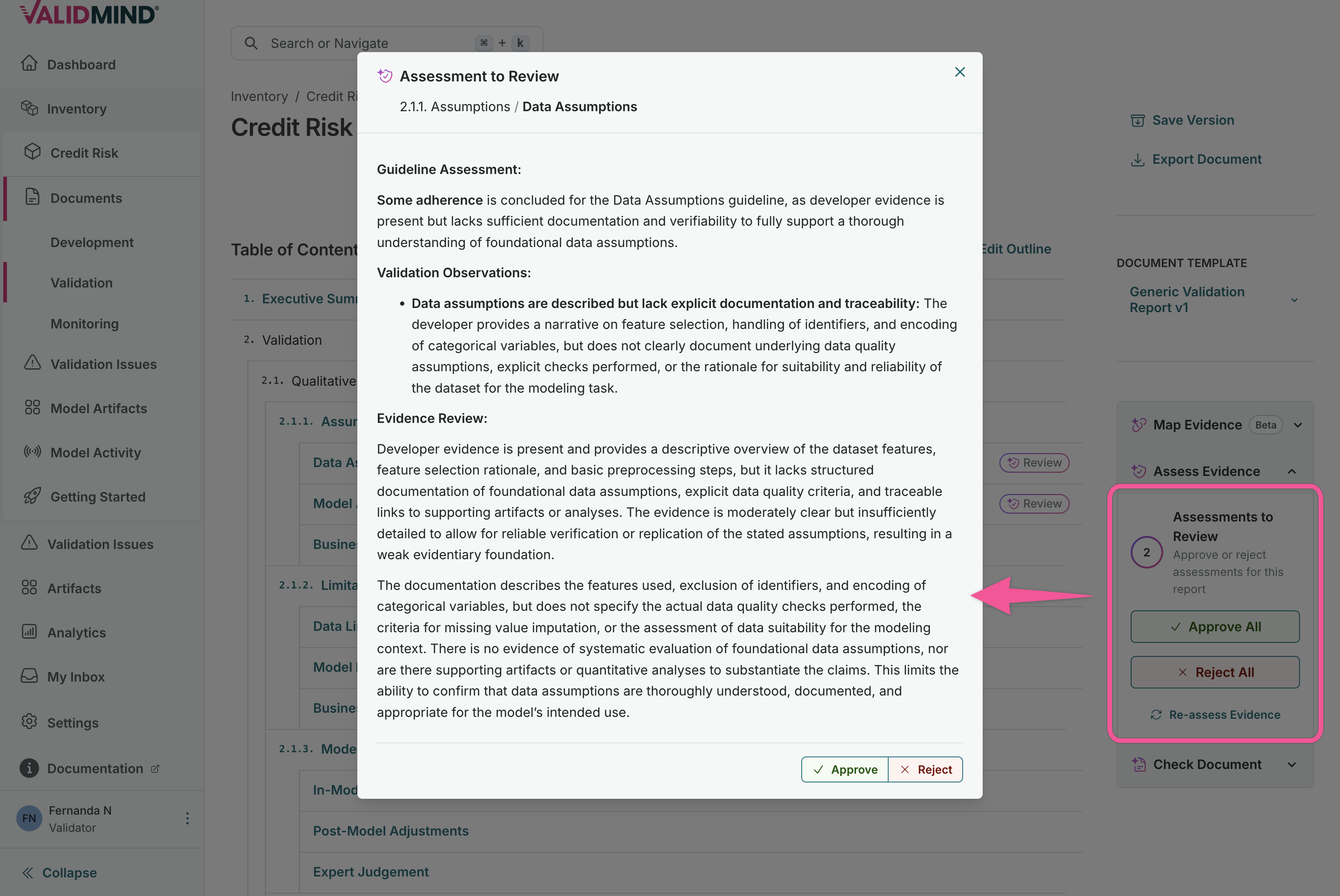
Preparing validation reports

Documentation page for generating evidence assessments

Auto-generate evidence assessments

Export Document Checker results as PDF

After running the Document Checker against your validation report, you can generate a PDF for offline review or compliance records that includes:

  • Summary of compliance findings.
  • Detailed results for each checked section.
  • Recommendations for addressing gaps.
  • A format suitable for audit documentation and stakeholder review.
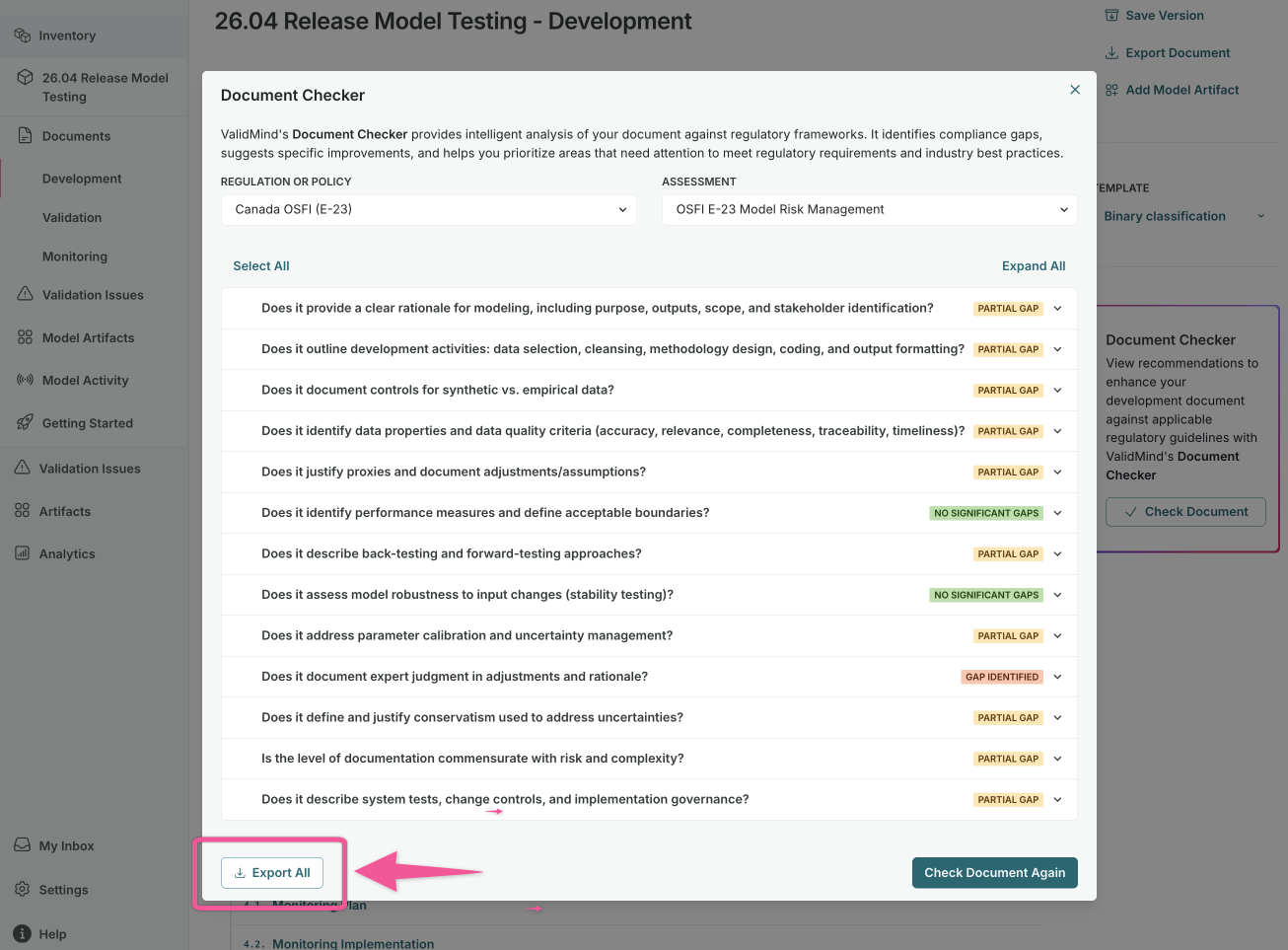
Check documentation for compliance

Document Checker panel for compliance validation

Export Document Checker results
  • ValidMind Logo
    ©
    Copyright 2026 ValidMind Inc.
    All Rights Reserved.
    Cookie preferences
    Legal
  • Get started
    • Model development
    • Model validation
    • Setup & admin
  • Guides
    • Access
    • Configuration
    • Model inventory
    • Model documentation
    • Model validation
    • Workflows
    • Reporting
    • Monitoring
    • Attestation
  • Library
    • For developers
    • For validators
    • Code samples
    • Python API
    • Public REST API
  • Training
    • Learning paths
    • Courses
    • Videos
  • Support
    • Troubleshooting
    • FAQ
    • Get help
  • Community
    • GitHub
    • LinkedIn
    • Events
    • Blog
  • Edit this page
  • Report an issue