Model inventory: Model fields in artifacts, new aggregate field type, and new Other option
Surface relevant model data where it matters on artifact pages and compute rollup metrics in a new aggregate field type.
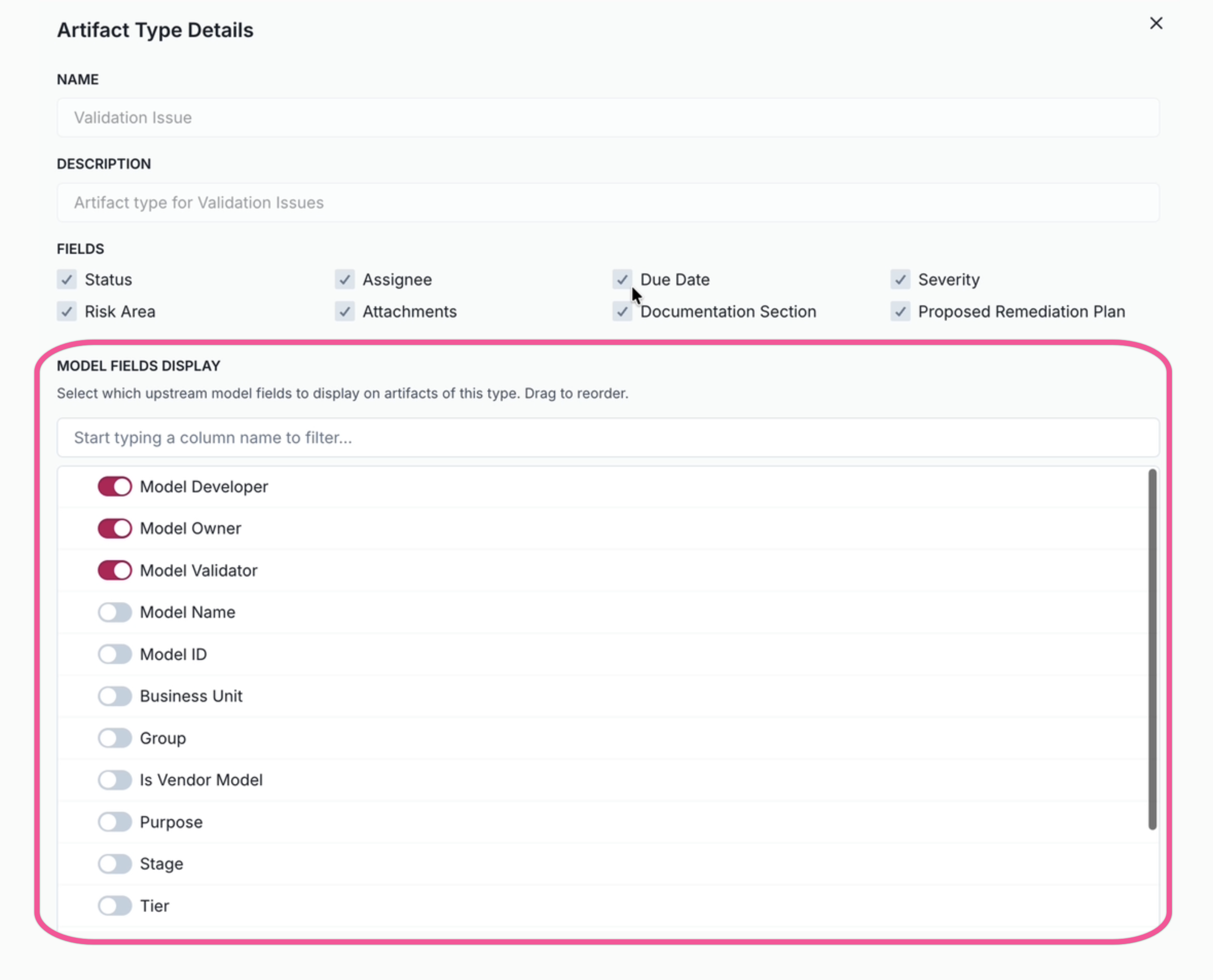
Surface model fields as read-only in downstream artifacts
Administrators can now configure which upstream model fields to display on artifact detail pages, providing critical model context directly in the artifact view.
This enhancement provides better visibility on relationships between records:
- View model information, such as tiering, owners, purpose, or stakeholders, directly on artifact pages.
- Configure field visibility per artifact type in Settings > Artifact Types.
- Reduce the navigation required to understand the full context of artifacts.
- Validation issue artifact types are pre-configured with core model fields enabled by default.
New field type for artifact aggregation
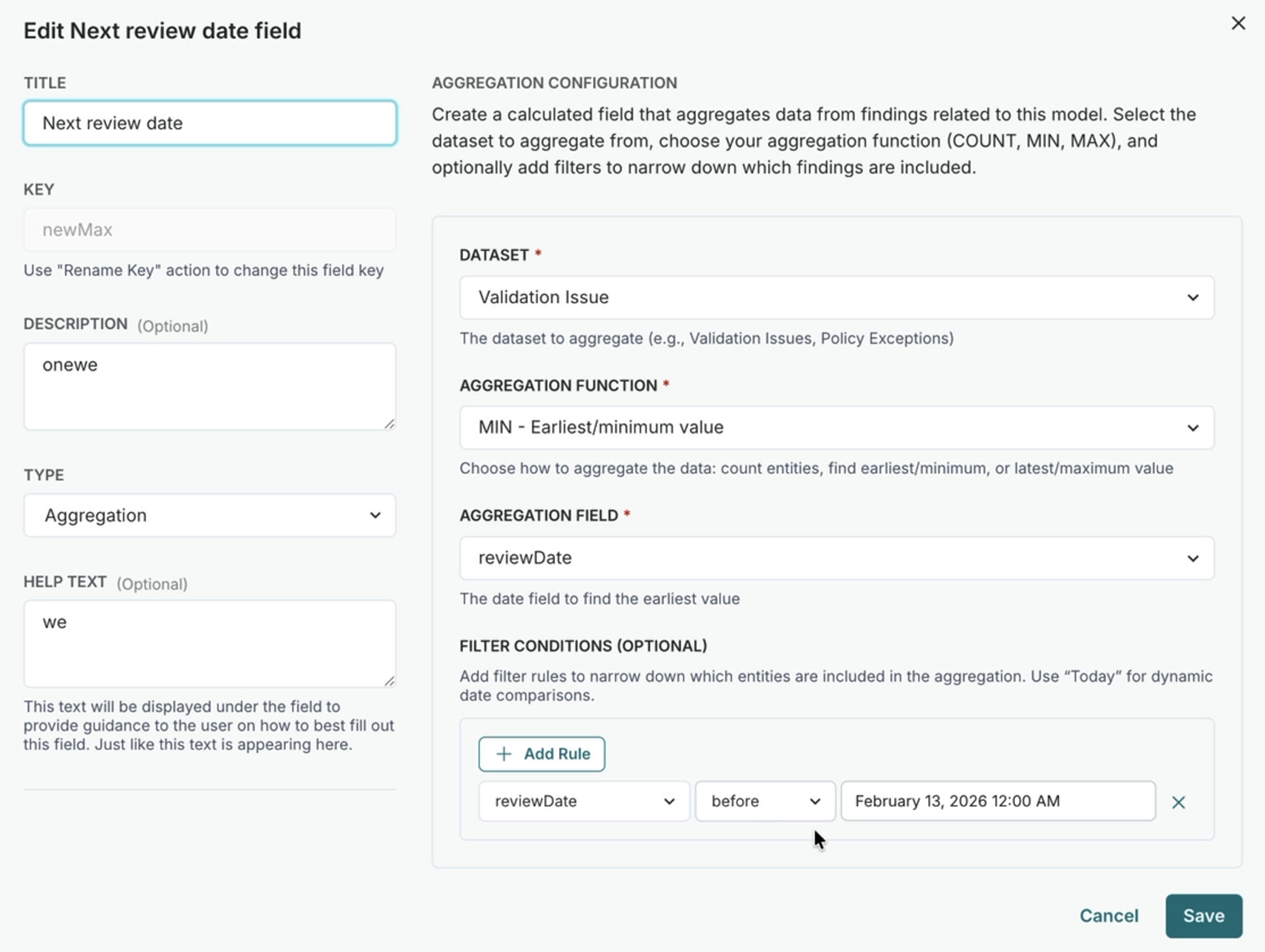
A new aggregate custom field type enables automatic computation of rollup metrics from related artifacts, providing visibility into downstream data without manual entry.
Automatically compute values from related artifacts:
Count artifacts: Track the number of artifacts matching specific criteria, such as critical issues or open policy exceptions.
Track earliest/latest dates: Use MIN/MAX aggregations on date fields to find the first or most recent occurrence.
Filter aggregations: Apply optional filter conditions to narrow down which artifacts are included in the computation.
Dynamic dataset discovery: Aggregate fields automatically discover available artifact types from your organization's configuration.
Relationship-based filtering: Filter artifacts based on their relationship to the parent inventory model.
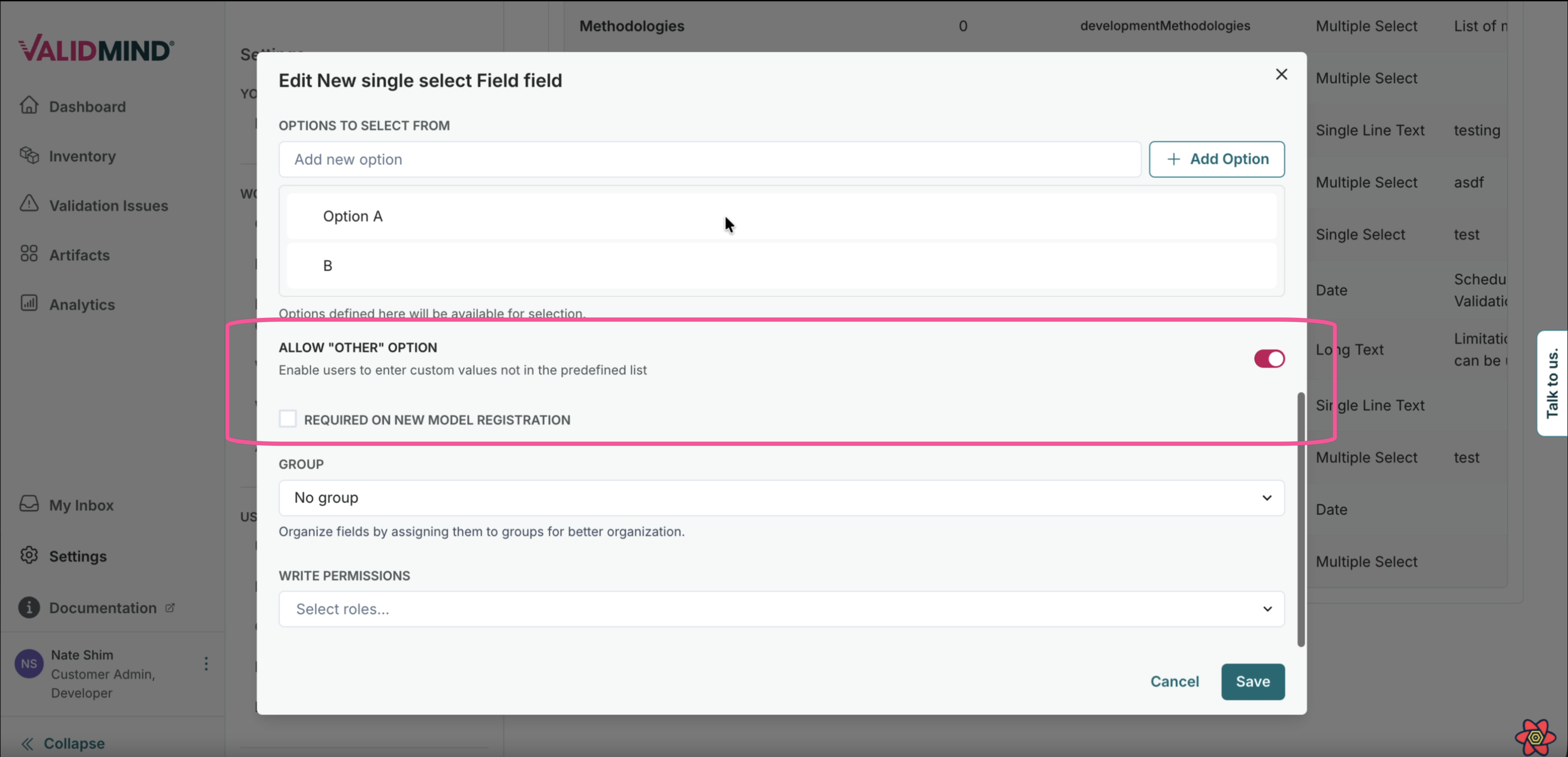
Specify Other option in select fields
Single-Select and Multi-Select custom fields can now include an Other option that enables a text entry field for additional detail when selected.
This enhancement improves flexibility when predefined options don't fully capture the needed classification:
- Configure Other as an option in Single-Select or Multi-Select custom fields.
- When users select Other, a text entry field appears to provide more detail.
- Capture non-standard classifications without compromising field structure.