Documents: Renamed document types, assessment options, document outline editing, track changes, and document variables
Control how documentation is created, structured, and tracked better than ever before, from configuring assessments at the template level to enabling organization-wide change tracking.
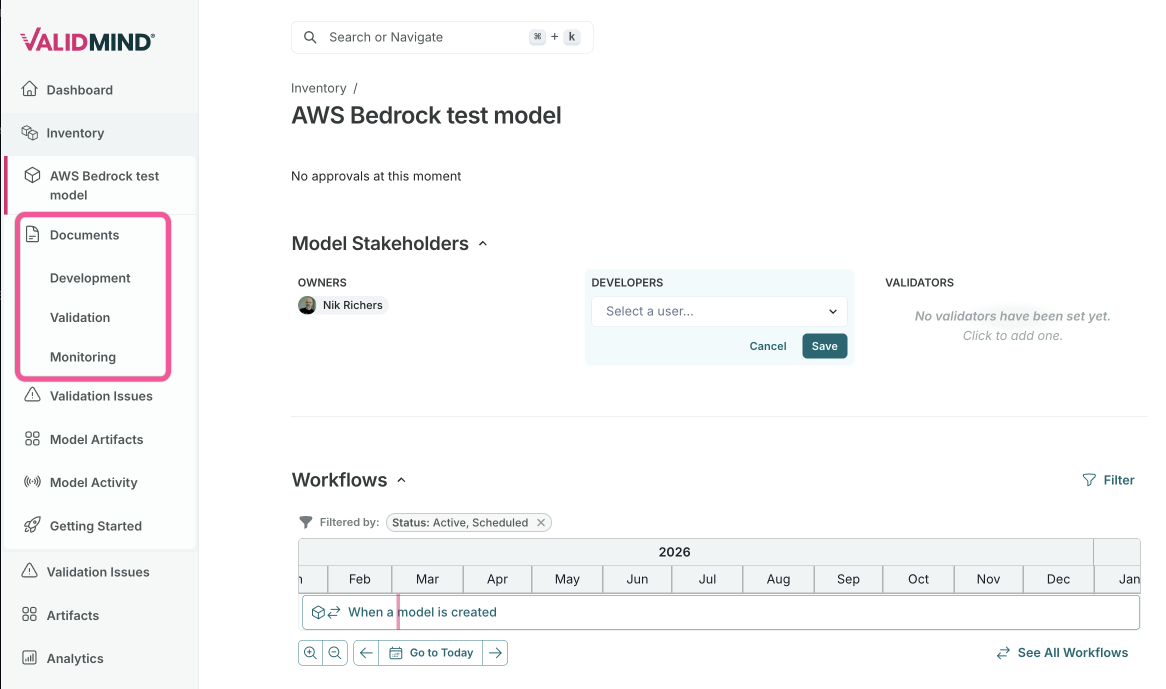
Renamed core document types
Core document types have been renamed for improved clarity, aligning terminology with user workflows across development, validation, and monitoring.
The following document types have been renamed:
- Model Documentation Development
- Continues to be used for development-phase documentation.
- Validation Report Validation
- Continues to be used for validation findings and assessments.
- Ongoing Monitoring Monitoring
- Continues to be used for ongoing monitoring documentation.
Configure assessment options for validation reports
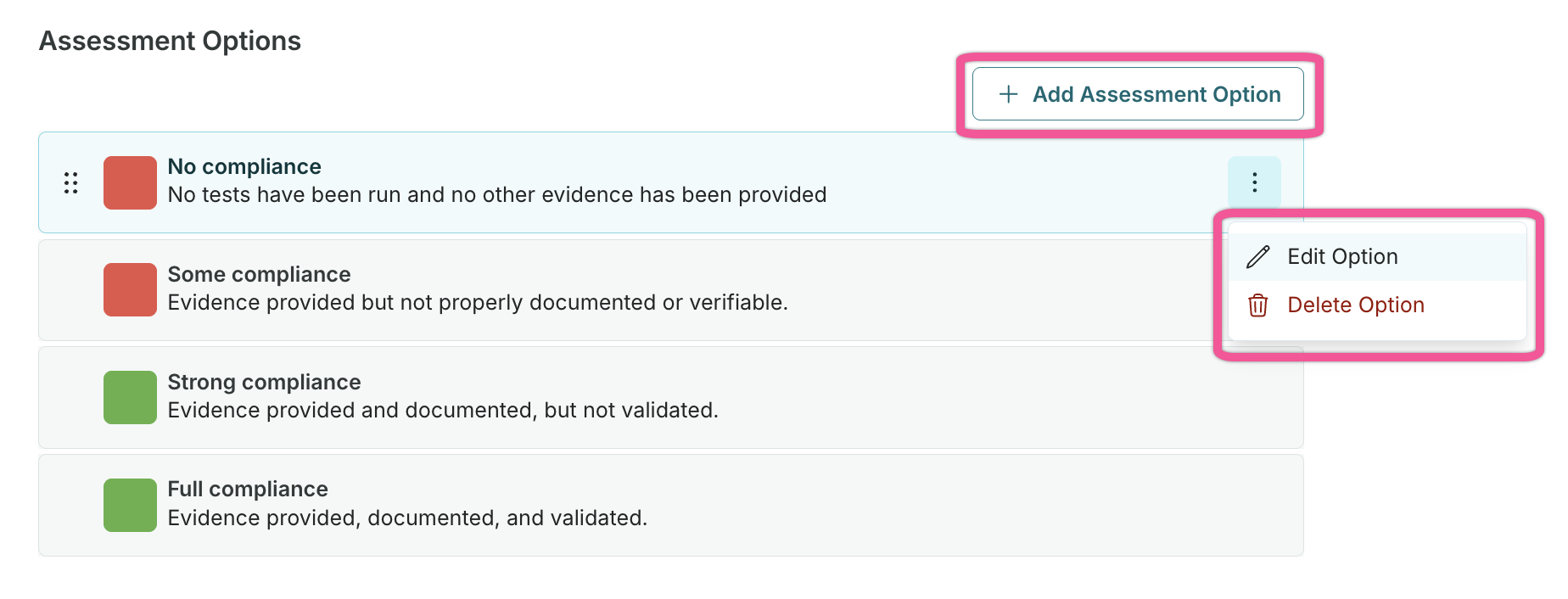
Assessment options are now configurable per template, allowing each template to have its own customized set of assessment options for validation reports.
This change provides greater flexibility for different template types and use cases:
Configure custom assessment options at the template level besides the default options of No Adherence, Some Adherence, Strong Adherence, and Full Adherence.
Enable different templates to have different assessment scales that match their specific requirements.
Existing assessment options have been automatically migrated to template scope, no migration required.
Edit document template outline at the model level
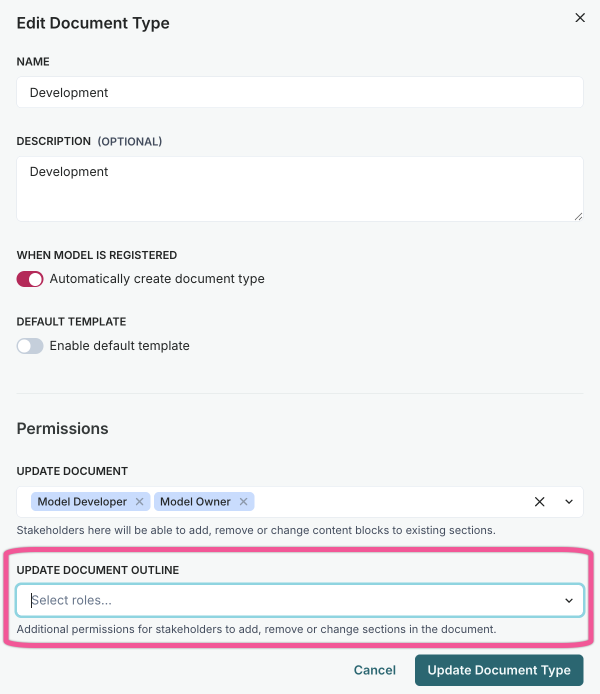
You can now add, rename, reorder, and delete sections in your model documentation outline, enabling customization based on relevancy for individual models.
A new permission allows defined organization roles to edit document template outlines at the model level:
- Add new sections to document outlines.
- Rename existing sections.
- Reorder sections via drag-and-drop.
- Delete sections no longer needed.
Edits to the outline apply to singular documents only and do not affect other documents or the template in use.
Automatic change tracking for documentation
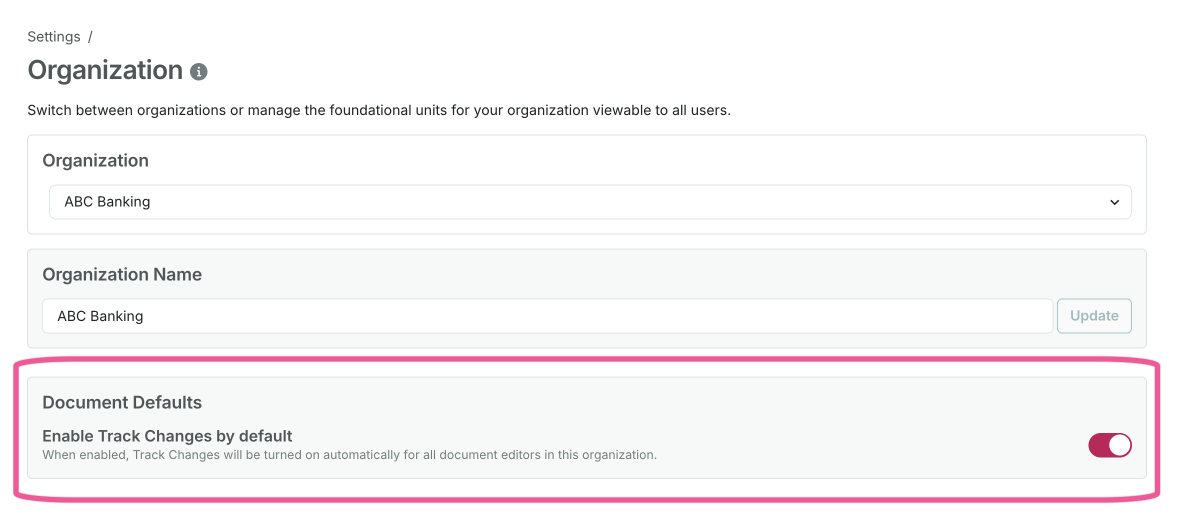
Organization administrators can now enable to track changes by default for all document editors, improving change tracking and audit visibility across the organization.
When enabled under Settings > Organization > Document Defaults > Enable Track Changes by default, change tracking automatically activates whenever a user opens a model documentation editor.
This feature ensures all document modifications are tracked consistently without requiring manual activation by each editor.
Reference model and artifact fields as variables
You can now insert model and artifact field values directly into your documentation as variables, reducing duplicate data entry and keeping documentation in sync with your model inventory.
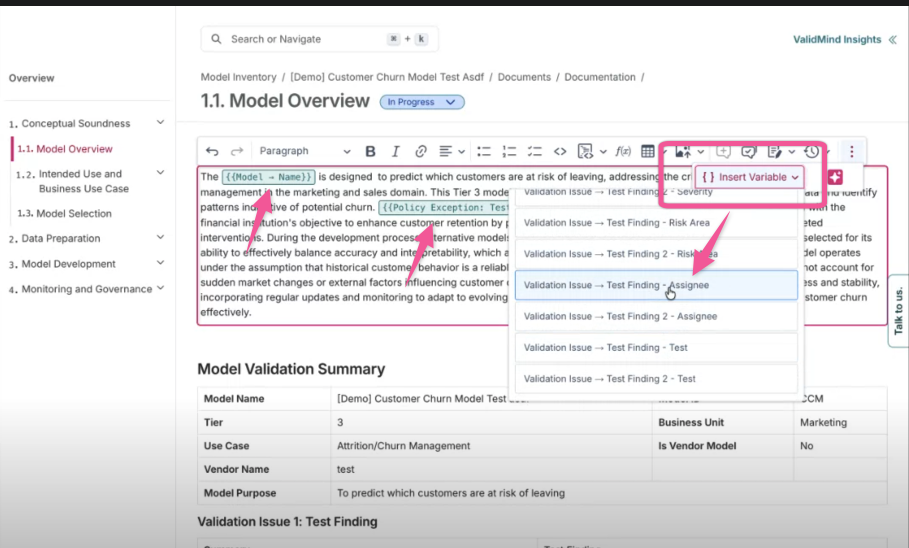
In the Content Block Editor, use the new variable insertion button to reference field values:
- Model fields: Insert values like tiering, owners, purpose, or custom fields directly from the model.
- Artifact fields: Select an artifact type, choose a specific artifact, then pick the field to reference.
- Auto-refresh: Field values update automatically when documentation is opened.
- Version preservation: When documents are versioned, variable values are flattened to preserve the point-in-time snapshot.