Attestations: New dashboard, structured questionnaire fields, model and artifact snapshots, and much more
Attestations have received several new updates in this release that help you manage and track attestations more effectively.
New dashboard
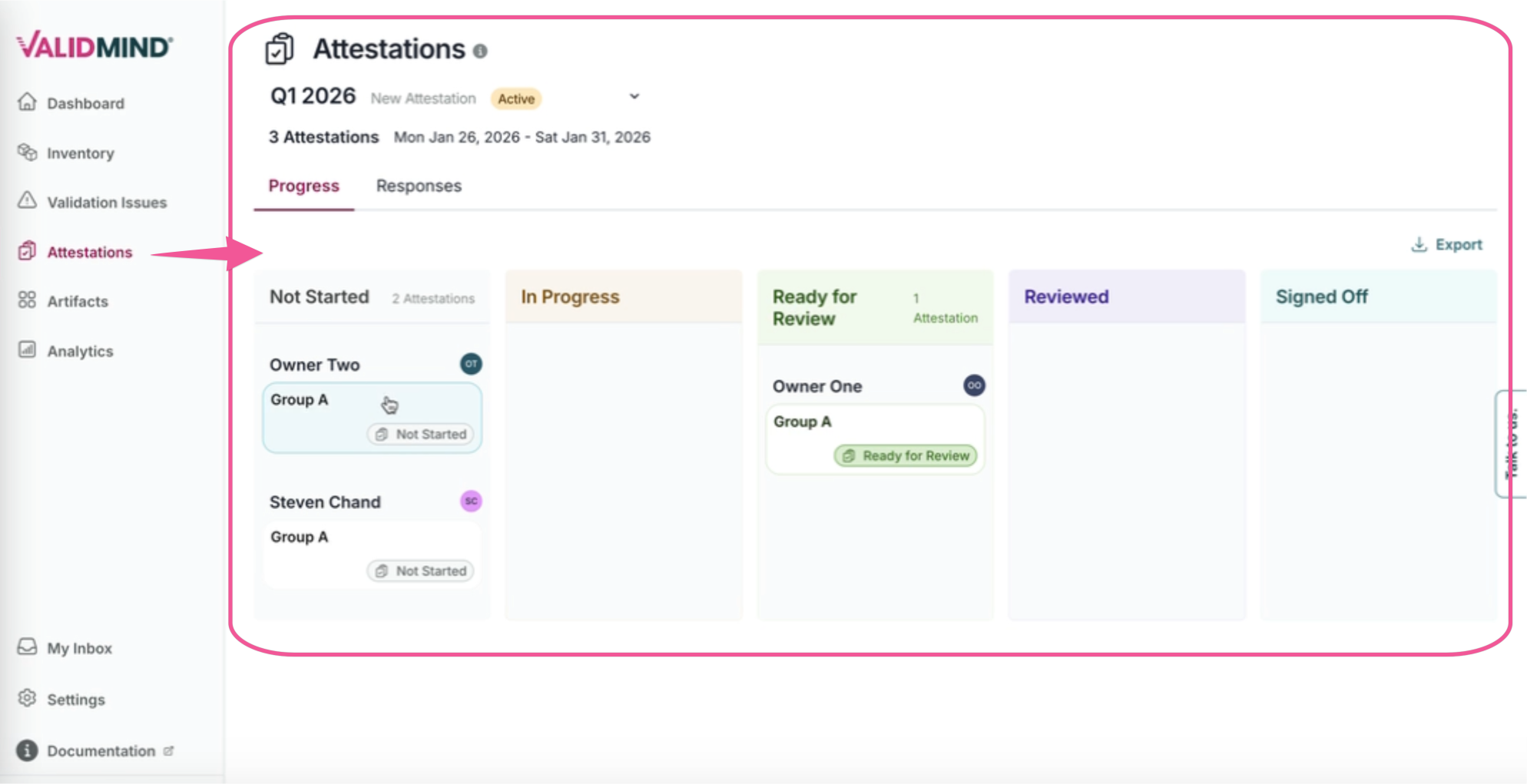
A new dashboard makes it easier to track, review, and export attestation data:
- Access all attestation executions with advanced filtering and sorting in one place.
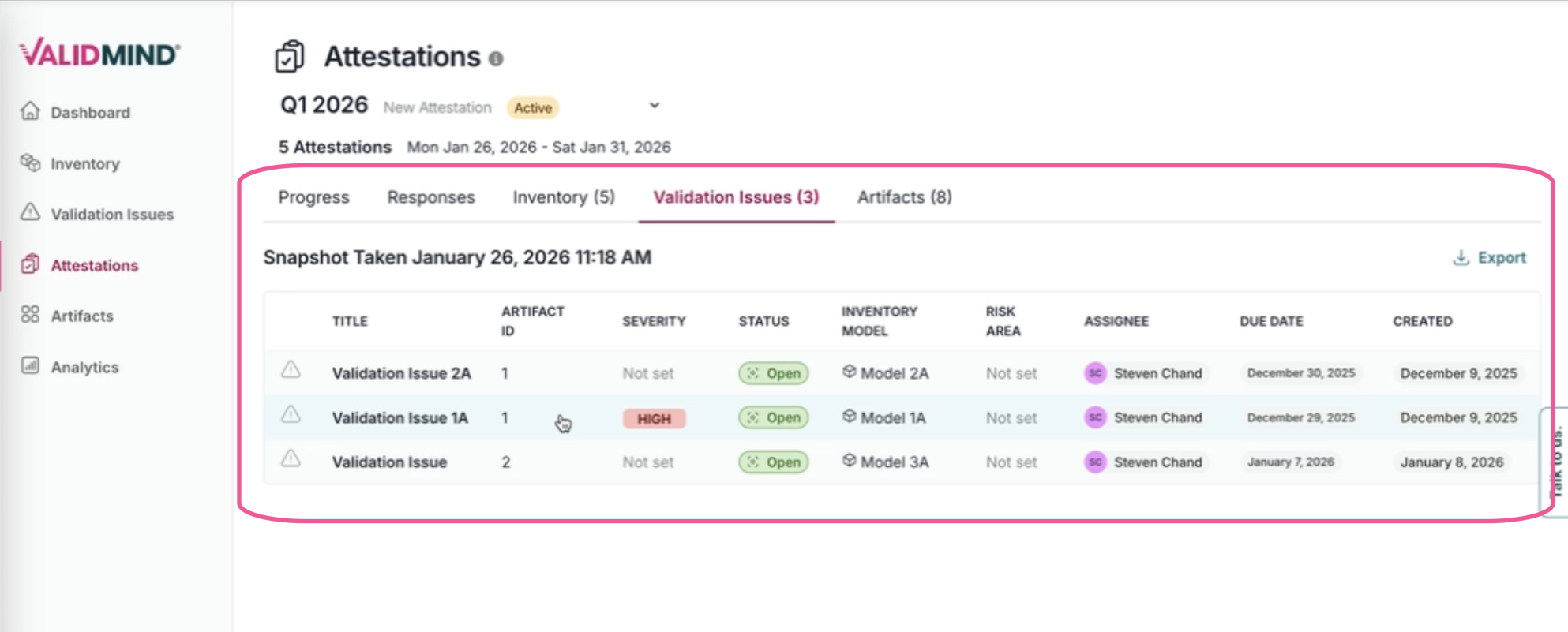
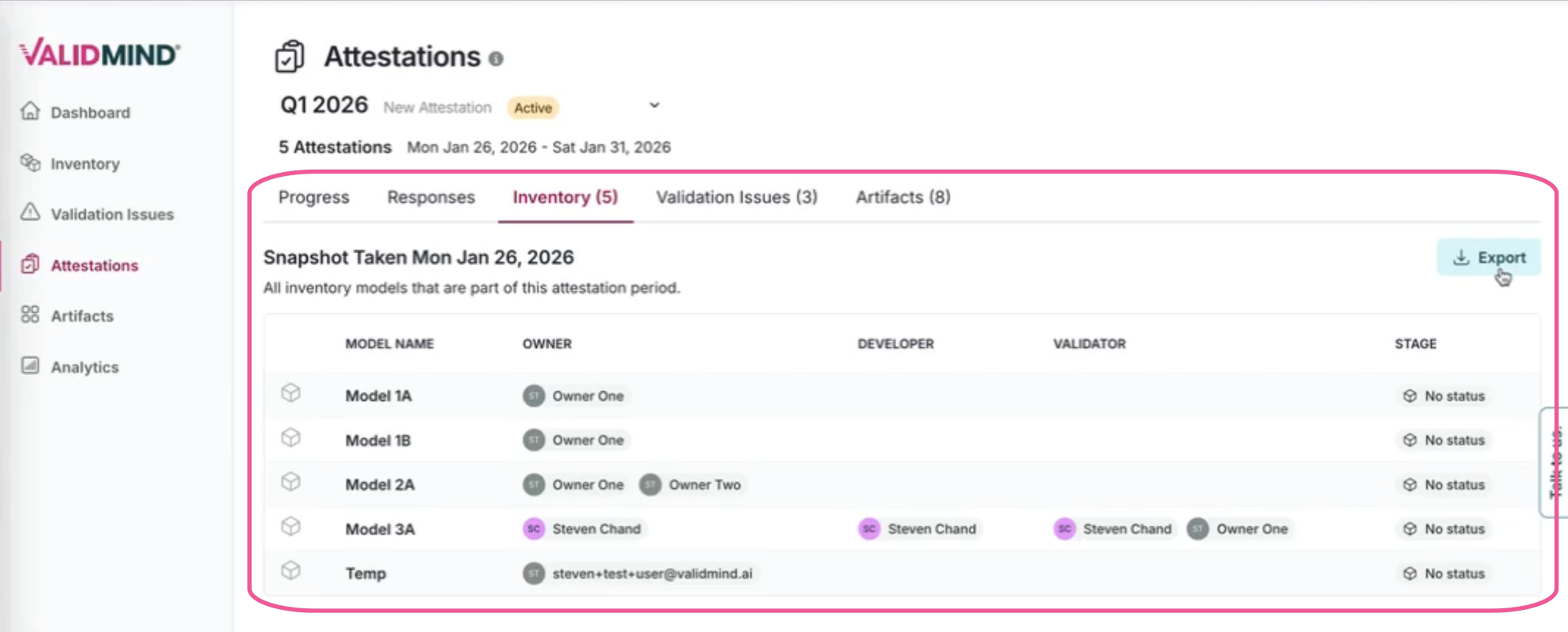
- See related details including artifacts, model scope, and validation issues.
- View model and artifact snapshots captured at both the beginning and completion of each attestation period, enabling comparative analysis to confirm inventory completion and accuracy.
- Access organization-level views of snapshots across all models in scope.
- Export attestation data in CSV or Excel format for external reporting and compliance documentation.
Stakeholders and roles
Define stakeholders and roles for each of the three steps in the attestation process (submitter, reviewer, and approver), giving you fine-grained control over who participates at each stage.
Structured questionnaire fields
Attestation templates now support structured questionnaire fields, replacing the previous rich text template approach. Define specific fields with validation rules, making it easier for submitters to provide consistent, structured responses during the attestation process.
Form submission and progress tracking
The new attestations interface streamlines the submission process and provides visibility into progress:
- Submit attestation forms with structured questionnaire responses.
- Track individual submissions and monitor progress through the workflow stages.
- View consolidated responses across all completed forms for a given attestation period.
Models in scope
Define which models are in scope for attestation submission using filters based on Group, Stage, or Field Input values, making it easy to target specific model populations.
Notifications
Configure notifications via Email and the My Tasks page when an attestation period begins, send reminders before the period ends, and track progression through submission, review, and approval stages. Attestation email notifications now include improved default messaging that provides clearer context for recipients.
Delete templates
You can now delete attestation templates from the Settings page. Deletion is blocked if any attestation periods are currently active, and all related data (schedules, executions, snapshots) is automatically cleaned up when a template is deleted.