Workflows: Field grouping, webhook integrations
frontend
26.02
highlight
Workflows can now organize fields into logical steps and be used in integrations via webhooks.
Field grouping
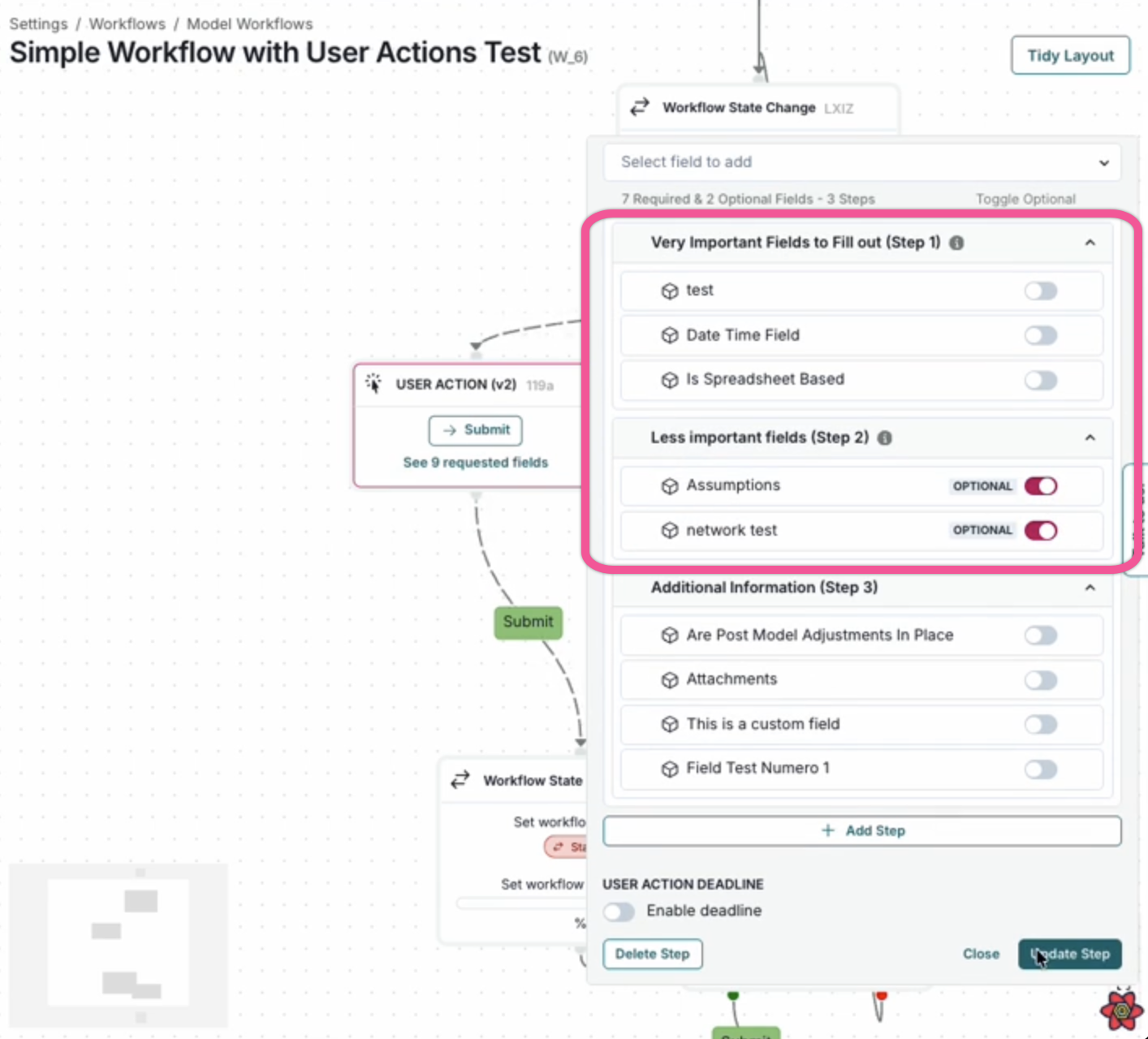
Workflow forms now support organizing fields into logical steps. When creating or editing workflow actions, you can:
- Create named steps to group related fields together.
- Add descriptions to provide context for each step.
- Organize fields by dragging them into the appropriate step.
- Reorder steps to control the flow of information collection.
When executing workflow actions with steps configured, users see a multi-step form with navigation controls, making it easier to complete longer forms. Fields not assigned to a specific step appear in an "Additional Information" section at the end.
Webhook integrations
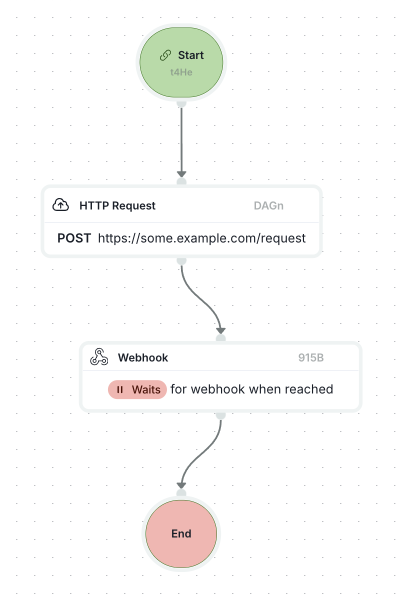
Workflows now support webhook integrations for connecting with external systems. You can trigger outgoing HTTP requests as part of workflow actions, enabling automated notifications, data synchronization, and integration with third-party services.
- Use external integration fields in workflow conditions and actions.
- Configure authenticated requests using webhook secrets.
- Connect workflows to external APIs and services.