26.05 Release notes
Highlights include workflow enhancements, core documentation improvements, agentic development and validation capabilities, reporting and analytics features, and expanded platform integrations. This release also includes bug fixes across the platform.
Frontend
Workflow highlights
Global workflow executions timeline
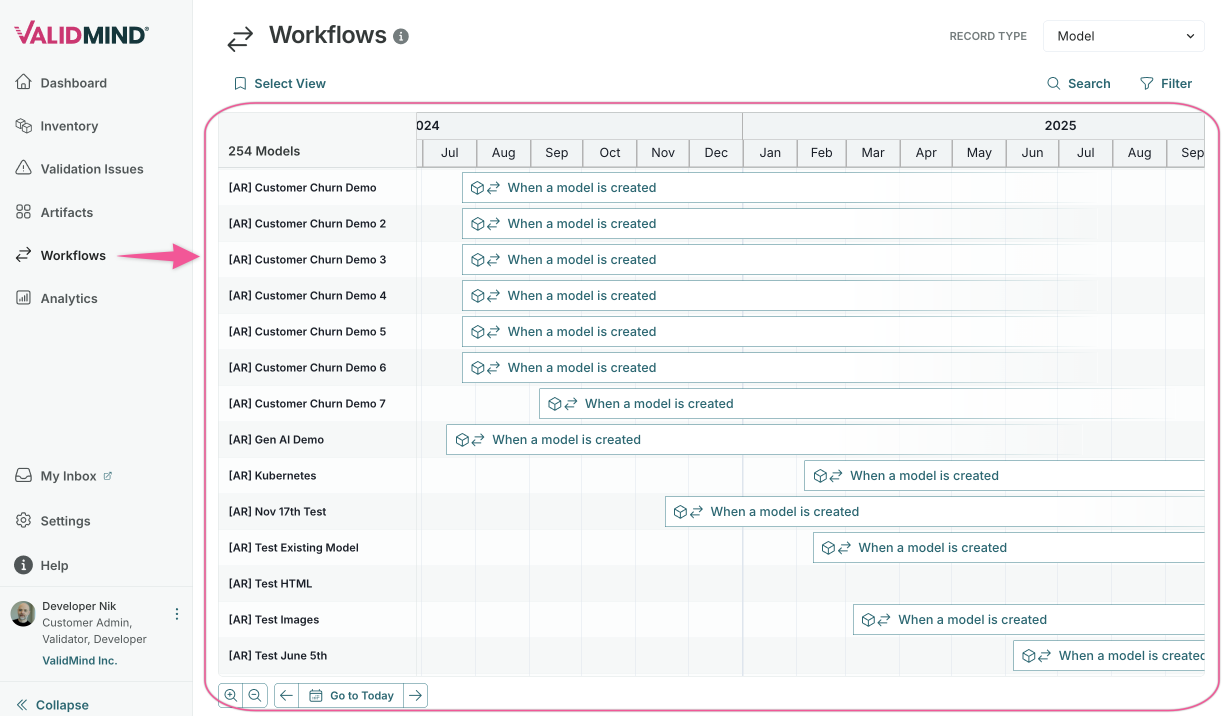
A new Workflows page provides an organization-wide Gantt timeline showing all active, waiting, and scheduled workflow executions across your inventory:
- View workflow executions across all inventory records in a single timeline.
- Filter by workflow type, status, inventory record attributes, and record name.
- Save and reload filter configurations as saved views.
- Click any execution bar to open the workflow detail panel.
Draft workflows
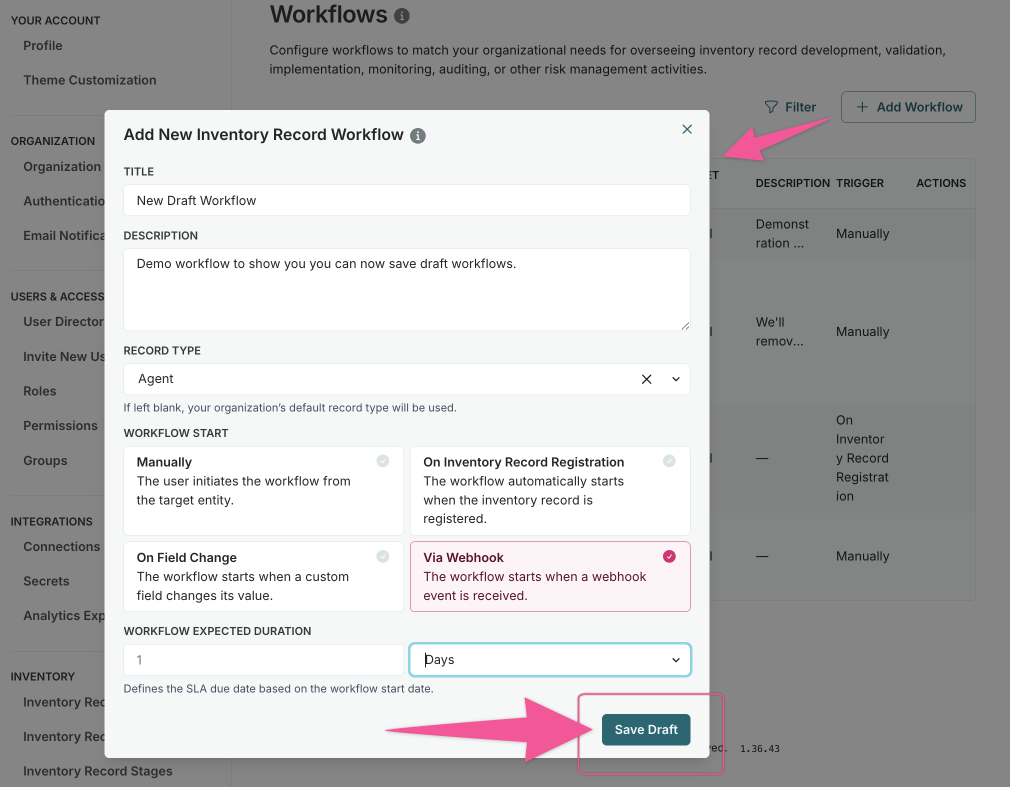
Configure workflows in draft state before making them available for execution:
- Create and refine workflow configurations without affecting active processes.
- Test workflow steps and transitions in a safe environment.
- Publish workflows when configuration is complete.
Save progress in User Action steps
Save your progress when completing User Action steps without advancing the workflow:
- Update field entries in User Action steps without completing the step.
- Return later to finish the remaining fields.
- Submit the step when all required fields are complete.
Workflow configuration enhancements
Configure workflows more efficiently with these improvements:
- Drag an entire field group into User Action or Approval Steps at once.
- Support artifact status changes in artifact-level workflows.
- Add action descriptions to User Action Steps to guide users through the process.
Core documentation highlights
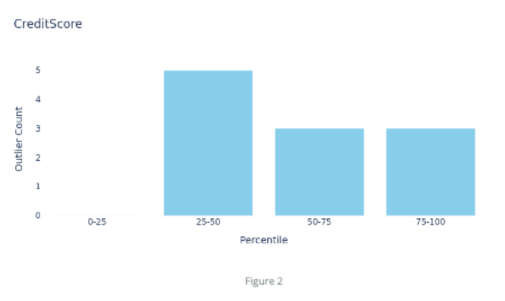
Reference document sections, tables, figures, and stakeholders in documentation
Reference more items directly in your documentation using dynamic variables:
- Insert hyperlinks to document sections, tables, and figures that update automatically.
- Reference inventory record stakeholders that resolve to assigned user names (Owners, Developers, Validators, and custom stakeholder types).
- Keep documentation accurate with ongoing refreshes for variable accuracy.
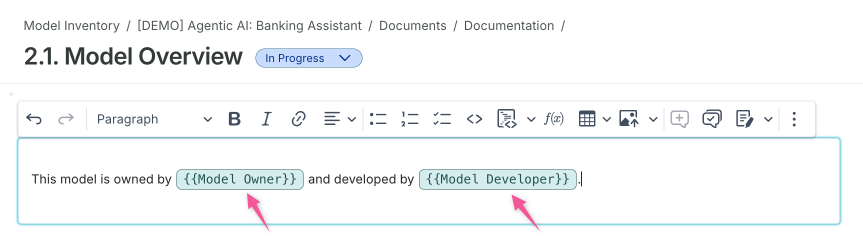
| Edit mode | View mode |
|---|---|
"This model is owned by {Model Owner} and developed by {Model Developer}." |
"This model is owned by Jane Smith and developed by Alex Chen, Pat Kim." |
Table of contents for tables and figures when exporting
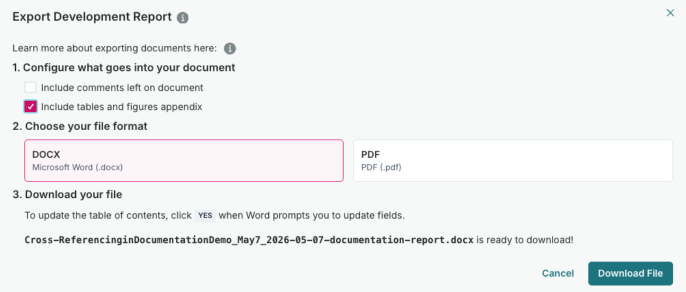
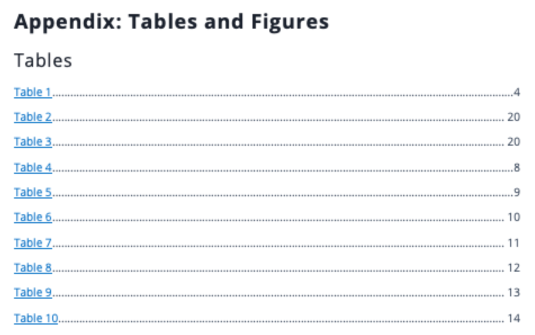
Export documentation to PDF with an optional appendix that lists all tables and figures:
- Include a consolidated list of all tables and figures in your exported documentation.
- Quickly jump to specific tables or figures from the appendix.
ValidMind Library highlights
Qualitative text generation in the ValidMind Library
Generate and log documentation text blocks directly from Python using AI-assisted qualitative text generation:
- Programmatically generate qualitative text for documentation.
- Customize output with prompts to control structure, tone, and detail level.
- Select specific sections as context for more targeted generation.
vm.run_text_generation(
    content_id="dataset_summary_text",
    prompt="Summarize the dataset ...",
).log()
Agentic development, validation and governance highlights
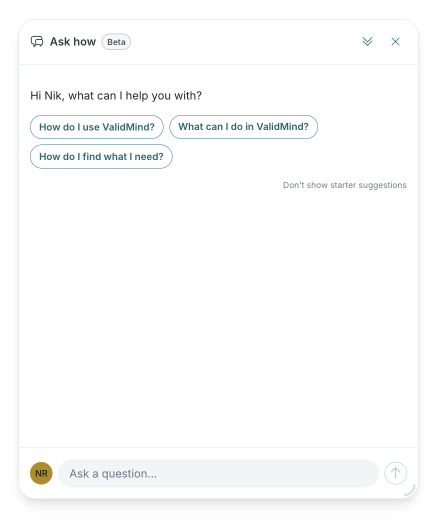
In-app agentic user assistance
Chat in plain language to get guidance on how ValidMind works, with organizational context:
- Ask questions about product features and get synthesized answers from documentation.
- Receive guidance tailored to your organization's configuration and inventory.
- Get personalized suggestions based on your current context and permissions.
- Query your inventory and artifacts directly through the chat interface.
Autogenerate suggested validation issues
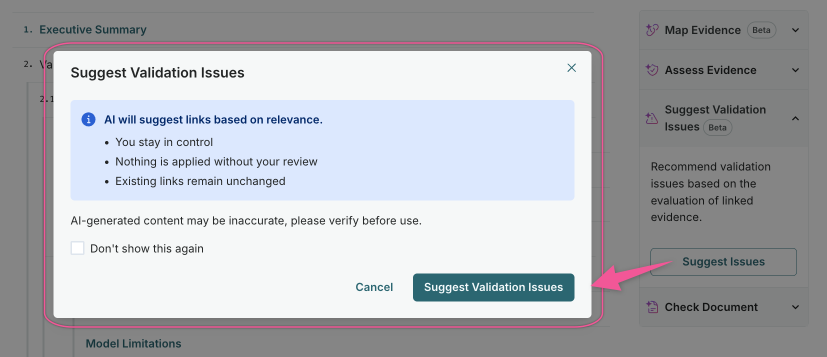
Automatically get suggestions for validation issues from your validation reports to streamline the review process:
- Extract findings and recommendations from validation report content.
- Create structured validation issues with appropriate categorization.
- Track remediation progress alongside your validation workflow.
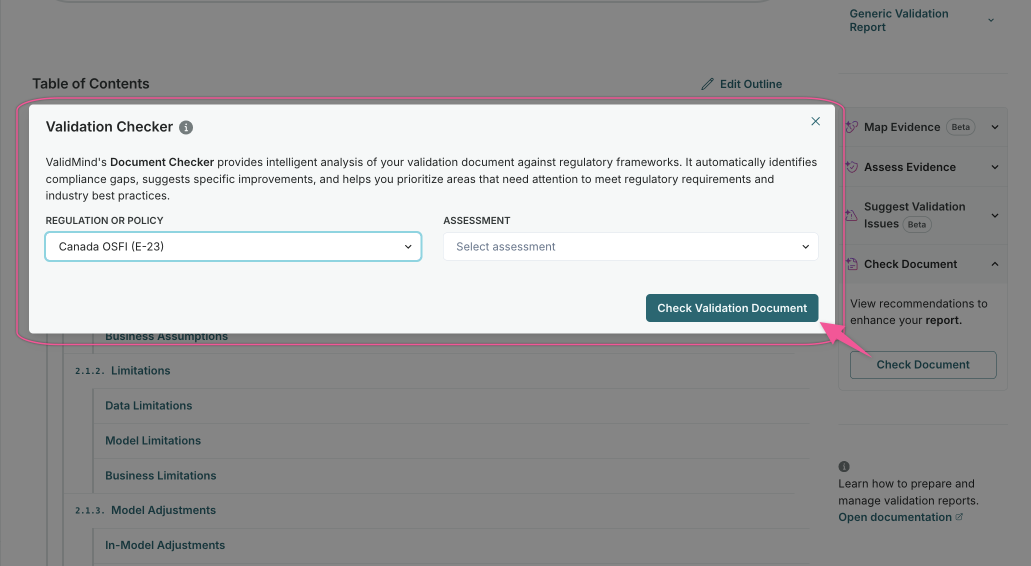
Document Checker assessments for any document type
The Document Checker now supports additional document types in addition to development documentation and validation reports:
- Run compliance checks on any supported document type in your organization.
- Apply organization-scoped assessment versions with customized configurations.
- Validate additional documentation artifacts against regulatory requirements.
Reporting and analytics highlights
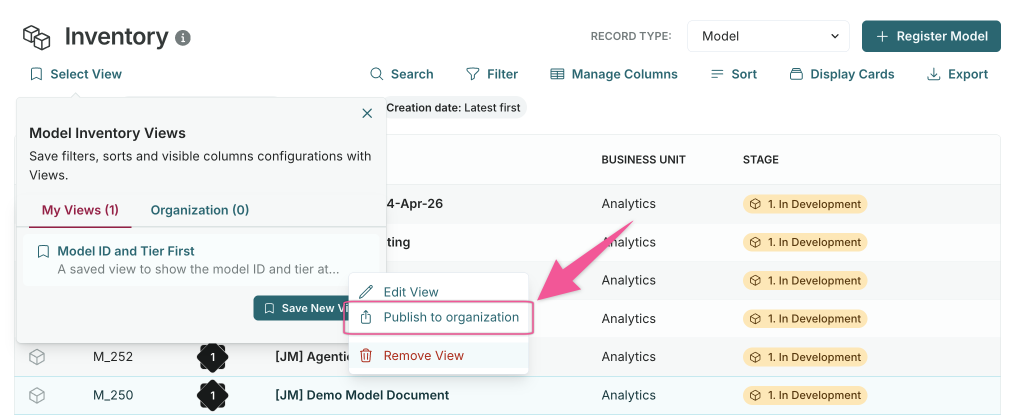
Saved views across organization
Save and share custom filter configurations as reusable views across your organization:
- From Inventory or Artifacts tables, click Select View to access saved views.
- Choose between My Views (private) and Organization Views (shared).
- Publish views to the organization for consistent reporting across teams.
Platform capabilities highlights
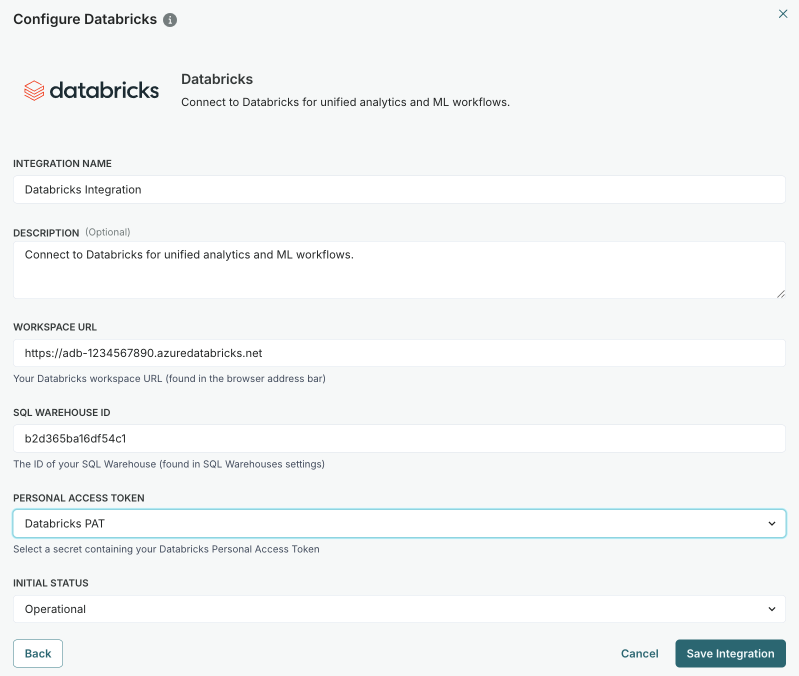
Databricks integration
Connect ValidMind with Databricks to support documentation, validation, and governance alongside development:
- Link Databricks Unity Catalog models to your ValidMind inventory records.
- Run validation notebooks directly against Databricks-hosted data.
- Use linked Unity Catalog fields in custom calculated inventory record fields.
Bedrock evaluations ingestion
Connect Bedrock evaluations and outcomes to ValidMind records and include metrics in ongoing monitoring documents for oversight and tracking:
- Automatically discover linked Bedrock evaluators and insert them into documents.
- Improved deduplication for ingested metric history.
Bug fixes
Fixed custom fields missing from role and stakeholder permissions
Custom fields assigned to non-default primary record types were silently dropped from the Role Details page, preventing admins from setting permissions on them. The Stakeholder Permissions page showed fields from all primary record types, including unrelated ones.
Both pages now correctly filter custom fields: Role Details shows all fields regardless of primary record type, and Stakeholder Permissions shows only fields relevant to the stakeholder's scope.
Backend
Bug fixes
Fixed question generation for global regulations
When using Generate from file to create assessment questions for a global regulation, the pipeline would process the uploaded file successfully but then skip all target assessments with an organization mismatch error, leaving the document in a failed status with no questions populated.
Assessments under global regulations are now correctly recognized and populated with questions as expected.
Fixed empty question generation from regulatory PDFs
Certain regulatory documents like the EU AI Act, where all section headings are encoded at deeper levels, were collapsed into a single chunk during processing, resulting in zero assessment questions being generated.
The PDF chunking now recognizes additional heading levels, correctly splitting these documents into multiple chunks and generating questions as expected.