26.04 Release notes
Highlights include workflow versioning, AI-powered document validation, PDF document translation, Python 3.13/3.14 support, R Package refresh, configurable inventory record types, enhanced permissions management, and the ValidMind MCP Server. This release also includes other enhancements and bug fixes across the platform.
Frontend
Workflow highlights
Workflow versioning and states
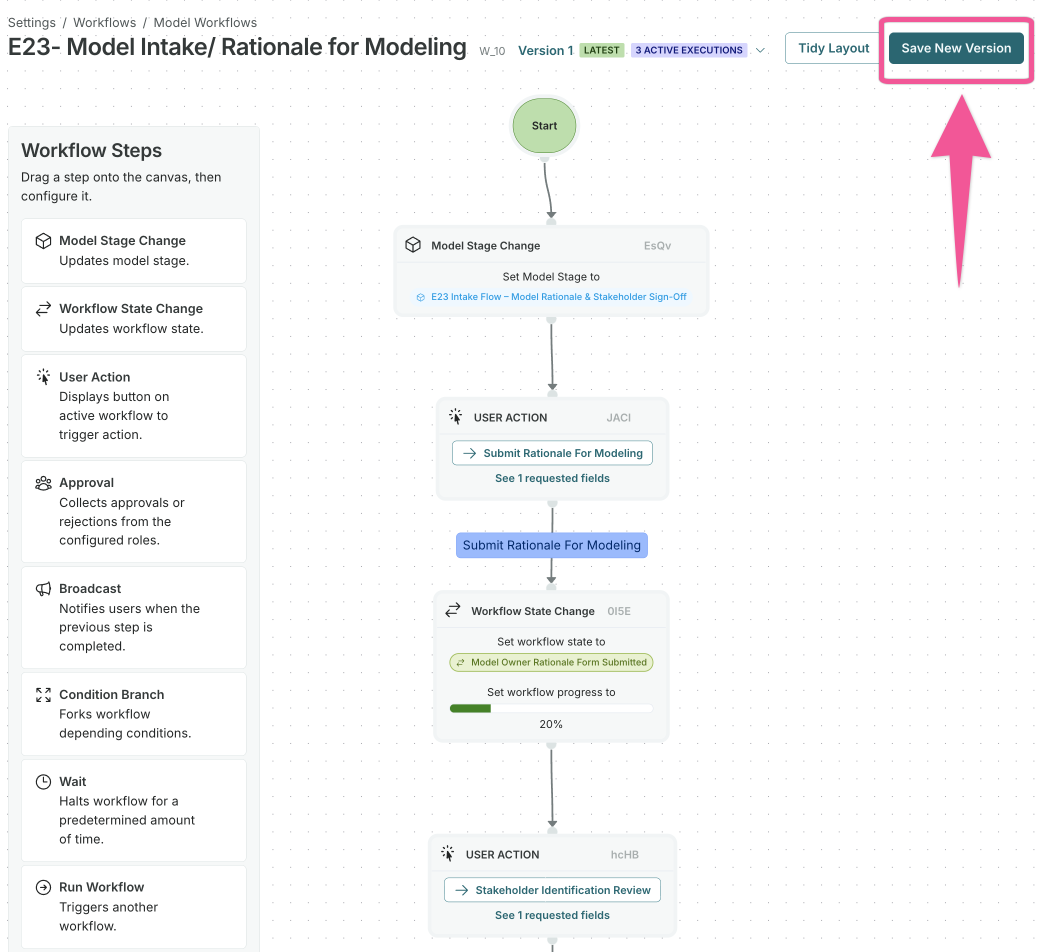
When you save changes to a workflow with active executions, a new version is now created automatically while the original is preserved. This enables you to:
- Browse version history and view read-only snapshots of previous versions.
- Add version notes when creating new versions.
- See which version each execution ran on in the execution details.
Active executions running on a previous version will continue to run on that version but can be restarted to run on the latest version.
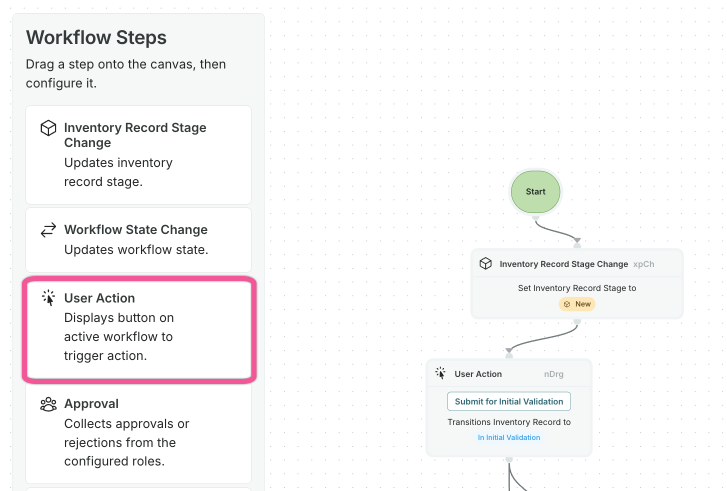
User Action step renamed
The workflow step previously labeled User Action v2 is now simply called User Action. The legacy User Action step has been removed.
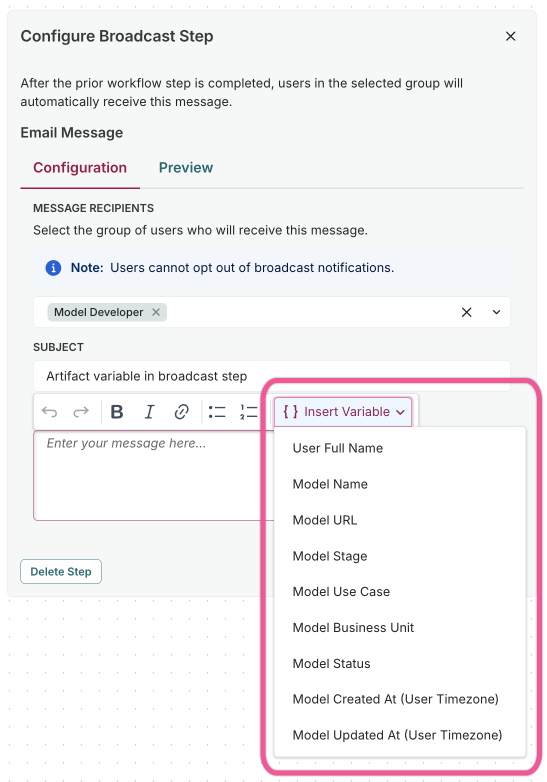
Record and artifact field and stakeholder variables in broadcast step
Broadcast step variable inputs are now based on the record or artifact type the workflow is tied to, including field values and stakeholders. For example, a Validation Issue workflow can reference Validation Issue fields and stakeholders, while a Use Case workflow can reference Use Case fields and stakeholders.
AI-powered regulatory and policy alignment highlights
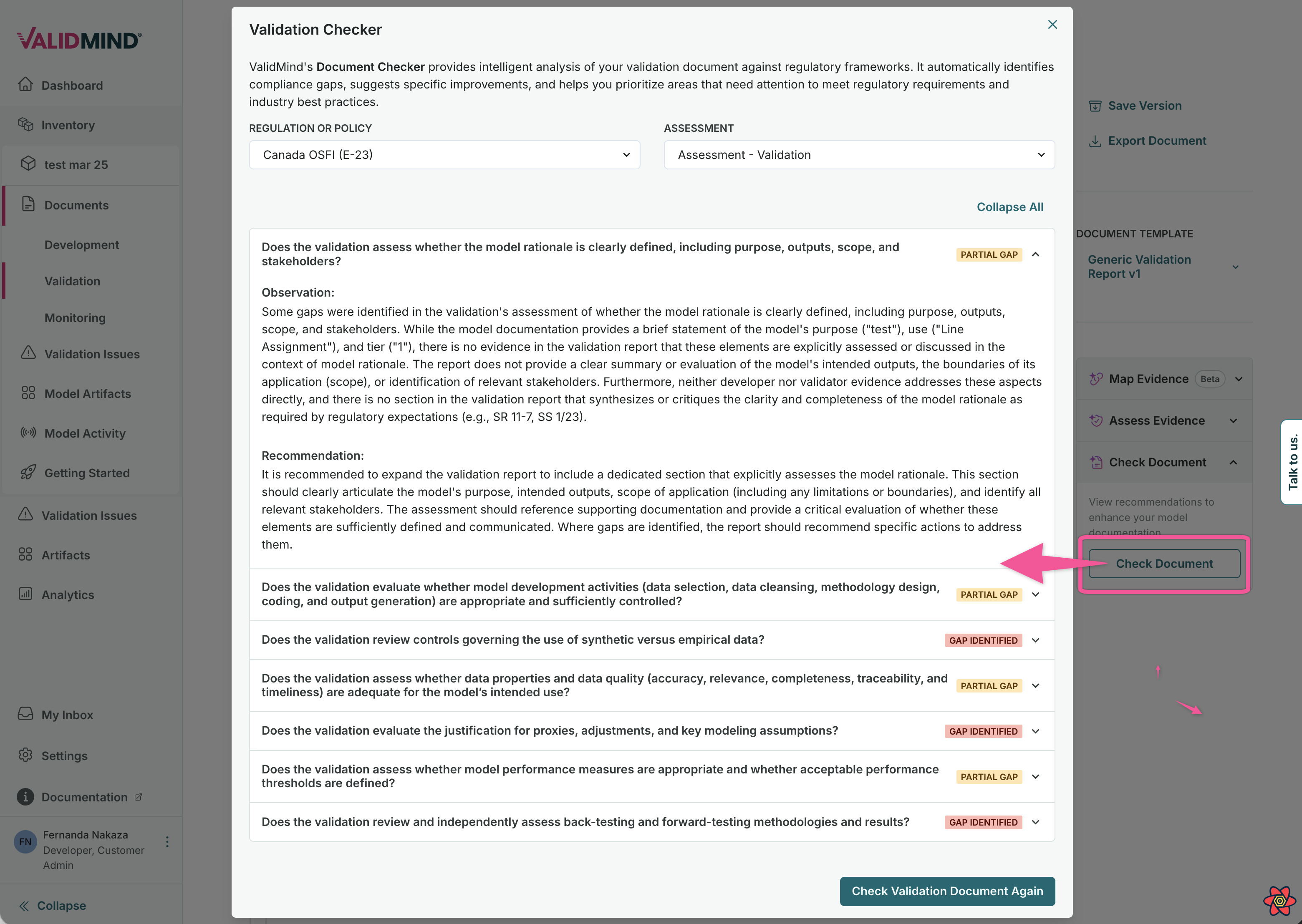
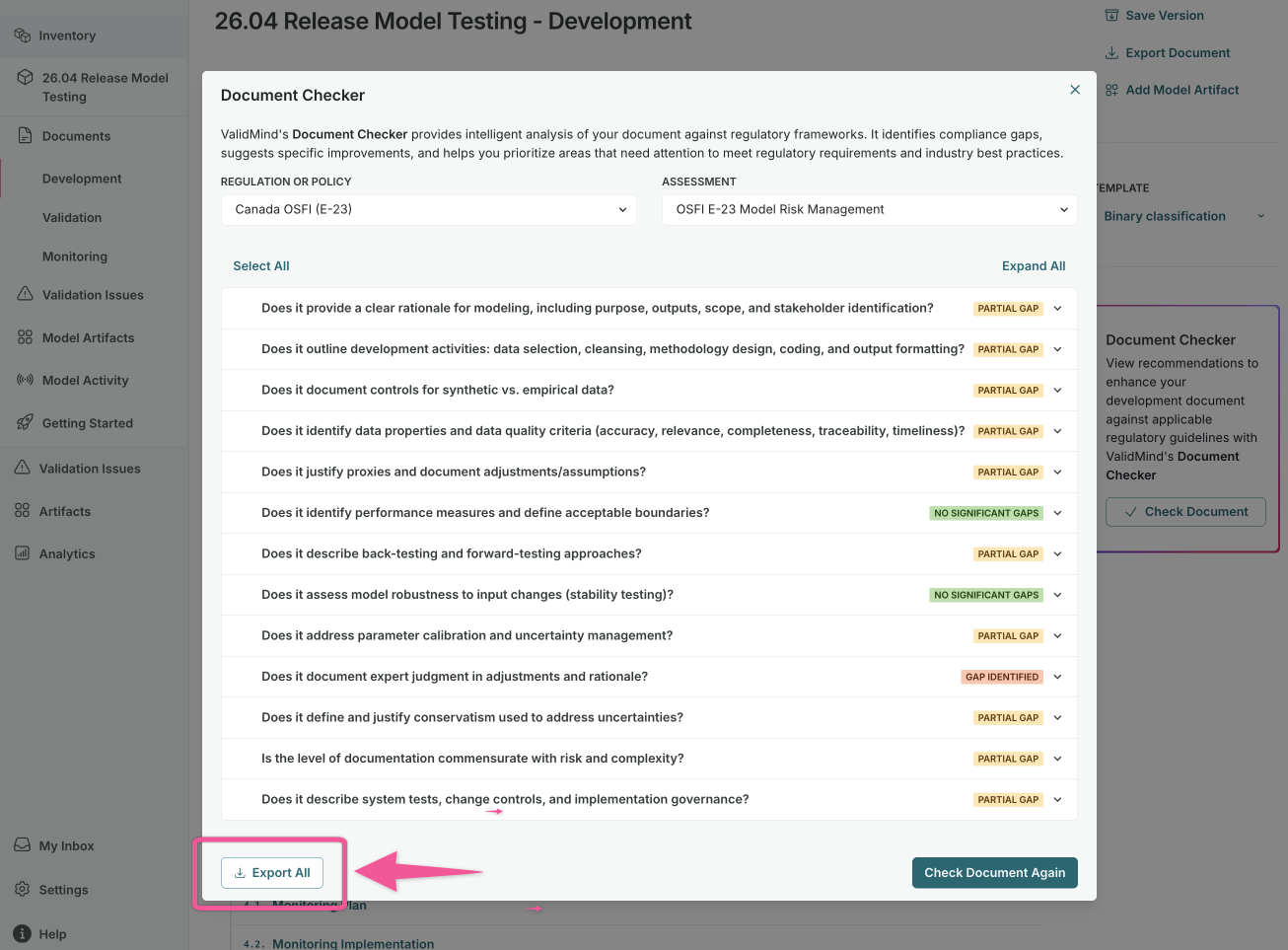
Document Checker for validation reports
Enable better regulatory and policy alignment by analyzing your validation reports against specific regulations or policies to identify gaps and improve compliance:
- Upload or select existing policy documents to check against.
- Run automated checks on validation report sections.
- Review detailed findings with specific recommendations.
- Generate a PDF report of Document Checker results.
Testing automation highlights
Python 3.13 and 3.14 support
The ValidMind Library now supports Python 3.13 and 3.14, enabling you to use the latest Python features and performance improvements.
Refresh of ValidMind R Package
With this refresh, we're bringing the R package up to date with the latest ValidMind Library:
- Full API parity with the Python SDK for test execution and documentation.
- New quickstart notebooks demonstrating common R workflows.
- Updated documentation and examples for R users.
Install and initialize ValidMind for R

Core documentation highlights
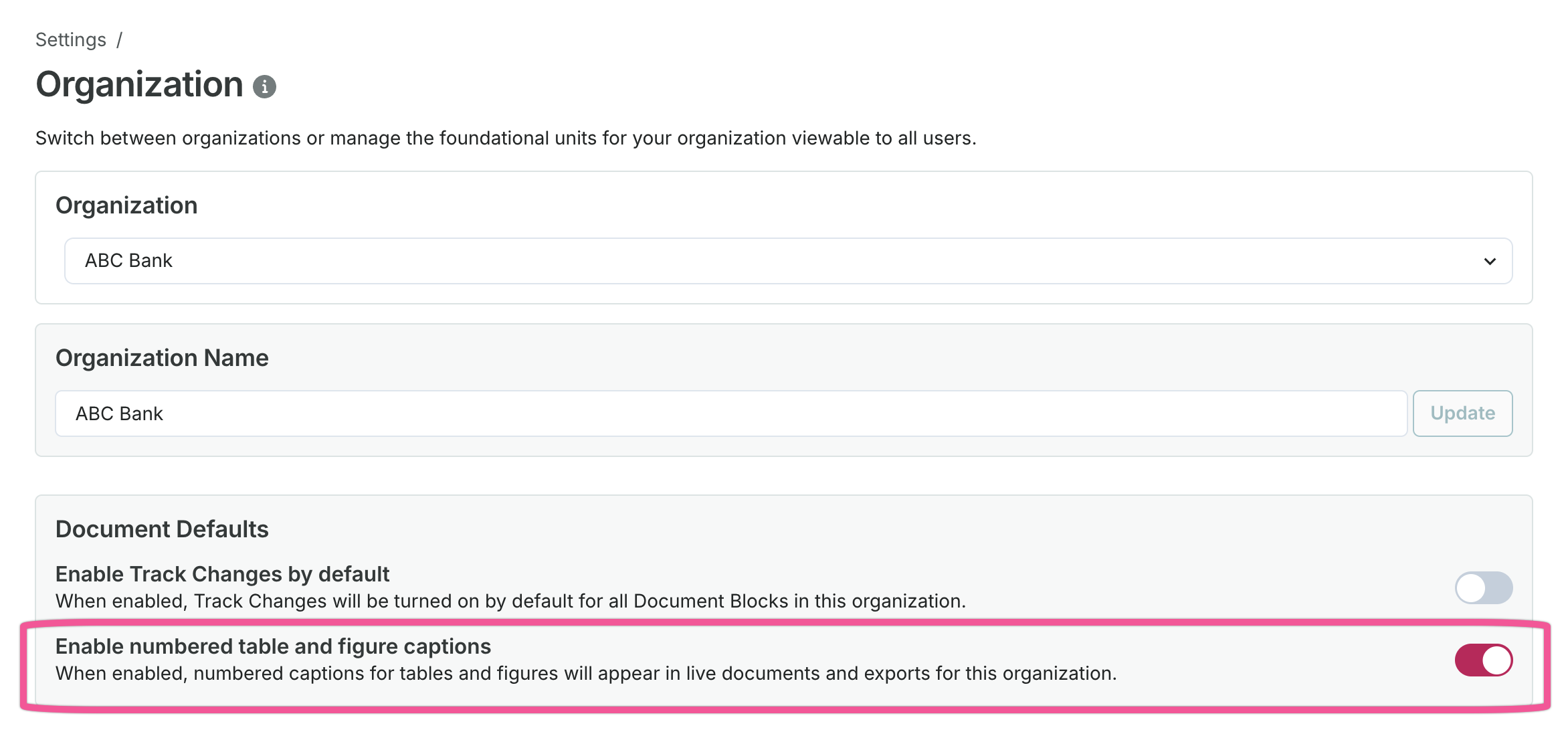
Numbered table and figure captions
Tables and figures within test results logged in documents now display numbered captions:
- Captions render as
Table NorFigure Nwhen no custom caption exists. - Custom captions display as
Table N. CaptionorFigure N. Caption. - Numbers automatically refresh when blocks are added, removed, or reordered.
Enable this feature in Settings > Organization > Document Defaults.
AI-based automation highlights
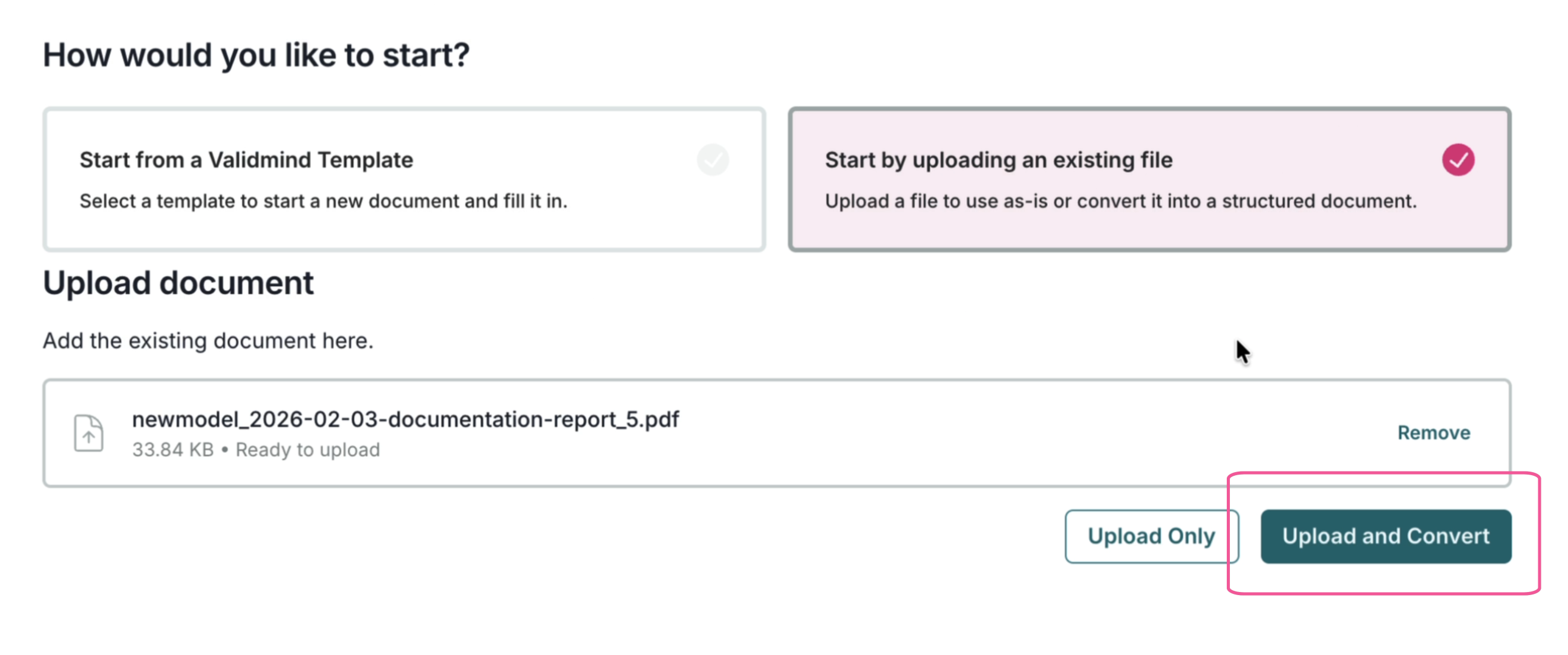
Convert PDF uploads to ValidMind templates
Upload existing PDF documents and automatically translate them into ValidMind documentation format.
The document parser enables you to import existing model documentation into ValidMind Platform:
- Upload PDF files containing model documentation.
- Automatically extract text, tables, and structure from the PDF.
- Map extracted content to ValidMind document templates.
- Review and edit the imported content before finalizing.
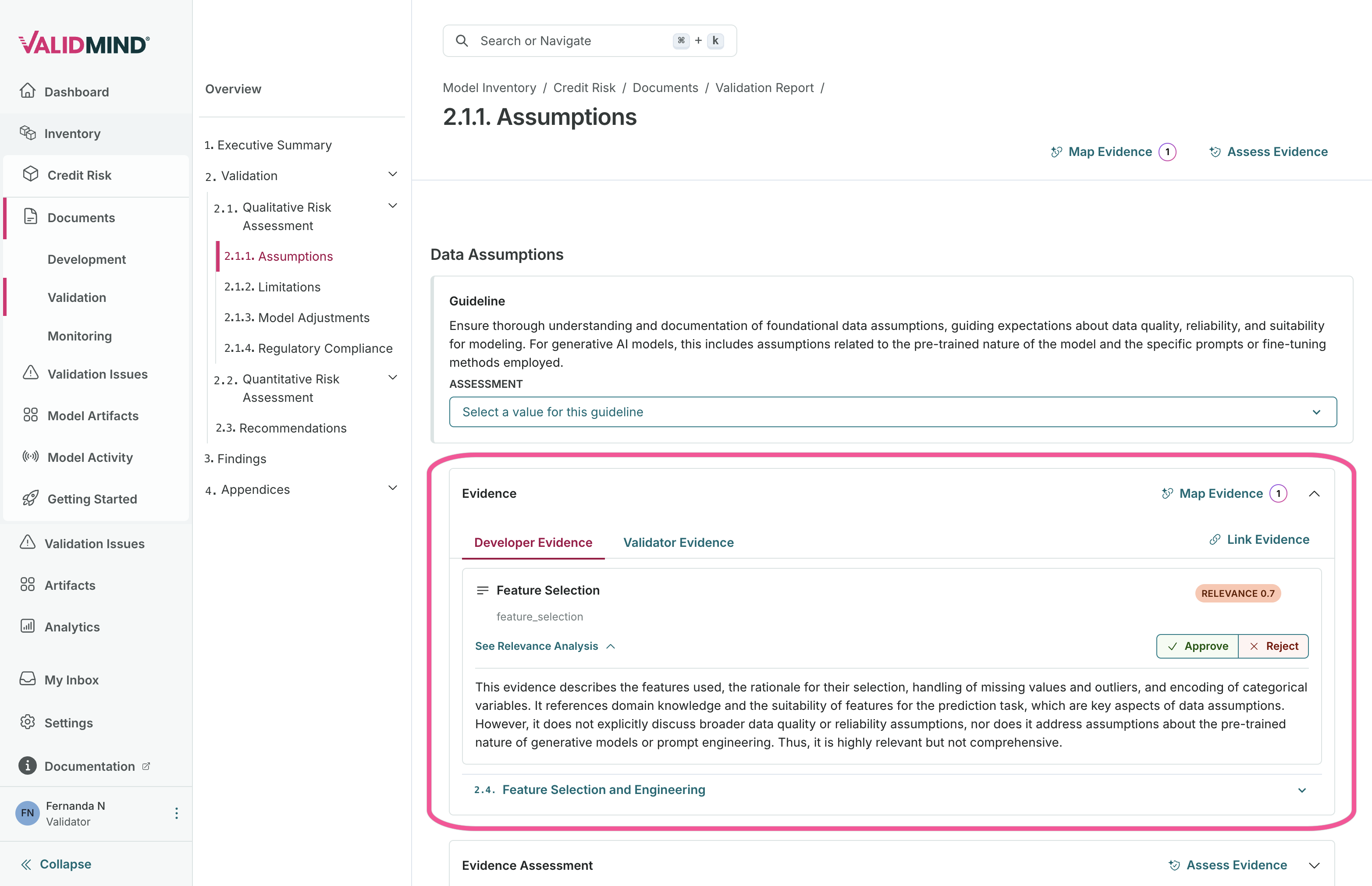
Automatically map developer and validator evidence to validation reports
Analyze your model documentation and validation report to automatically map evidence:
- Identify relevant evidence from developer documentation.
- Suggest appropriate mappings to validation report sections.
- Reduce the manual effort required to link evidence across documents.
- Speed up the validation and review process.
- Keep the human in the loop for review.
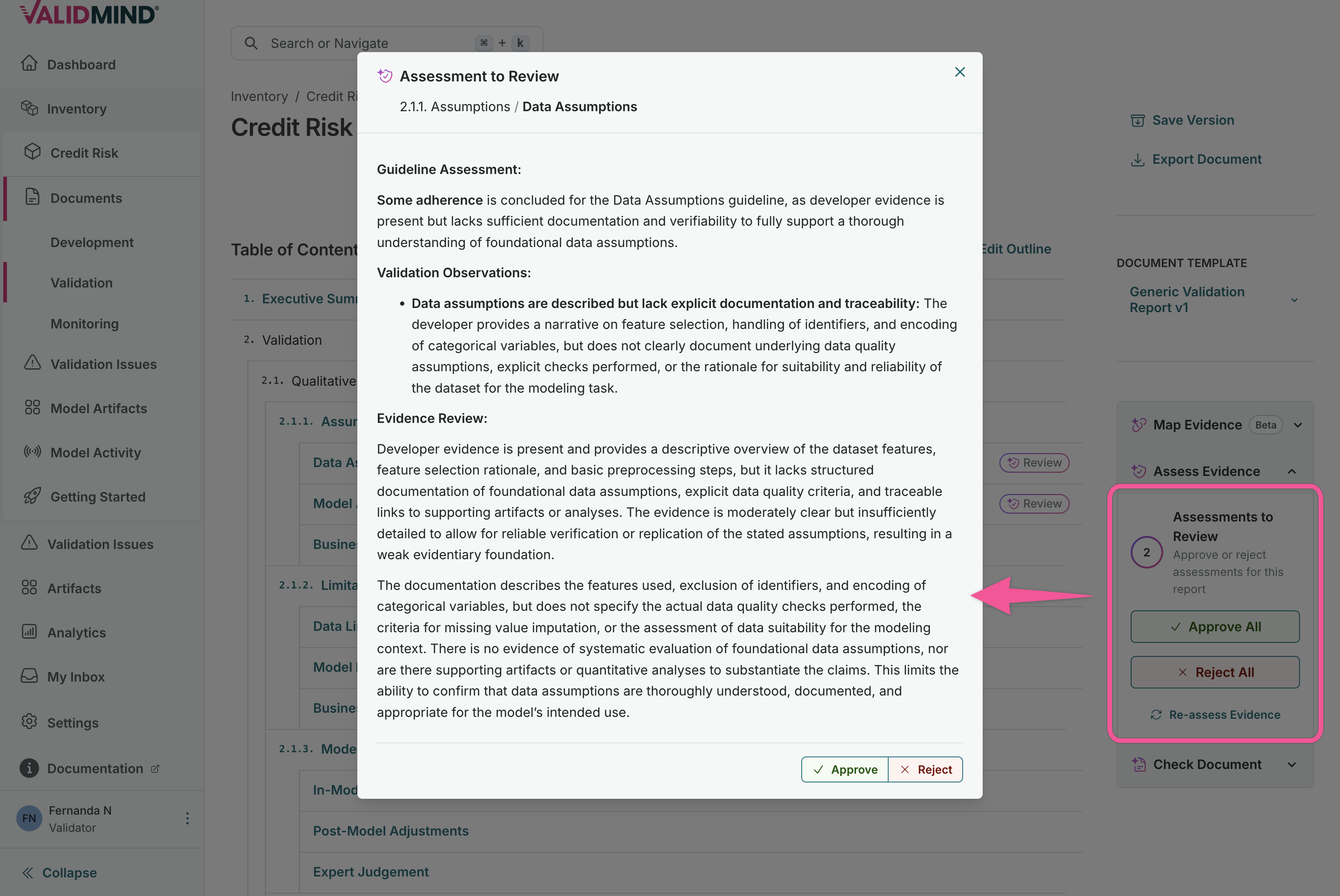
Automatically generate evidence assessments in validation reports
Once evidence is linked to your validation report sections, you can auto-generate assessments that:
- Analyze the linked evidence content.
- Generate draft assessment text based on the evidence.
- Provide a starting point for validator review and refinement.
- Accelerate the documentation of validation findings.
Export Document Checker results as PDF
After running the Document Checker against your validation report, you can generate a PDF for offline review or compliance records that includes:
- Summary of compliance findings.
- Detailed results for each checked section.
- Recommendations for addressing gaps.
- A format suitable for audit documentation and stakeholder review.
Inventory management highlights
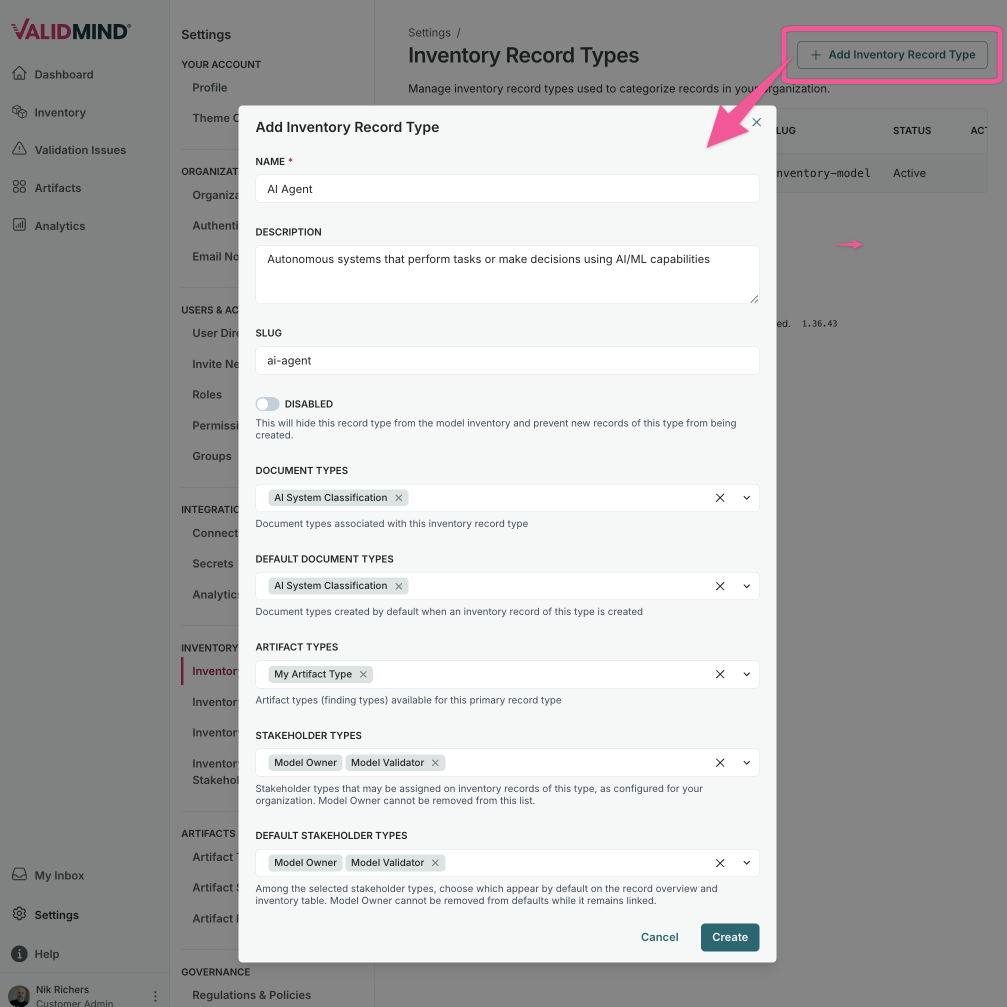
Configurable inventory record types
Expand your governance tracking beyond models to any type of asset:
- Create custom record types for different governance needs like analytics models, attestations, or AI agents.
- Configure custom attributes specific to each record type.
- Assign dedicated documentation templates per record type.
- Set up independent workflow configurations for each type.
- Define relationships between different record types.
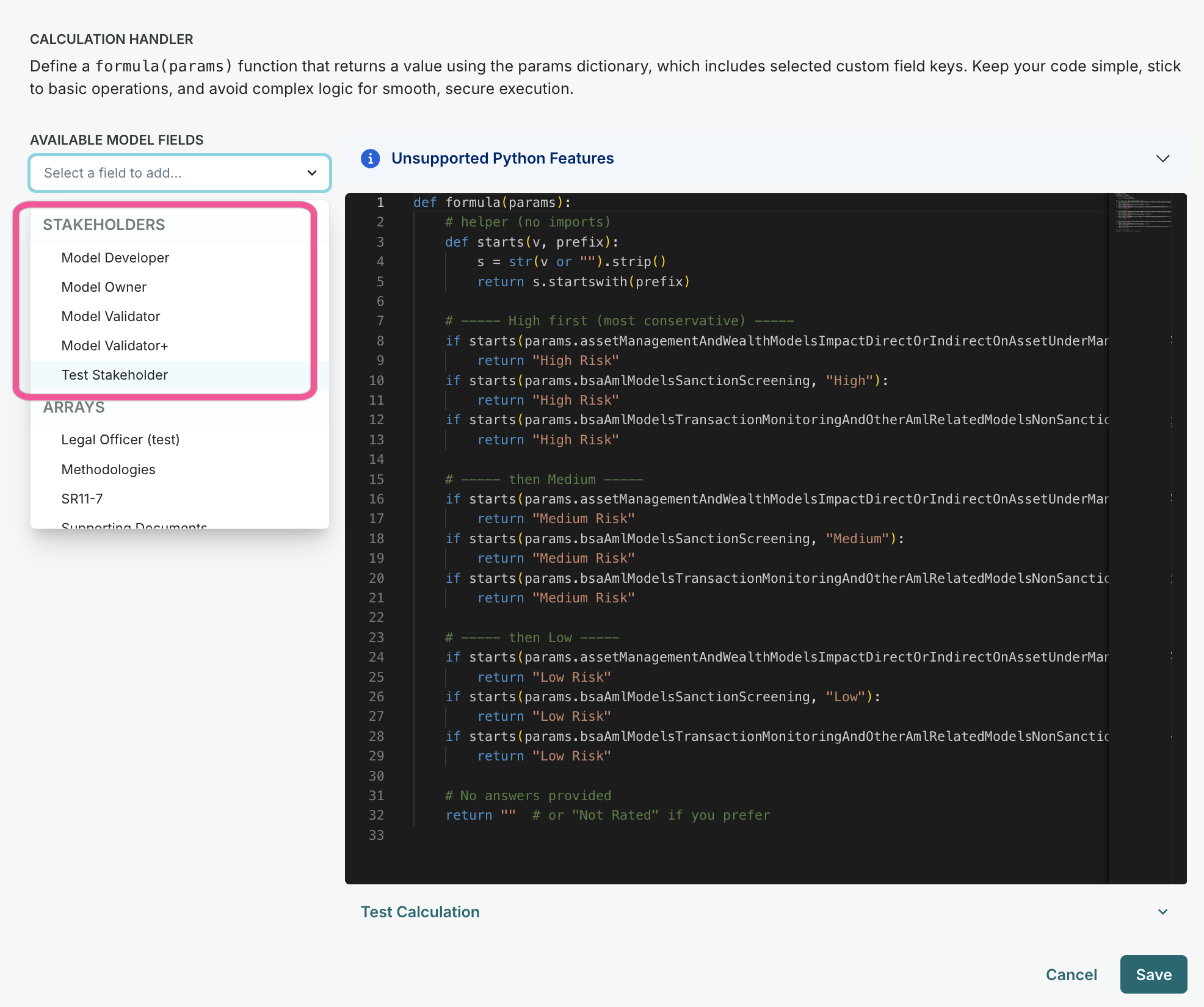
Use model stage and stakeholders in calculated fields
Calculated fields now support additional inputs:
- Model stage: Use the current model stage value in calculations, enabling dynamic fields that update when models progress through lifecycle stages.
- Model stakeholders: Reference assigned stakeholder roles in formulas to calculate ownership metrics, review assignments, or role-based indicators.
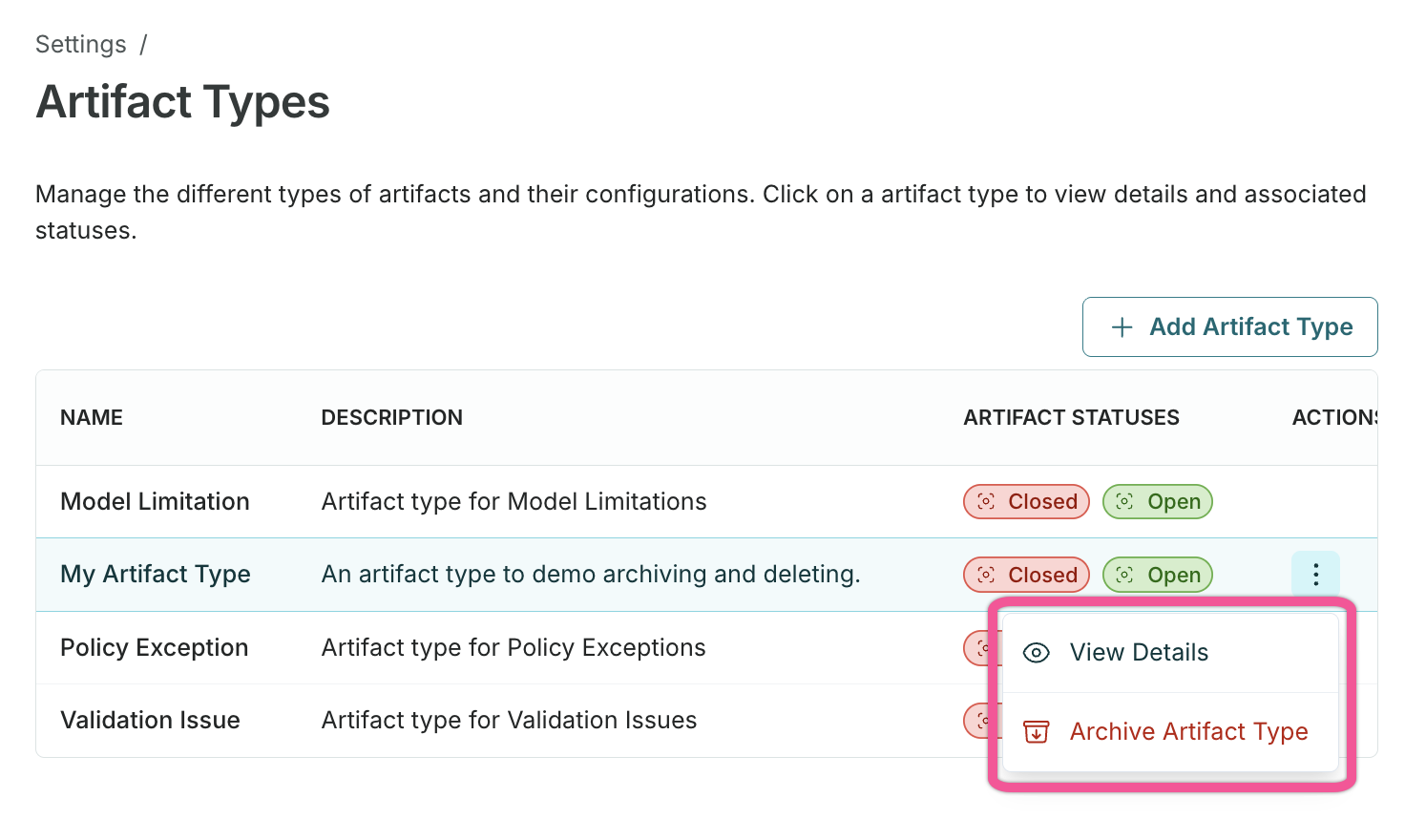
Archive or delete artifact types
Remove artifact types that are no longer in use to keep your inventory clean:
- Archive artifact types to hide them from new artifact creation. Existing artifacts of default types will be also be hidden from view.
- Delete artifact types that have no associated artifacts.
- Review dependencies before deletion to understand impact.
Platform capabilities highlights
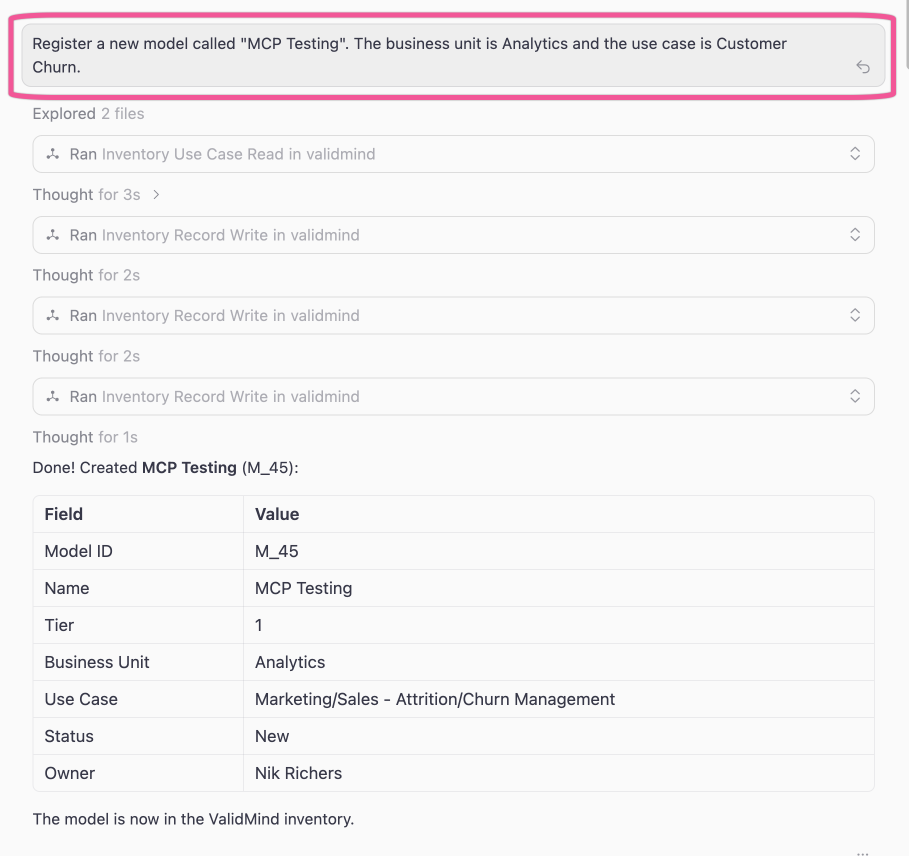
ValidMind MCP server
Connect AI assistants and developer tools to interact with the ValidMind Platform through text prompts via the Model Context Protocol (MCP):
- Connect Claude, Cursor, and other MCP-compatible tools to your ValidMind instance.
- Create and update models, model inventory fields, and documentation programmatically.
- Access model stages, use cases, stakeholders, and organizational data.
- Automate model governance tasks from your preferred development environment.
Permissions settings for roles, stakeholders, and groups
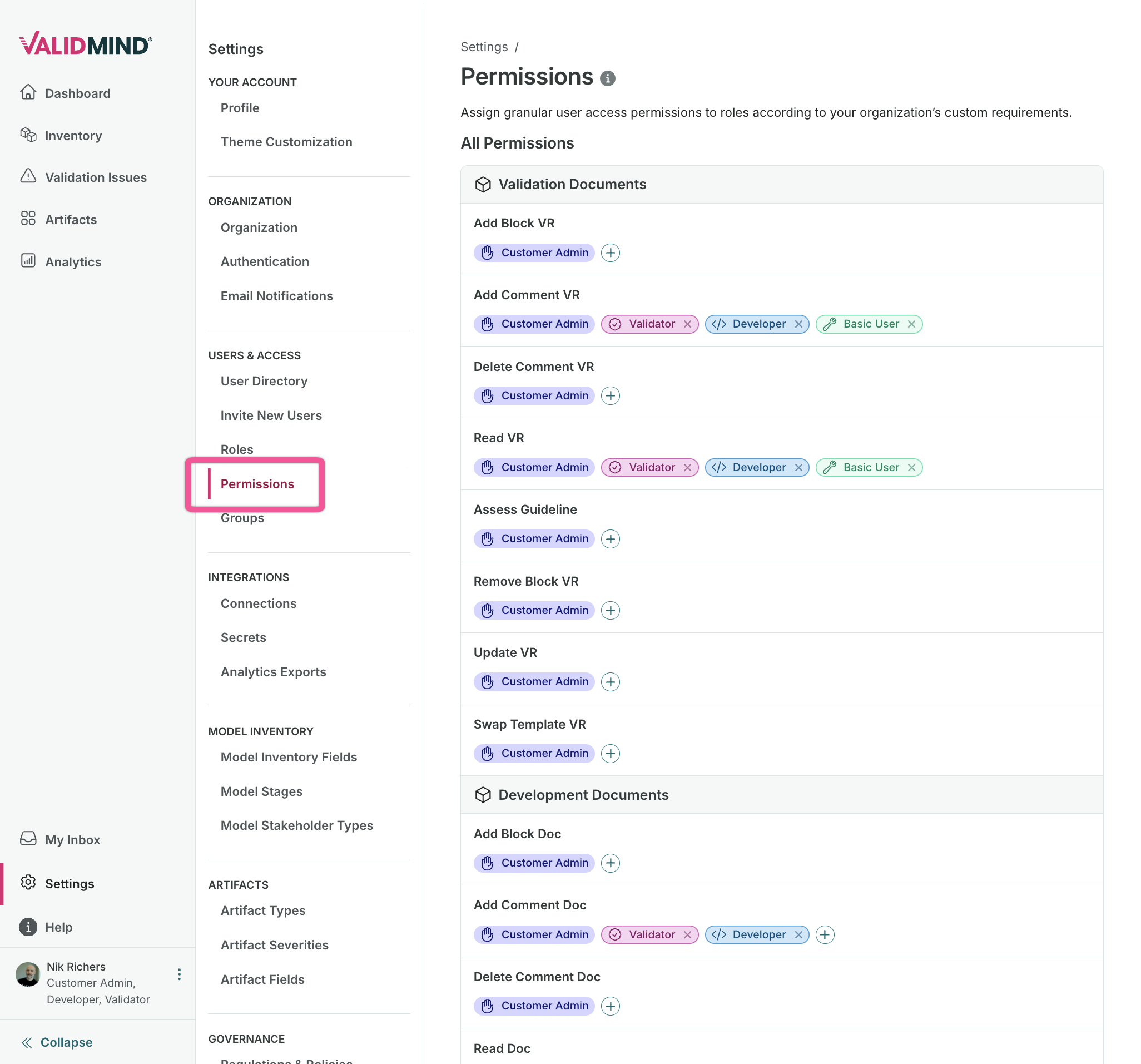
New settings pages provide fine-grained control over permissions at the role, stakeholder, and group levels:
- Stakeholder permissions: Control access to model inventory fields, artifact fields, document types, and artifact types per stakeholder role. Search, filter, and bulk-edit permissions in a single view.
- Role settings: New layout for managing role-based permissions with improved visibility into what each role can access.
- Group settings: Manage members assigned to groups under a dedicated management page.
Model activity in exports of analytics data
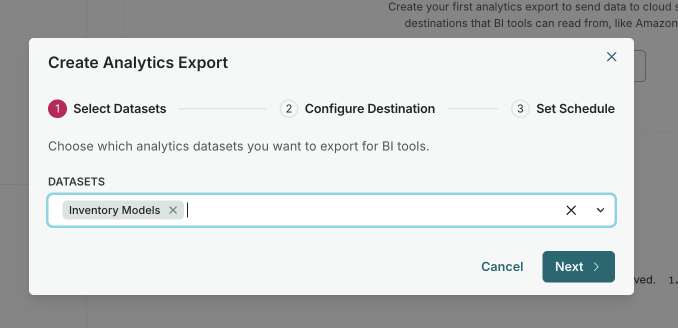
Include model activity data when exporting analytics to S3 or S3-compatible storage, with schedule options and run history.
The analytics data export feature now supports model activity data:
- Export model activity alongside other analytics metrics.
- Choose a configurable 30, 60, or 90 day rolling window for activity data.
- Configure scheduled exports to S3 or S3-compatible storage.
- View export run history and status.
- Include activity data in your external reporting and data warehouse integrations.
API enhancements
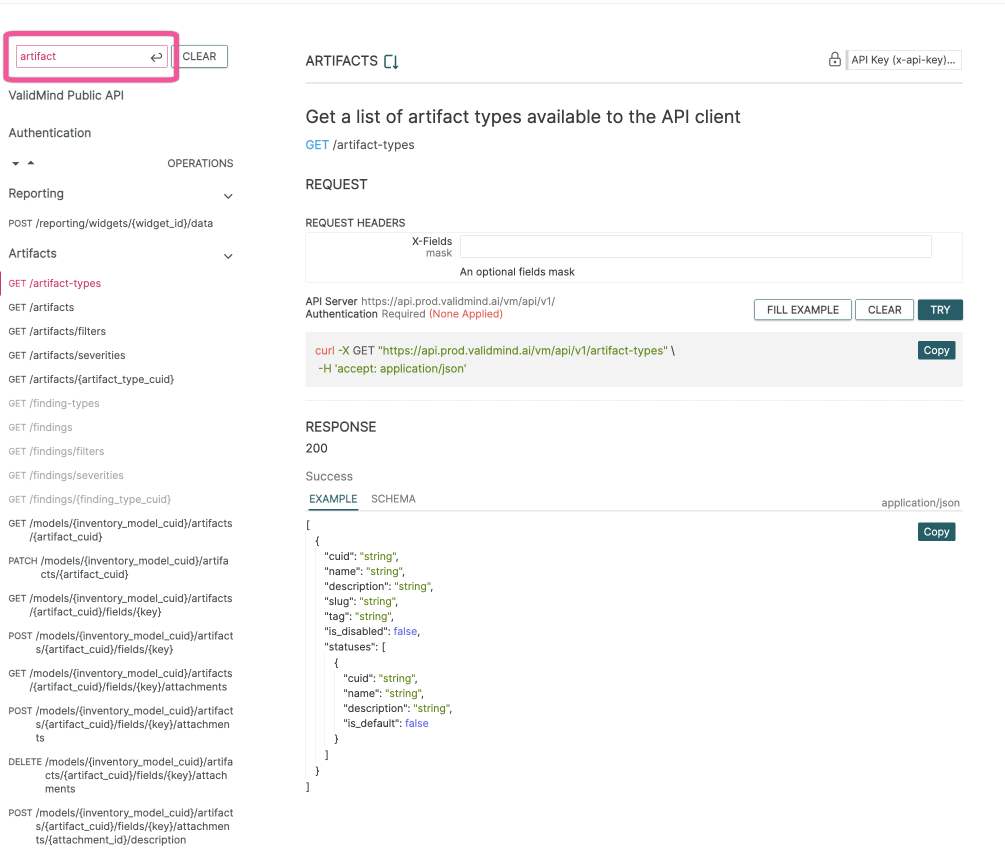
Updated public API endpoints improve data export capabilities and align terminology with the rest of the platform:
- Findings renamed to artifacts: The API now uses artifacts terminology consistently, aligning with the user interface. Existing endpoints remain backwards-compatible during the transition period.
- Analytics widget exports: Export specific analytics dashboard widgets via the reporting API, enabling integration with external reporting tools.
- Model activity in data exports: Include model activity data when exporting analytics to S3 or compatible storage.
GET /artifacts GET /reporting/widgets/{widget_id}/metadata POST /reporting/widgets/{widget_id}/data
Enhancements
Expired API key warnings
The Getting Started page now displays a warning when API keys are expired, helping users identify and refresh their credentials before encountering errors.
Modify workflow execution end dates
Users with the Manage Workflow Execution permission can now modify the end date of running workflow executions, enabling adjustments to deadlines without stopping and restarting the workflow.
Saved views scoped by record type
Saved views on the model inventory page are now scoped by primary record type. When switching between record types, only views relevant to the selected type are shown. New views are automatically associated with the currently selected record type.
Bug fixes & support
Fixed custom stakeholder type renaming
Restored the ability to rename custom model stakeholder types from Settings. The stakeholder detail page again supports inline editing of the display name.
Backend
Enhancements
SIEM bridge environment variable support
SIEM bridges now support configuration values from environment variables using the $-env syntax. This enables you to securely configure SIEM integration credentials without hardcoding them in the configuration file.
Configure AI model fallbacks in vmconfig.toml
An additional way to configure AI model settings is now available. In vmconfig.toml, you can specify model fallbacks for vm-flagship, vm-mini, and vm-embedding to customize which AI models are used for AI Content Builder and ValidChecker operations.
4
Field-level access control for model inventory
Custom fields in the model inventory are now hidden from non-admin users unless their role has been explicitly granted read or write access. Previously, all users could see all fields in Manage Columns regardless of configured permissions.
Bug fixes & support
Fixed aggregate field type filtering
Fixed an issue where the artifact aggregation field type filter was showing more field types than supported. Only date-type custom artifact fields are now available for aggregation filtering.
Fixed model stage renaming restriction
You can now rename model stages without restriction. Previously, renaming a model stage that was assigned to an inventory was more restrictive than necessary.