26.02 Release notes
This release includes improved attestations, integration support for AWS Bedrock, a production-ready Document Checker, workflow field grouping for multi-step forms, enhanced model activity page filtering, bug fixes, and much more.
Support for configuring identity providers (IDPs) via environment variables has been removed. IDPs must now be configured using the TOML configuration file. See Remove IDP environment variable configuration for details.
Frontend
Highlights
Attestations
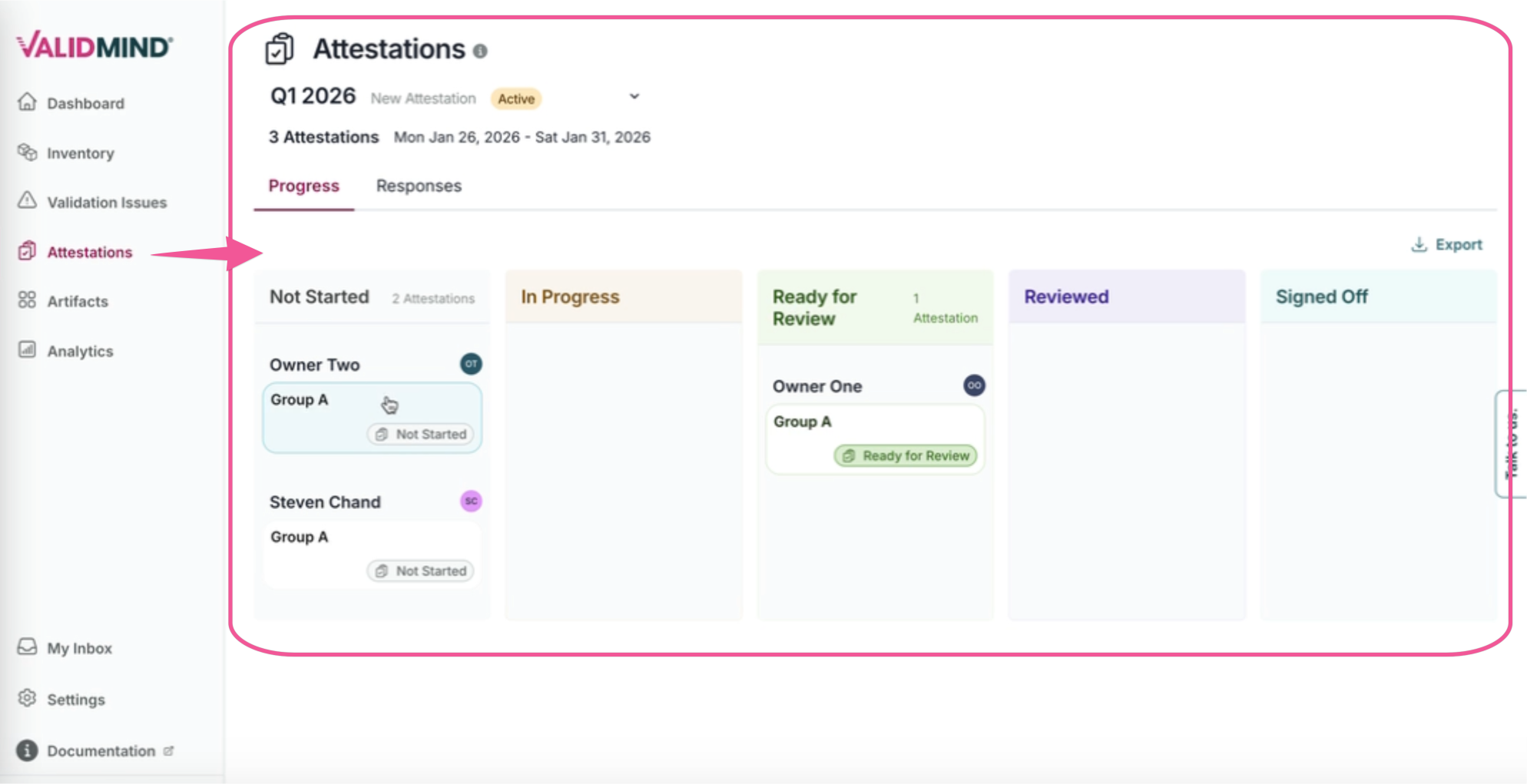
Attestations have received several new updates in this release that help you manage and track attestations more effectively.
New dashboard
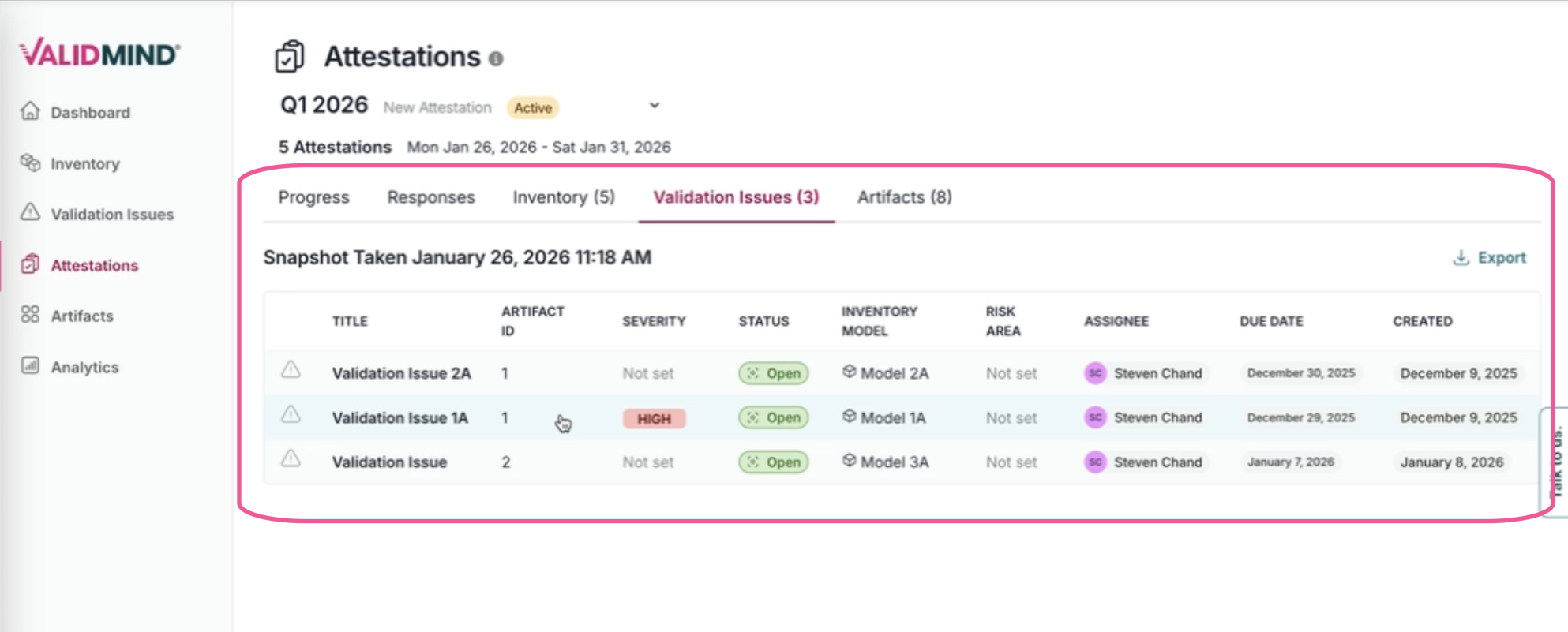
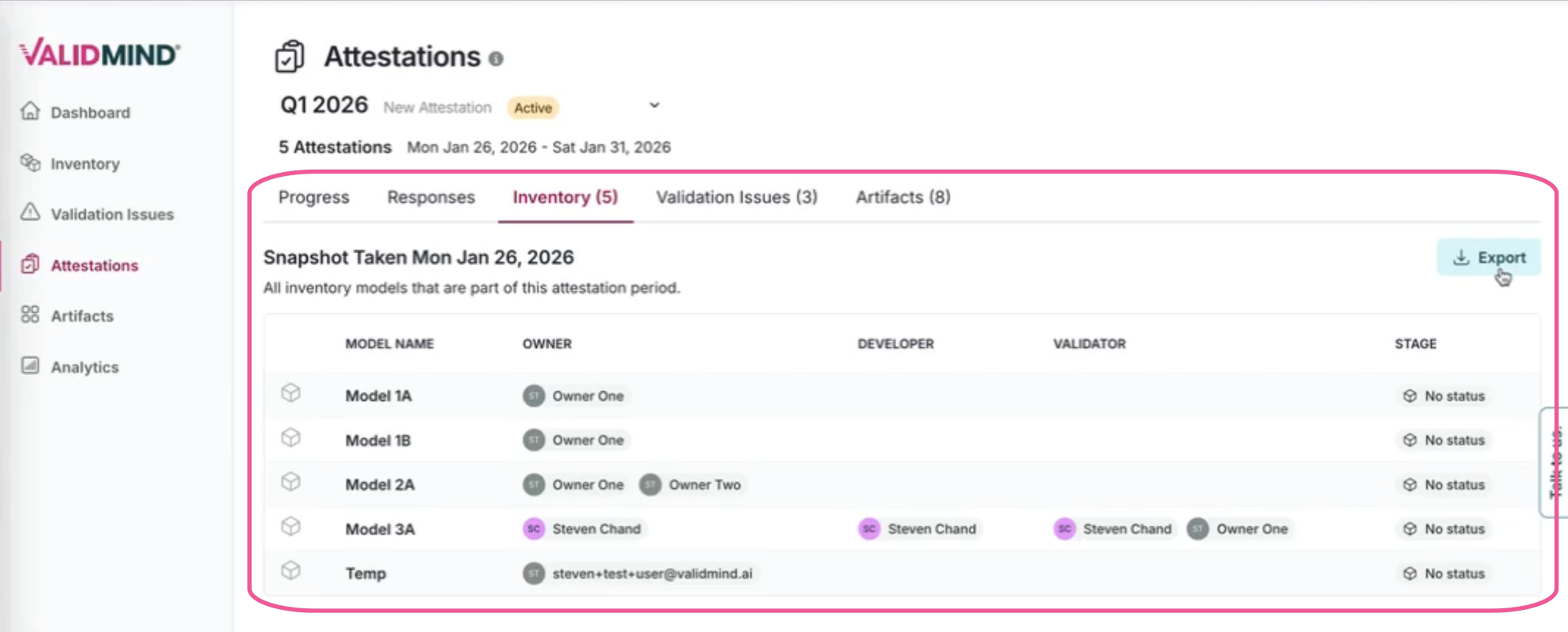
A new dashboard makes it easier to track, review, and export attestation data:
- Access all attestation executions with advanced filtering and sorting in one place.
- See related details including artifacts, model scope, and validation issues.
- View model and artifact snapshots captured at both the beginning and completion of each attestation period, enabling comparative analysis to confirm inventory completion and accuracy.
- Access organization-level views of snapshots across all models in scope.
- Export attestation data in CSV or Excel format for external reporting and compliance documentation.
Stakeholders and roles
Define stakeholders and roles for each of the three steps in the attestation process (submitter, reviewer, and approver), giving you fine-grained control over who participates at each stage.
Structured questionnaire fields
Attestation templates now support structured questionnaire fields, replacing the previous rich text template approach. Define specific fields with validation rules, making it easier for submitters to provide consistent, structured responses during the attestation process.
Form submission and progress tracking
The new attestations interface streamlines the submission process and provides visibility into progress:
- Submit attestation forms with structured questionnaire responses.
- Track individual submissions and monitor progress through the workflow stages.
- View consolidated responses across all completed forms for a given attestation period.
Models in scope
Define which models are in scope for attestation submission using filters based on Group, Stage, or Field Input values, making it easy to target specific model populations.
Notifications
Configure notifications via Email and the My Tasks page when an attestation period begins, send reminders before the period ends, and track progression through submission, review, and approval stages. Attestation email notifications now include improved default messaging that provides clearer context for recipients.
Delete templates
You can now delete attestation templates from the Settings page. Deletion is blocked if any attestation periods are currently active, and all related data (schedules, executions, snapshots) is automatically cleaned up when a template is deleted.
Workflows
Workflows can now organize fields into logical steps and be used in integrations via webhooks.
Field grouping
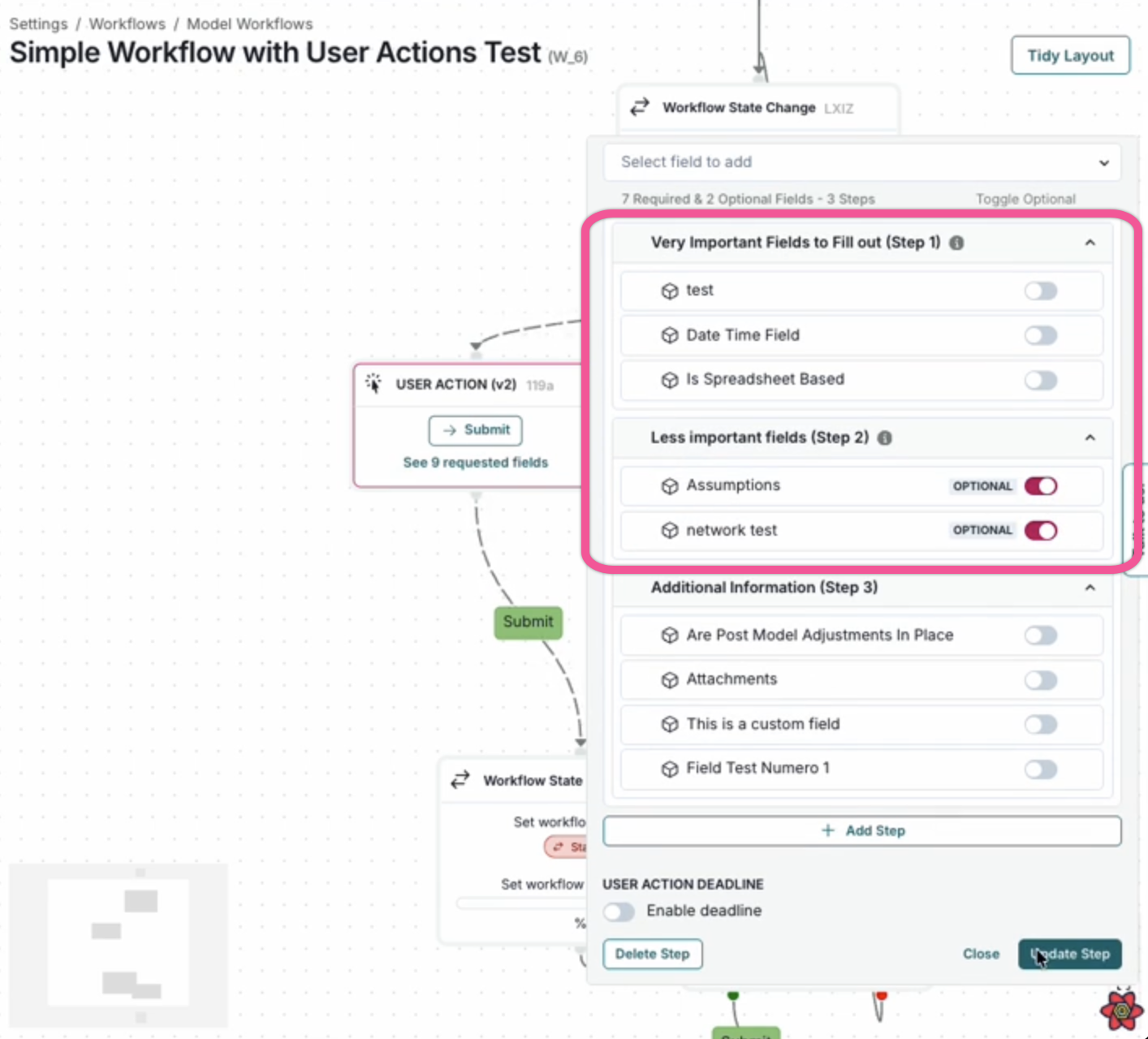
Workflow forms now support organizing fields into logical steps. When creating or editing workflow actions, you can:
- Create named steps to group related fields together.
- Add descriptions to provide context for each step.
- Organize fields by dragging them into the appropriate step.
- Reorder steps to control the flow of information collection.
When executing workflow actions with steps configured, users see a multi-step form with navigation controls, making it easier to complete longer forms. Fields not assigned to a specific step appear in an "Additional Information" section at the end.
Webhook integrations
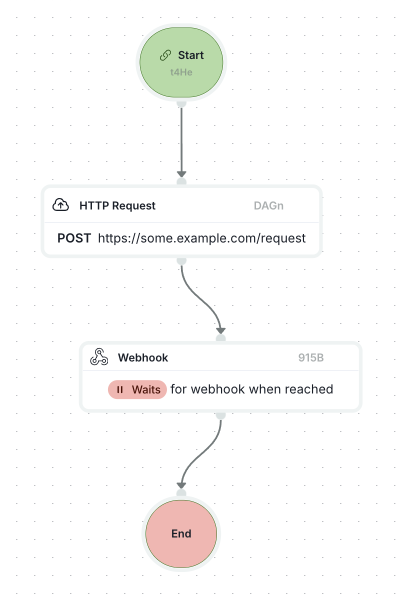
Workflows now support webhook integrations for connecting with external systems. You can trigger outgoing HTTP requests as part of workflow actions, enabling automated notifications, data synchronization, and integration with third-party services.
- Use external integration fields in workflow conditions and actions.
- Configure authenticated requests using webhook secrets.
- Connect workflows to external APIs and services.
Reporting & analytics
Model activity page filtering enhancements
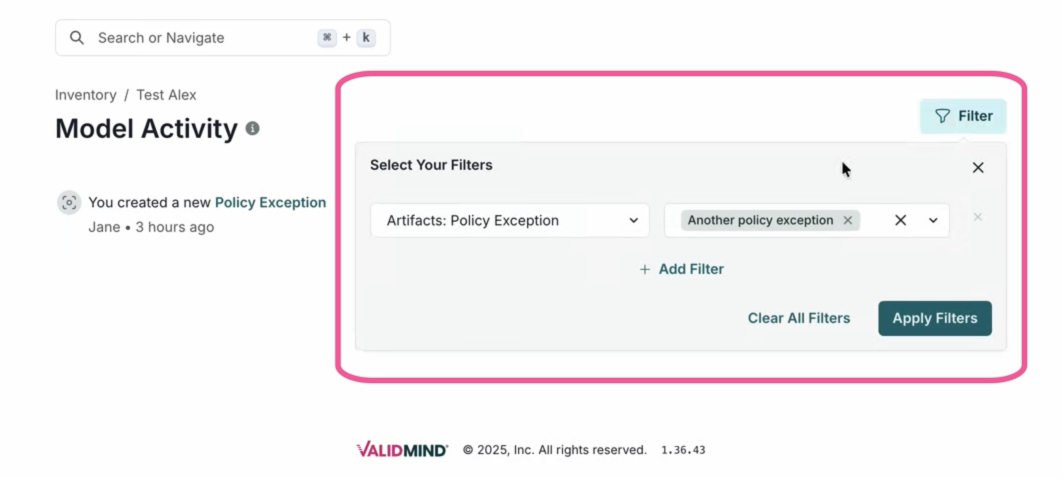
The Model Activity page now supports better filtering.
Features include:
- Category-wide and value-specific filtering lets you quickly narrow down to specific event types.
- Filter selections now include user filters and artifact finding-type aware options.
- Applied filters persist in the URL for easy sharing and refresh retention.
Document Checker
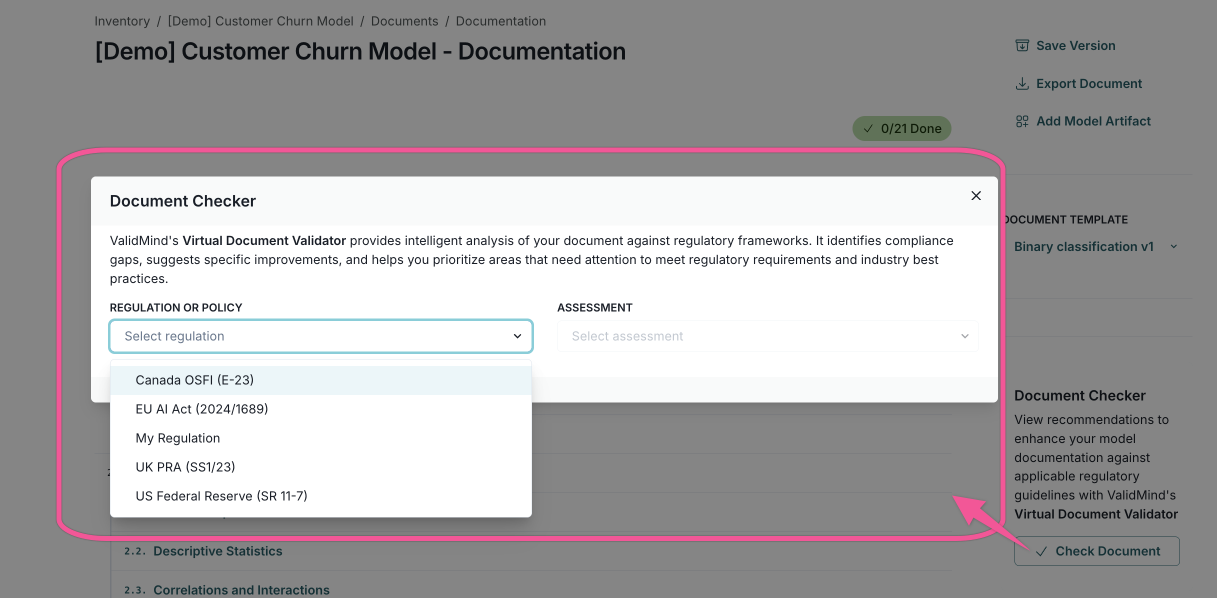
After extensive testing and validation, the beta label has been removed from the Document Checker feature. The platform feature is now officially production ready.
The Document Checker, also known as the ValidMind Document Checker, is a compliance tool that reviews documents against a selected regulatory standard, such as SR 11-7, SS1/23, E-23, and the EU AI Act. Use Document Checker to identify gaps, generate actionable recommendations, and focus efforts on areas that require attention.
Model inventory management
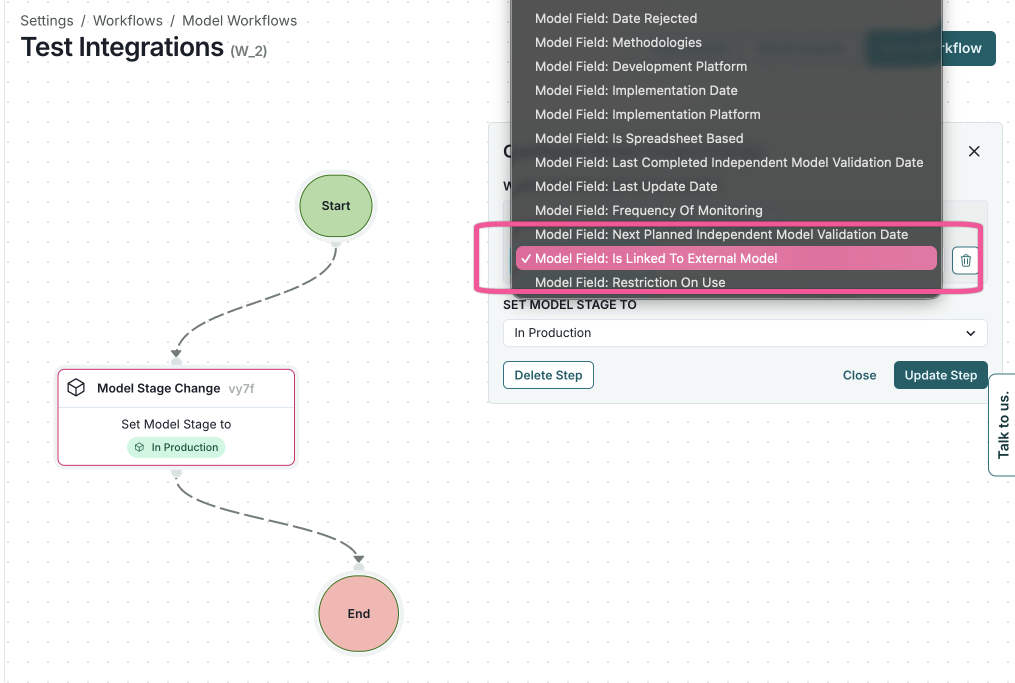
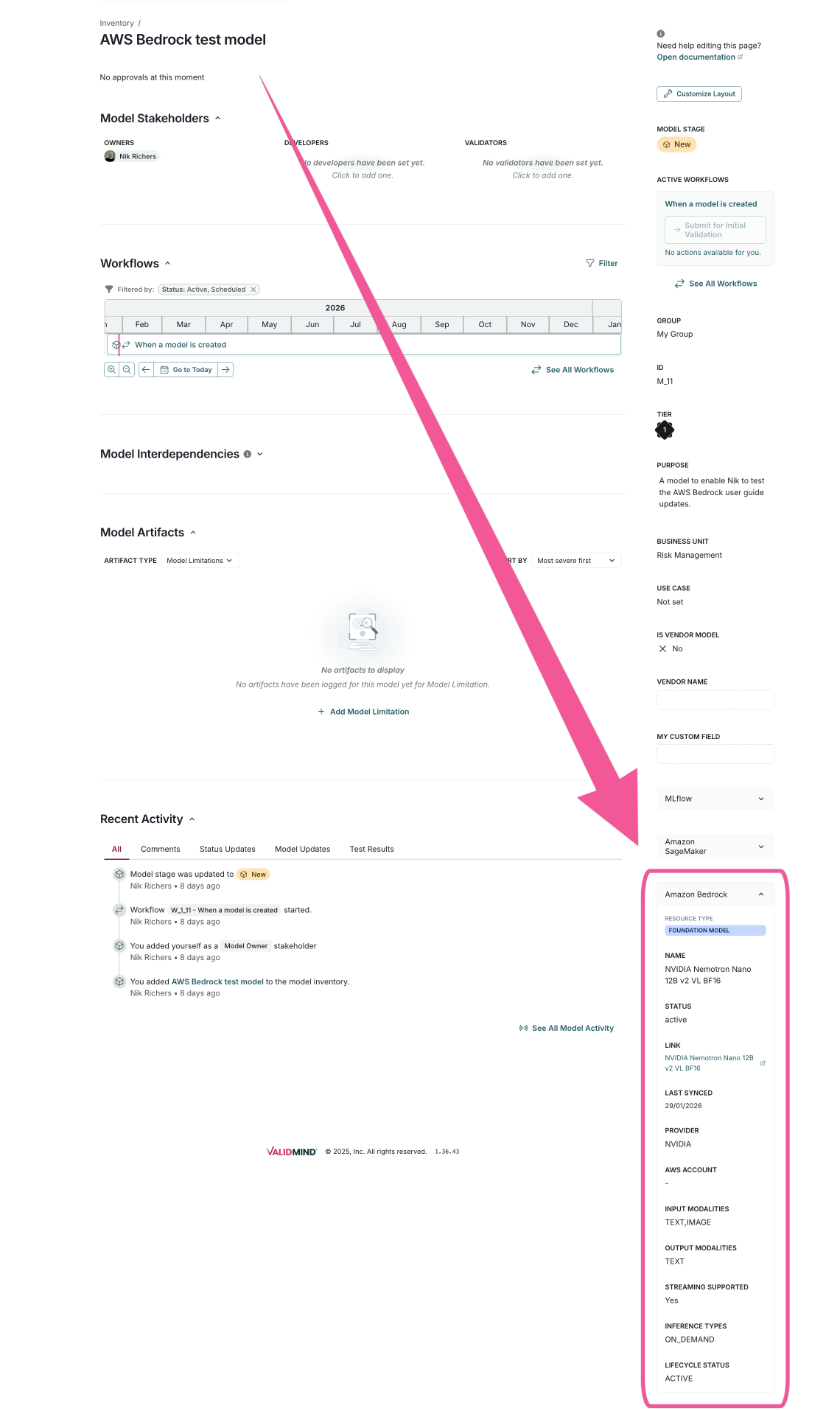
Integrations now support AWS Bedrock, external model inventory integration, and synchronization with external fields.
Synchronize models with AWS Bedrock Managing integrations
AWS Bedrock support
Link inventory models to AWS Bedrock foundational models, agents, and AgentsCore.
External model inventory integration
Connect many external inventory systems to synchronize model data with the ValidMind Platform.
External fields in integrations
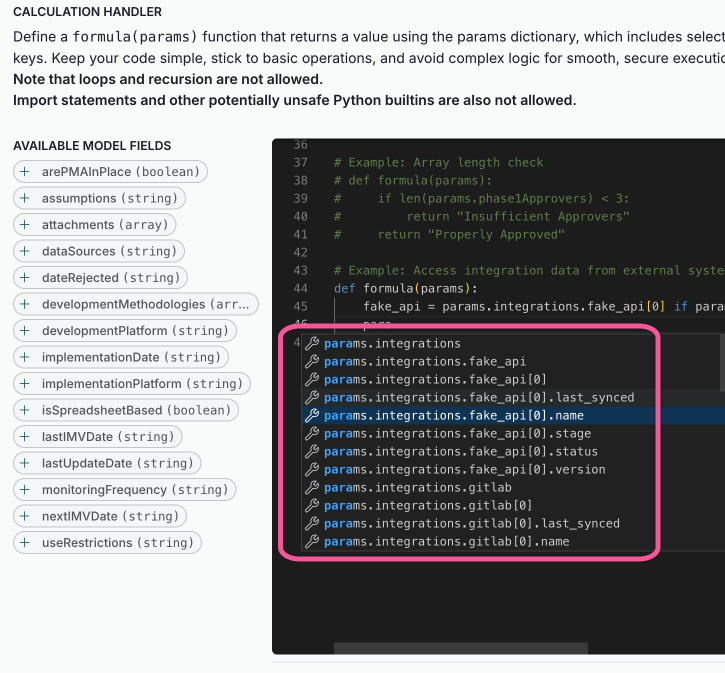
Use external fields in calculated fields, workflows, and analytics for better integration with external systems.
AI features
The AI-powered capabilities in the ValidMind Platform have been upgraded from GPT-4o to GPT-4.1, featuring optimized prompts for higher-quality results.
These improvements enhance the AI content builder and other AI-assisted features across the platform, delivering more accurate and effective outputs.
Admin UI
This release adds new capabilities to the administrative portal for managing organizations and viewing user details.
Disable organizations
Administrators can now disable organizations that are no longer in use. When an organization is disabled:
- Non-staff users are blocked from accessing the organization.
- Staff users see a warning banner indicating the organization is disabled.
- All disable and enable actions are logged for audit purposes.

View users and roles per organization
The administrative portal now displays all users within an organization along with their respective roles. The users table shows:
- User status (active or disabled)
- Name and email
- Groups and roles
- API keys count
- Authentication providers
- Account age and last login
An activity log provides a paginated view of organization events with filtering by time period.

Enhancements
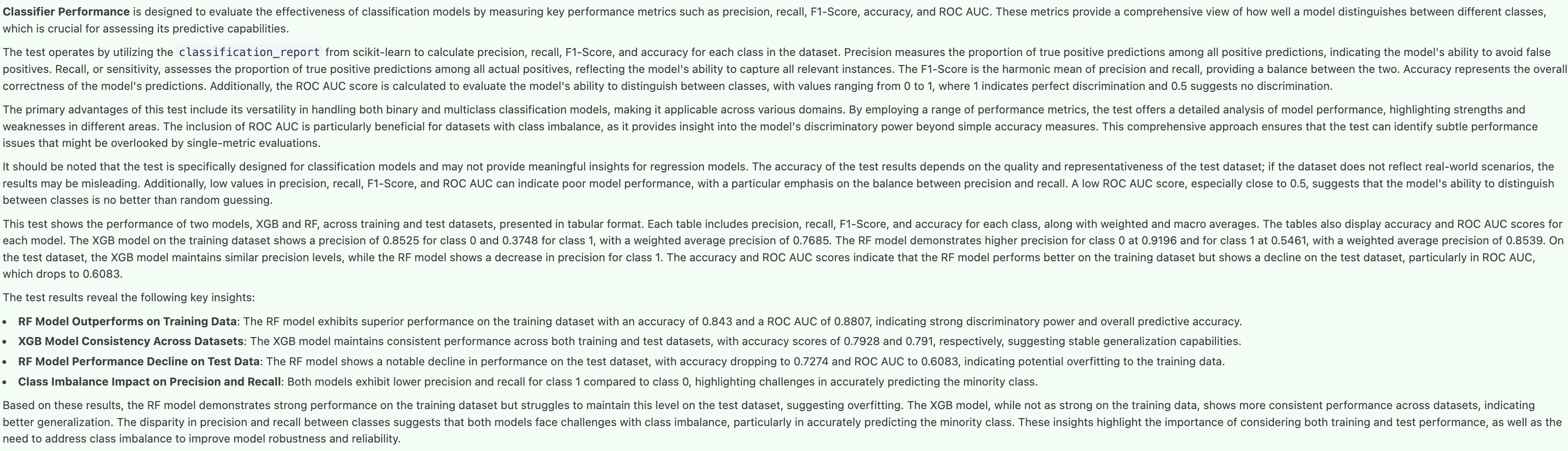
Streamlined test result descriptions
Test result descriptions are now more concise and focus on actionable insights from your validation results, highlighting better what the results reveal about your model.
What test descriptions now include:
A brief overview of the test purpose and results summary.
Key insights as bullet points highlighting significant findings.
Remarks on model behavior or risk.

Improved filter dropdown behavior
Custom field filters now only show fields applicable to the selected finding type, reducing clutter and confusion when filtering artifacts.
Add content blocks at the beginning of sections
You can now add content blocks at the beginning of document sections. Previously, blocks could only be added after existing content or between blocks. The option to insert a new block now appears above the first block in sections with existing content.
Bug fixes
Improved custom field filter handling
Filter dropdowns now correctly handle historical and legacy custom field data:
- Options deleted from a select/multiselect field remain available in filters to query historical records.
- Whitespace variants are normalized to prevent duplicate filter options.
Better content builder error messages
The ValidMind AI content builder now displays user-friendly error messages when generation fails, making it easier to understand and resolve issues.
Backend
Breaking changes
Remove IDP environment variable configuration
Support for configuring identity providers (IDPs) via environment variables has been removed. Starting with this release, IDPs must be configured using the TOML configuration file.
If you previously configured IDPs using environment variables, you need to migrate those settings to your TOML configuration file before upgrading.
Bug fixes
Model group export support
Model inventory exports now include the group field, ensuring all model metadata is captured when exporting.
Preserve column order in export
Model inventory exports now match the column order displayed in the UI, making exports more consistent with what you see on screen.
Fix validation report guidelines retrieval
Fixed an issue where validation report guidelines were not being retrieved with the correct model document context. Guidelines are now correctly associated with their specific model document when generating validation reports.
Fix bootstrapping user account creation
Fixed an issue with user account creation during the initial setup process by providing bootstrap authentication settings without requiring authentication.