26.01 Release notes
This release includes document versioning and locking, PDF exports, attestation template enhancements with participant roles and inventory scoping, use case grouping, helper text for workflow fields, platform notification management, user management improvements, and more.
Backend
Bug fixes
Fix broken link in email notifications
This update fixes an issue with broken links in email notifications. Links in the email notifications should now work as expected.
Update CSV export field for inventory models
This update improves the CSV export functionality for the inventory model by renaming a field from use to use_case. This change resolves an export issue reported by some users.
Frontend
Highlights
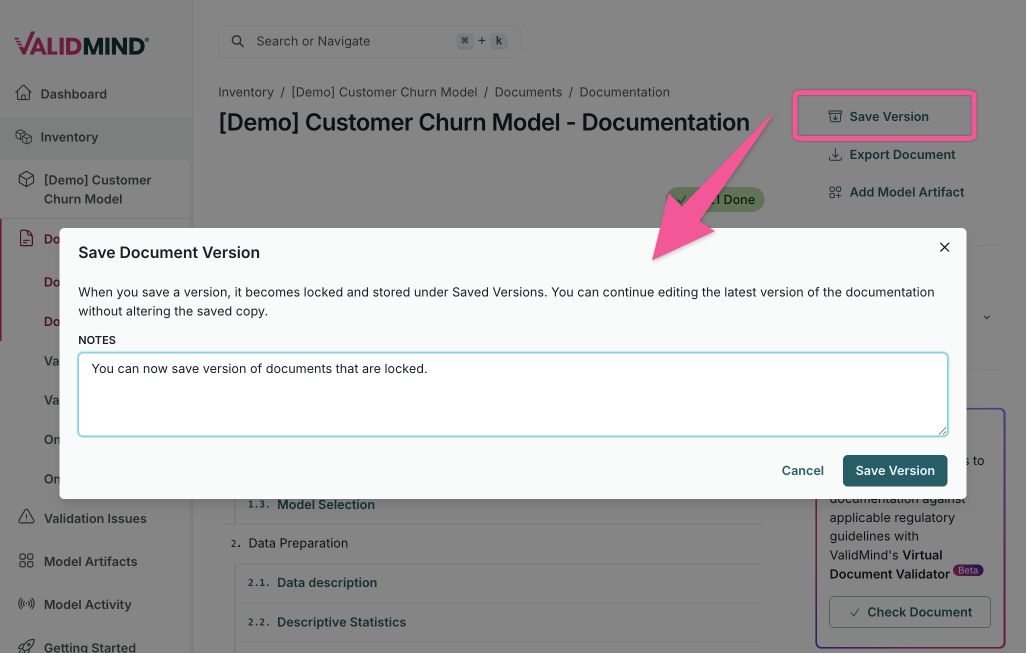
Document versioning and locking
You can now version and lock saved copies of model documentation, validation reports, ongoing monitoring, and custom document types. This improves auditability by preserving document state at specific points in time.
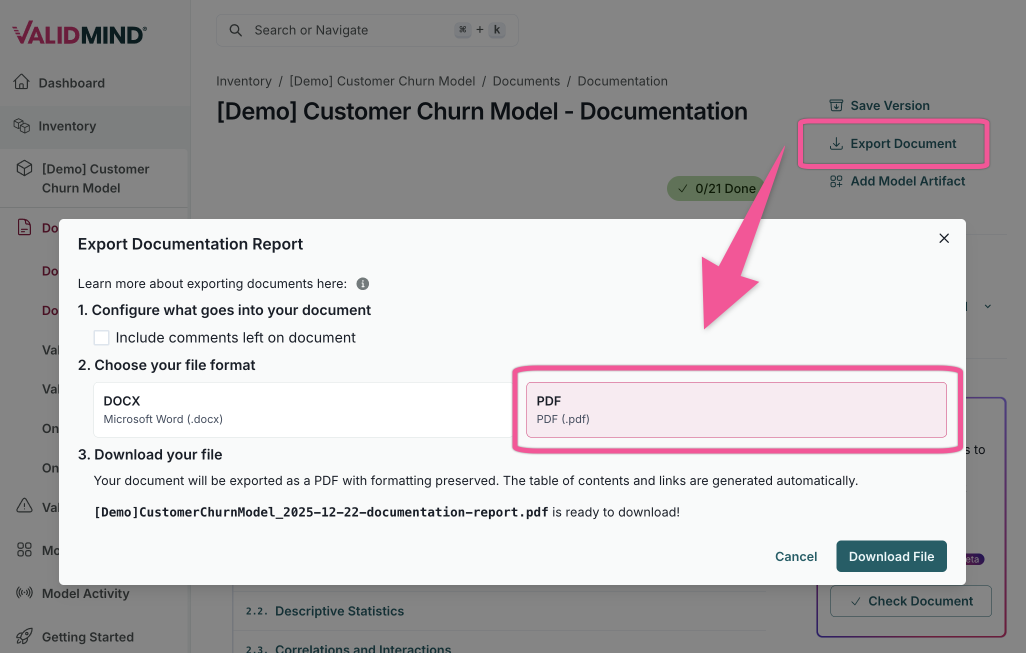
Export documents as PDF
In addition to existing Word document exports, you can now export a single document as a PDF from the ValidMind AI Risk Platform.
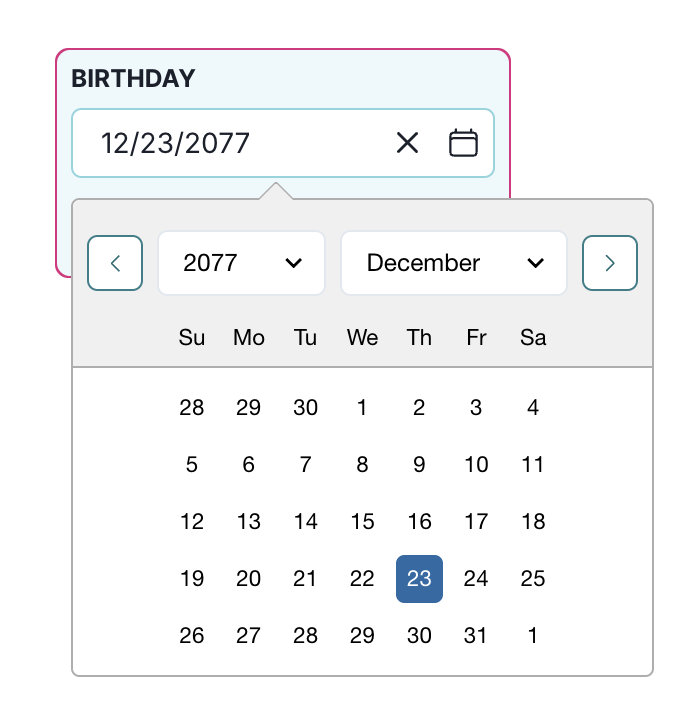
Manual entry for date and time fields
We have introduced a new date picker. You can now quickly navigate years and months using dropdown menus or input a custom date directly for faster entry.
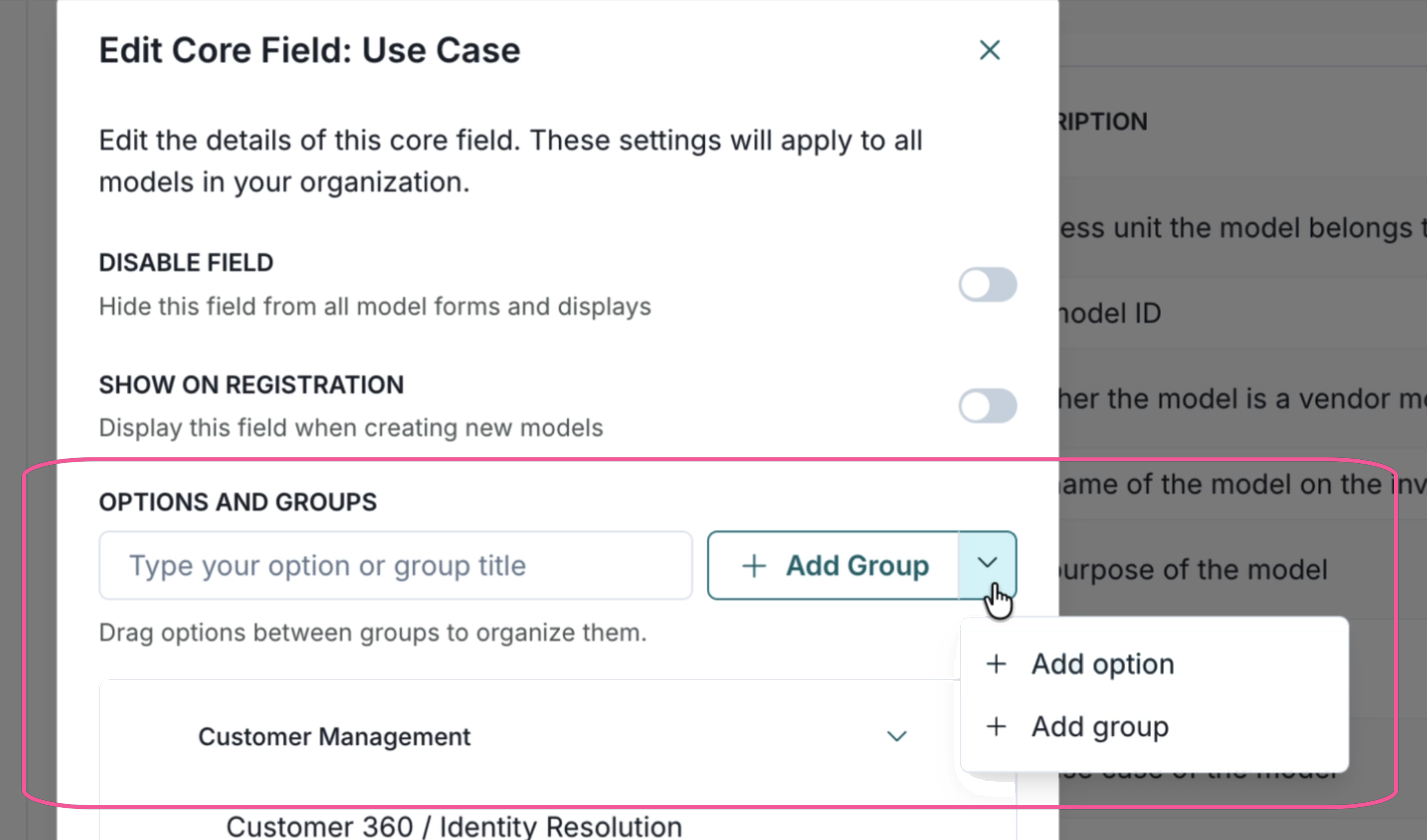
Edit and group use cases
We improved the existing use case category settings and added grouping support. You now can:
- Create a new group in the use case core field listed on the Model Inventory Fields page
- Create a new option and move it between groups
- Retain the ordering when listing use cases in the single select form in the Model Overview page
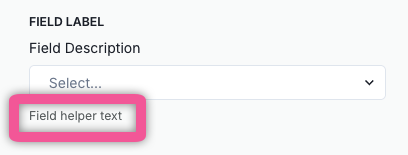
Helper text for custom model and artifact fields
You can now add helper text to custom model and artifact fields, offering additional guidance to users beyond the standard field description.
Helper text appears under the description when you edit or complete the field.
This enhancement is useful when configuring fields or filling out model inventory forms, as it helps clarify what information should be entered.
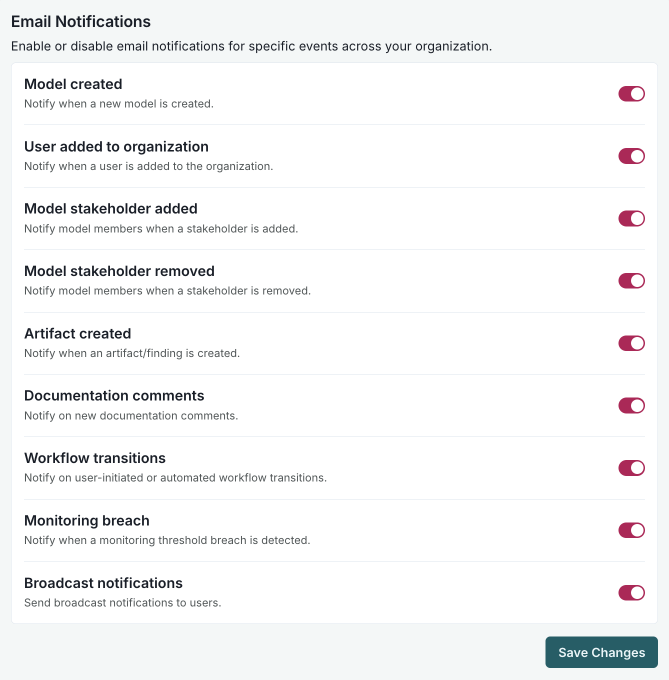
Manage platform notifications
Customer admins can now turn platform email notifications on or off for specific event types for their organizations.
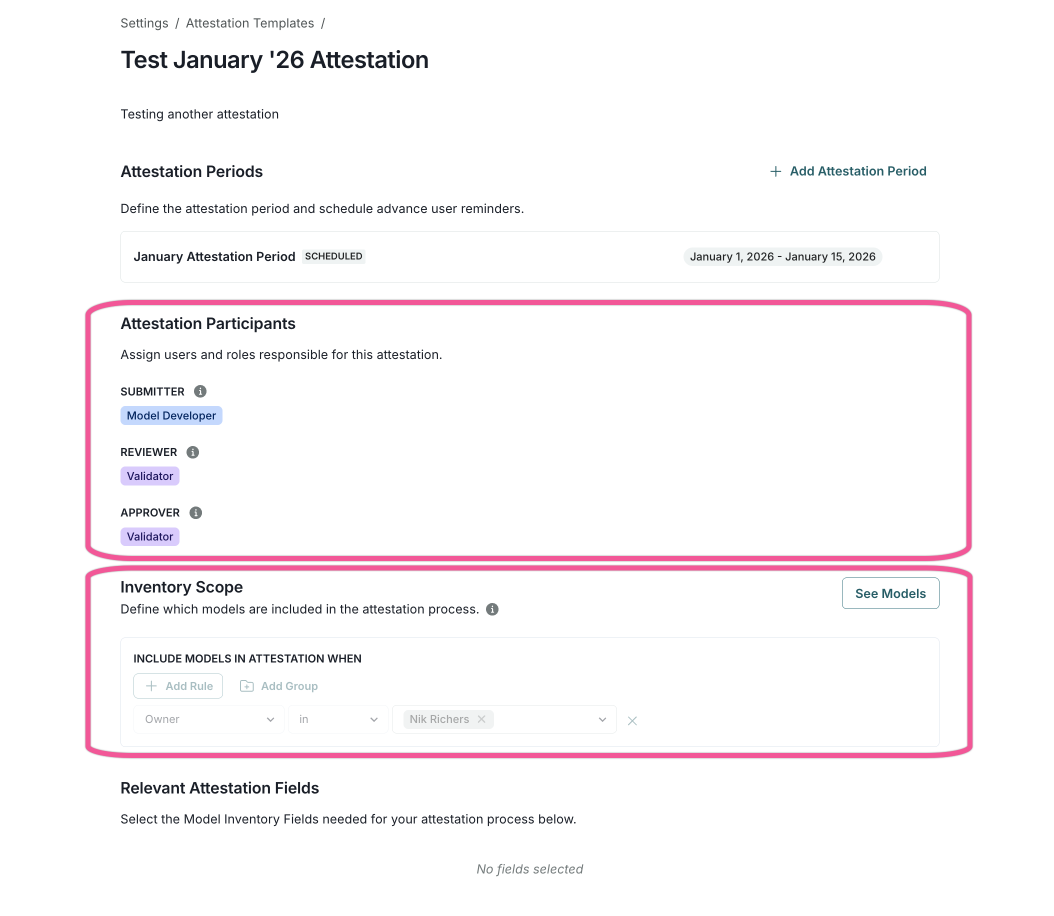
Attestation templates improve how you configure attestations, with new options to define participants, scope models, and set notifications.
Define stakeholders and roles for attestation participants
Assign specific stakeholders and roles for the attestation process, including:
- Submitter
- Reviewer
- Approver
Define models in scope for attestation submission
Set the inventory scope by filtering which models are included in each attestation:
- Create filtering rules based on specific conditions
- Use nested groups for more complex filtering criteria
- View which models match your filter criteria
Notifications via email and My Inbox
Configure email reminders for attestation periods:
- Set how many days before the end date to send reminders
- Customize the subject and body using dynamic variables
- Send reminders to submitters, reviewers, and approvers
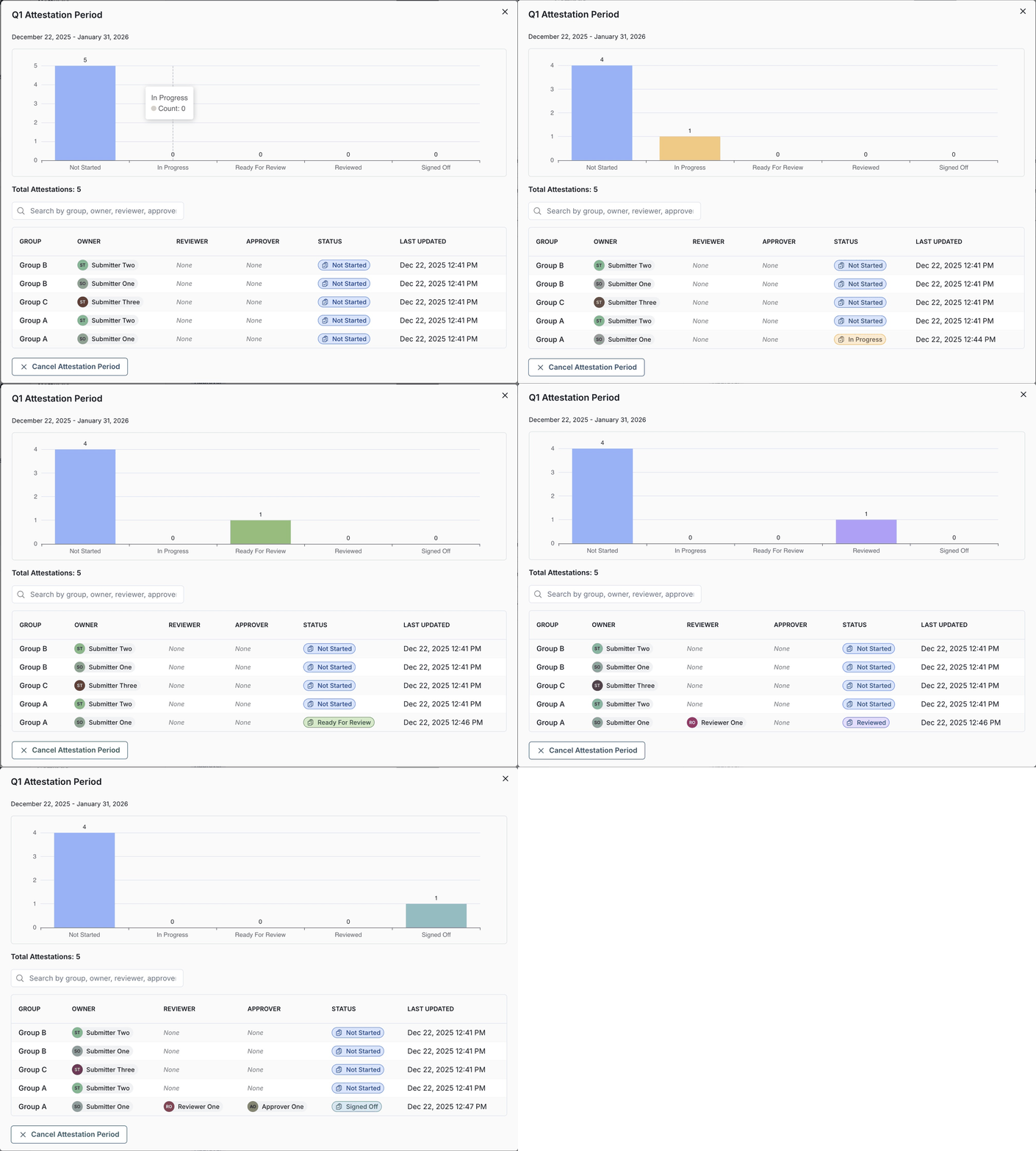
Attestation tasks now show up in My Inbox for each participant. Additionally, you can view attestation details through a progress chart for all attestation instances, sorted by group and owner.
Remove and disable users in the admin UI
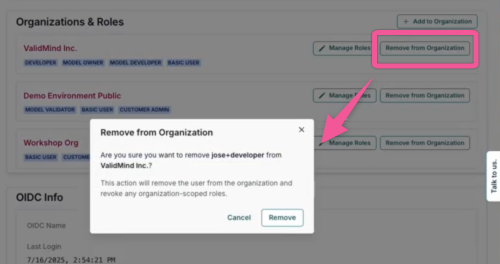
You can now remove a user from an organization directly in the admin UI. On the user details page, where all organizations are listed, a new Remove from Organization button lets you remove a user from a specific organization.
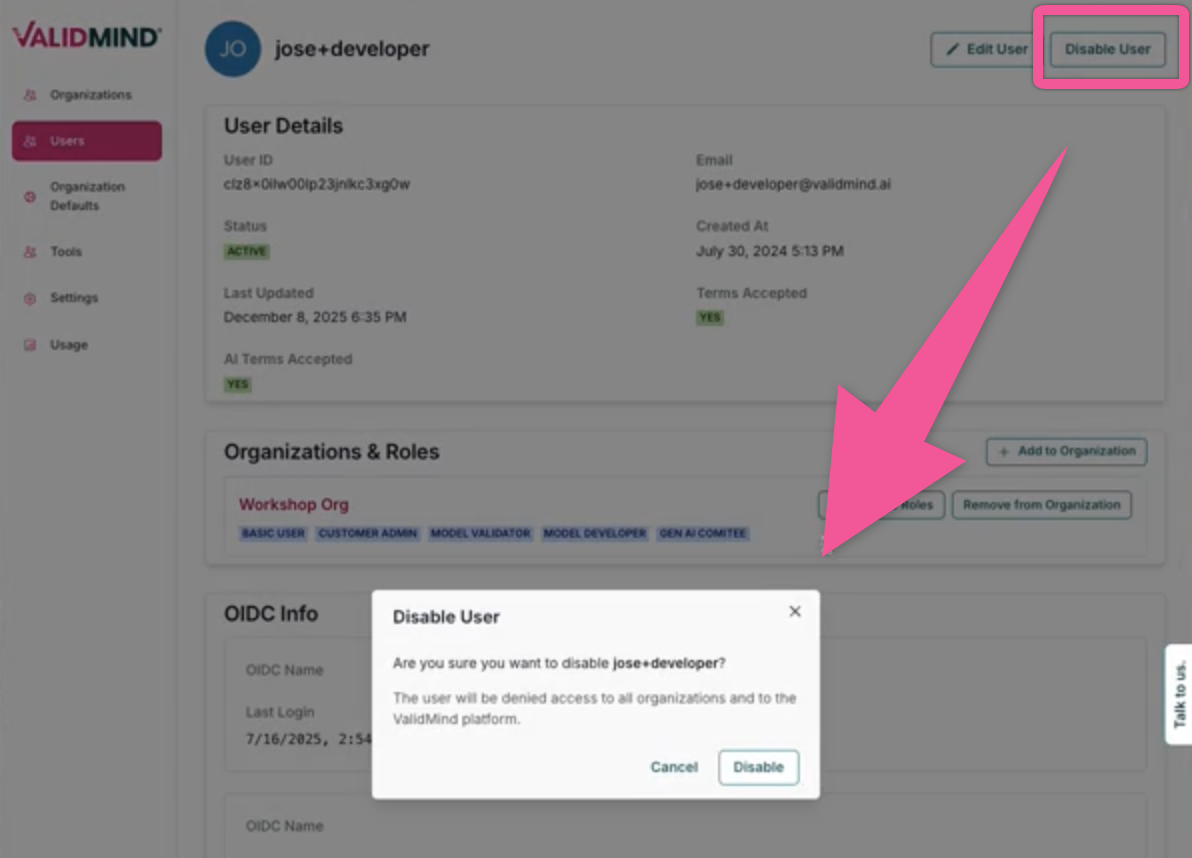
Additionally, you can disable a user from the ValidMind platform entirely. The user details page now features a Disable user button at the top right that allows you to disable the user, denying access to all organizations.
Bug fixes
PDF upload events now appear in the activity log
Add troubleshooting for SSL issues
Previously, PDF upload events were not recorded in the activity log because only updates to ValidMind documentation templates triggered logging. The platform now adds an activity log entry for PDF uploads to any documentation type
Documentation
Add troubleshooting for SSL issues
Troubleshooting guidance is now available to help you address SSL verification errors when initializing the ValidMind Library.