25.12 Release notes
This release includes improvements to the model inventory, artifacts (formerly findings), workflows, bug fixes, and more.
Backend
Highlights
Public API
Public API to manage model stages
You now have access to new public API endpoints for model stages to simplify workflow management.
Usage example
curl -X POST 'http://localhost:5000/vm/api/v1/model-stages'
  -H 'accept: application/json'
  -H 'content-type: application/json'
  -H 'x-api-key: <api-key>'
  -H 'x-api-secret: <api-secret>'
  -d '{
    "name": "MRM Committee review",
    "description": "Stage for formal MRM committee evaluation",
    "colors": { "primary": "#0052CC", "secondary": "#DFE1E6" }
  }
Public API for updating findings
This update introduces a public API for updating findings, making it easier to modify existing findings via the backend.
Public API for managing custom fields in models and findings
This update introduces a public API for managing custom fields in models and findings.
You can define custom fields with attributes, such as title, key, type, and path.
Each field can include a description and be marked as required or optional during registration.
Additionally, you can set permissions for updating fields by assigning roles, such as Model Owner, Model Validator, and Model Developer to ensure proper access control.
Public API to check template swap dependencies
This update introduces several functional enhancements and bug fixes across multiple components of the system.
POST /models/{cuid}/documents/{slug}/templates/check-dependencies
Include fields for /models public API by default
This update improves the public API for listing all models. You can now access more detailed information when retrieving model lists, enhancing your ability to manage and understand your inventory.
Enhancements
Bug fixes
Fix task visibility in user inbox
Users were not receiving tasks in their inbox for some required actions after workflows for artifacts were added. The workflows now generate tasks correctly, so that users receive required user actions in their inbox. Broadcast steps for artifact workflows are now also delivered as expected.
Trigger events when documents are created
This update introduces a new class method, send_ui_created_model_document, in the Event class to handle the creation of model documents.
Fix email deduplication issue
This update introduces changes to email notifications to resolve a deduplication issue.
Improve handling of Entra names in OIDC tokens
We have improved how user information is handled when using Entra by refining the logic in the get_user_info_fn_multiple function. This update ensures more accurate processing of user names obtained from OIDC tokens.
Resolve timing issue in custom field creation
This update resolves a timing issue that could cause Failed to update role permissions errors when creating custom fields with role-based write permissions. You can now create custom fields with reliable permission assignments, as expected.
Frontend
Highlights
Model inventory
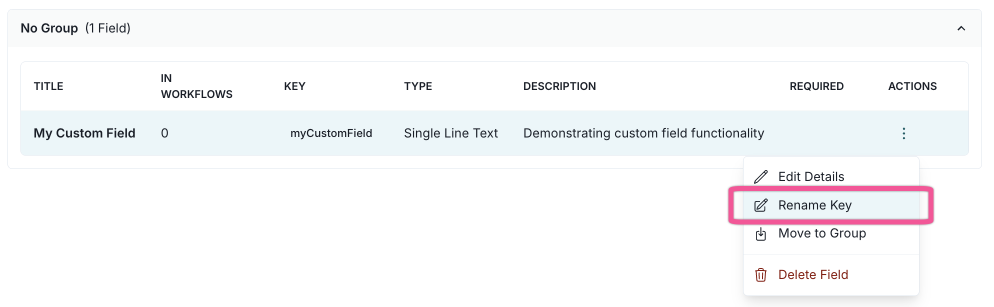
Update field keys in custom fields
You can now view and rename the keys for custom fields directly from the custom fields settings page.
When you change a field’s name, you can also update its key. This keeps your custom field names and keys in sync, making it easier to manage calculated fields and maintain consistency.
Make core fields configurable for inventory models
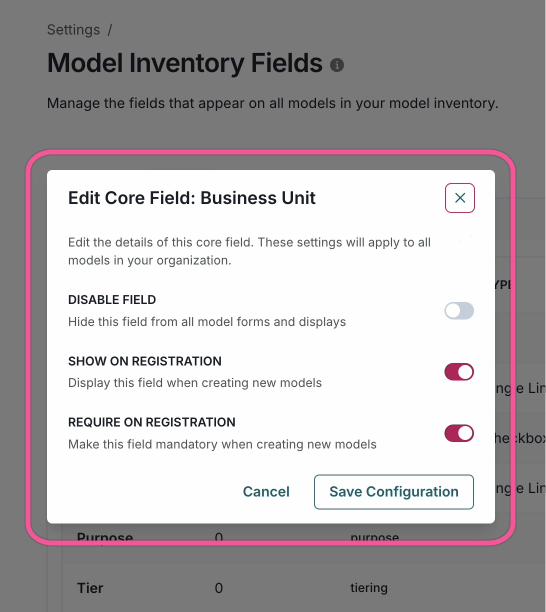
You can now configure core fields for inventory models, enabling greater flexibility and customization for model registrations and inventory overviews.
Core fields are the default fields that are always included when a model is created.
Artifacts (formerly findings)
Findings are now referred to as artifacts in the UI
The terminology in the application has been updated. You will now see artifact instead of finding throughout the user interface.
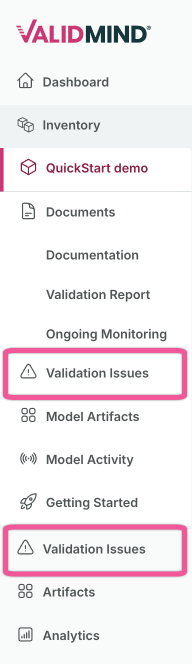
Findings are now Validation Issues in the sidebar
Validation issues now have their own dedicated section in the navigation sidebar, replacing the previous Findings section.
Validation issues now have their own dedicated section in the navigation sidebar. This change makes them easier to find and manage separately from other artifact types.
Previously findings were renamed to artifacts to reflect that artifacts are the umbrella term for items related to models. Validation issues are a subset of artifacts and correspond to what was previously called findings.
Make core fields configurable for inventory models
You can now configure core fields for inventory models, enabling greater flexibility and customization for model registrations and inventory overviews.
Core fields are the default fields that are always included when a model is created.
Workflows
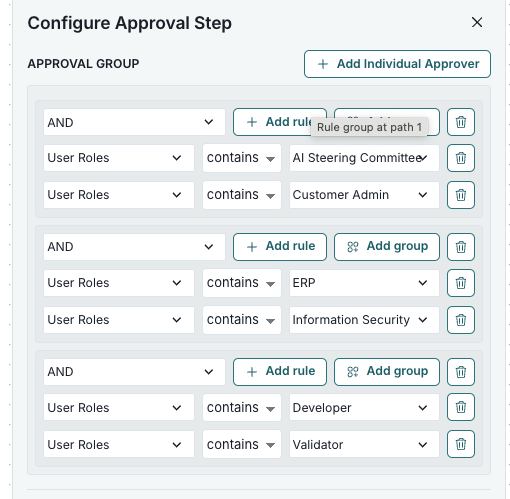
Workflow approval steps with multiple voter eligibility blocks
You can now add multiple voter eligibility blocks to approval step conditions in the settings. Each block defines requirements for an individual approver, and at least one vote is required for each block.
If an approver matches several blocks, their vote counts for all relevant ones.
Duplicate existing workflows
You can now duplicate existing workflows, complete with intelligent trigger conflict detection and automatic resolution.
Seamless experience
- Duplicate workflows with a single click from the workflow action menu.
- Preserves the entire workflow structure, including versions, states, canvas nodes and edges.
- Clone model workflows as artifact workflows and vice versa for cross-entity reuse.
- Edit title, entity type, artifact type, and trigger configurations.
Smart validation
- Real-time conflict detection for registration and field-triggered workflows.
- Automatic warnings when trigger conflicts exist.
- Workflows convert to manual trigger when conflicts are detected—other settings are preserved.
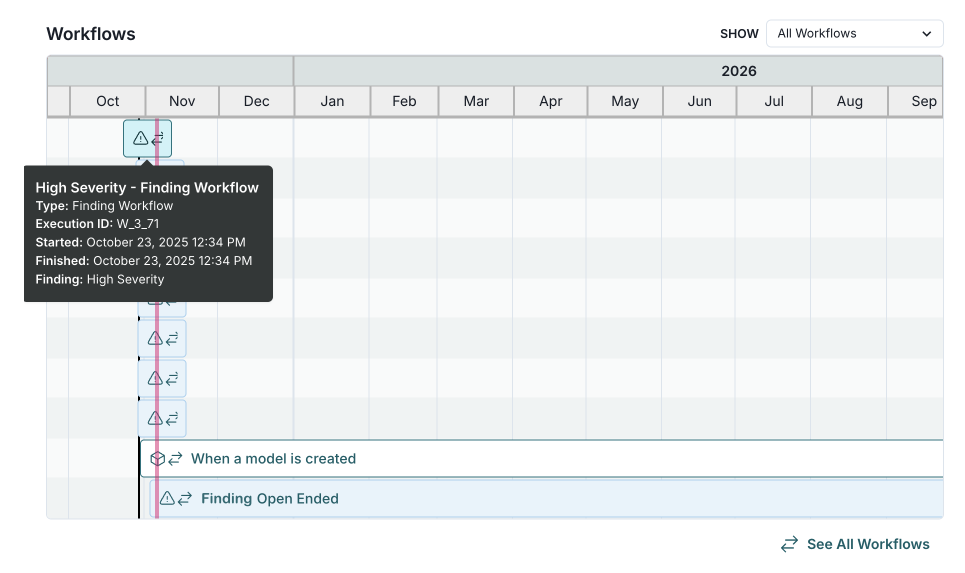
Workflow timelines include child finding workflows
The workflow timeline now shows both child finding workflows and model workflows, giving you a comprehensive view of all activities related to inventory models.
Workflows are displayed in organized groups with improved visual formatting and automatic height adjustment for easier reading.
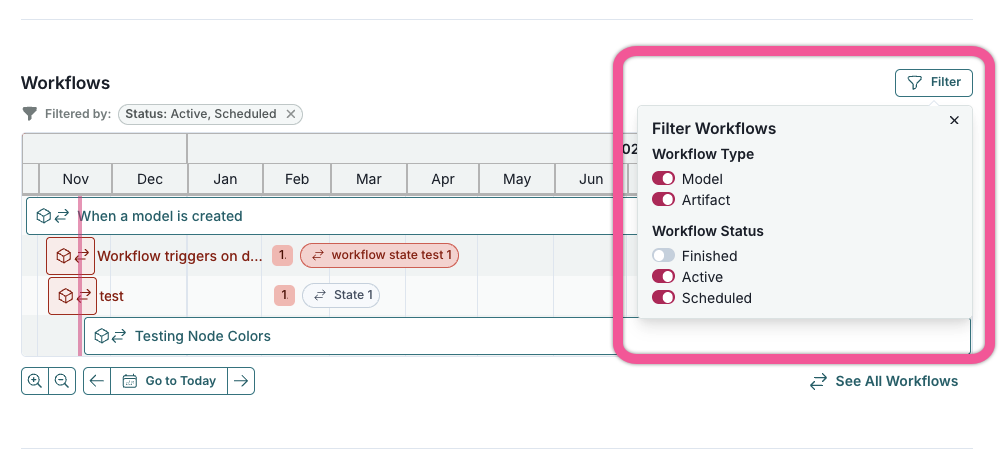
Add filters to workflows timeline
The workflows timeline now features a filter popover for quickly filtering by workflow type and status, making it easier to focus on what you need.
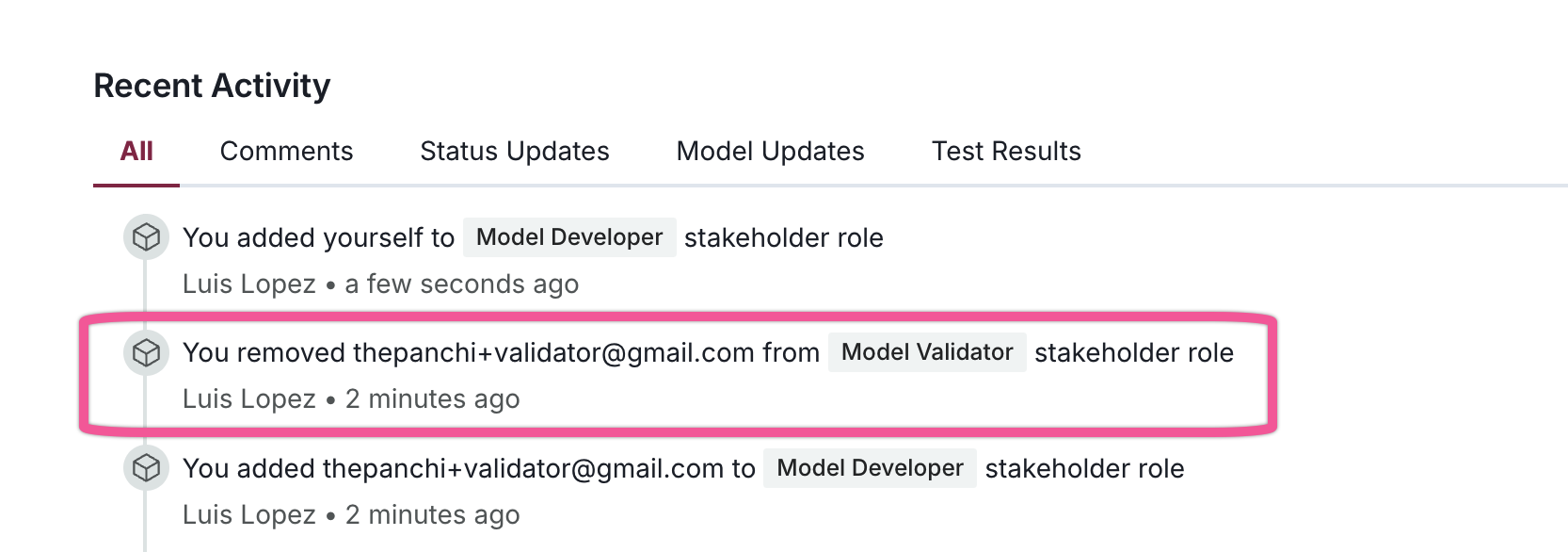
Generate activity events for stakeholder changes in models
You can now see notifications in the activity feed whenever stakeholders are added to or removed from model inventory roles. This update improves transparency in stakeholder management and provides a clearer audit trail.
Enhancements
Support for custom fields in filters
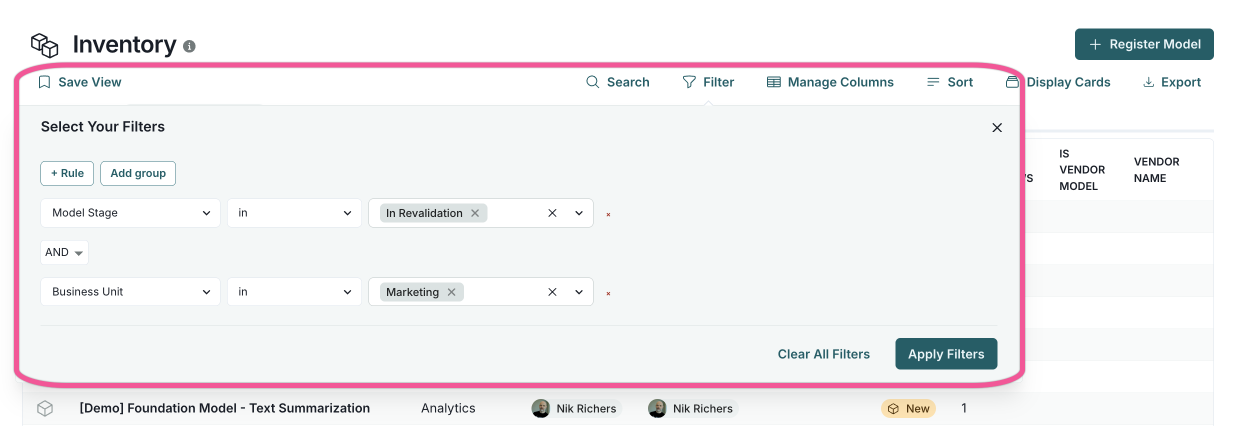
We've introduced a new filtering dialog on the Model Inventory, Validation Issues, and Artifacts pages that support custom fields and complex filter queries.
Features:
- Create complex filter queries with AND/OR logic and nested conditions
- Filter across all field types, including custom fields and attachments
- Remove individual filter components independently
- Visual grouping with parentheses for nested conditions
- Smart query restructuring that maintains valid filter states
- Improved performance with optimized field value lookups
Add creation and updated timestamps to UI tables
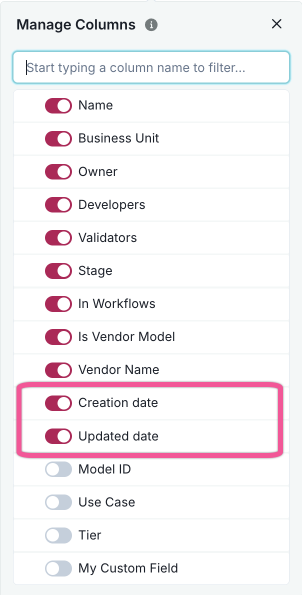
The Creation date and Updated date columns are now available in the columns picker on the Artifacts and Model Inventory pages.
These columns allow you to see when records were created and last modified directly in the table view.
Both columns are also available in CSV exports.
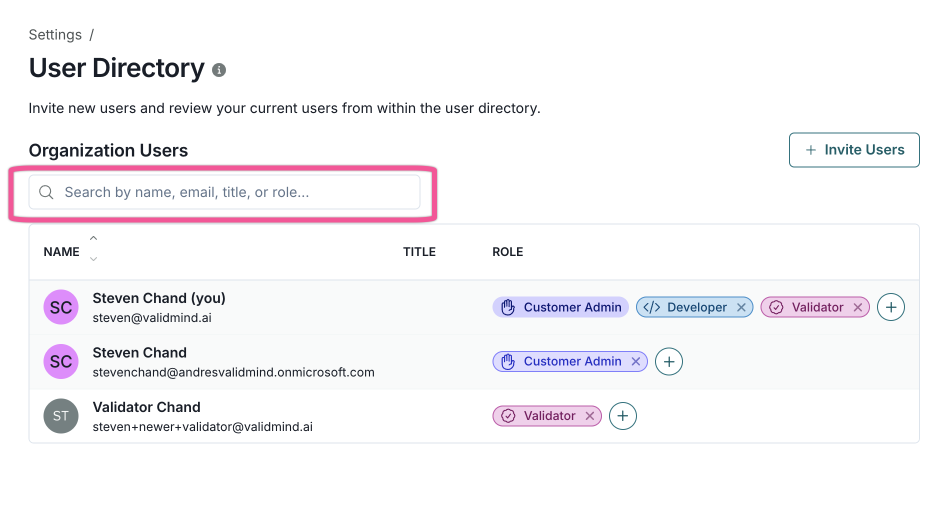
Search and sort in user role tables
You can now search and sort user tables throughout the application. Search by name, email, job title, or role, and sort by clicking column headers in the User Directory page or while managing group members and roles.
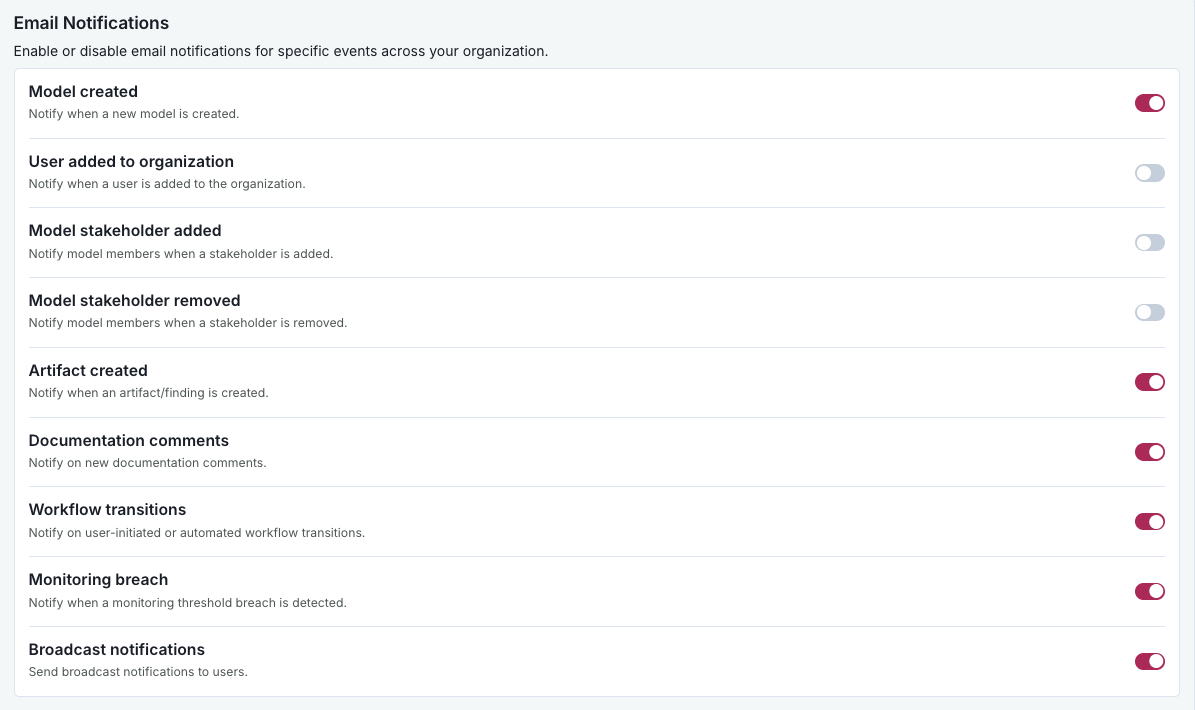
Add email notification configuration in settings
You can now enable or disable email notifications for different types of events directly from the settings at the organization level. This enhancement lets an administrator customize which emails users receive.
Update custom field modal to include global roles
You can now assign a global role with custom field write permissions, allowing you to update specific custom fields without needing to be a stakeholder in a model.
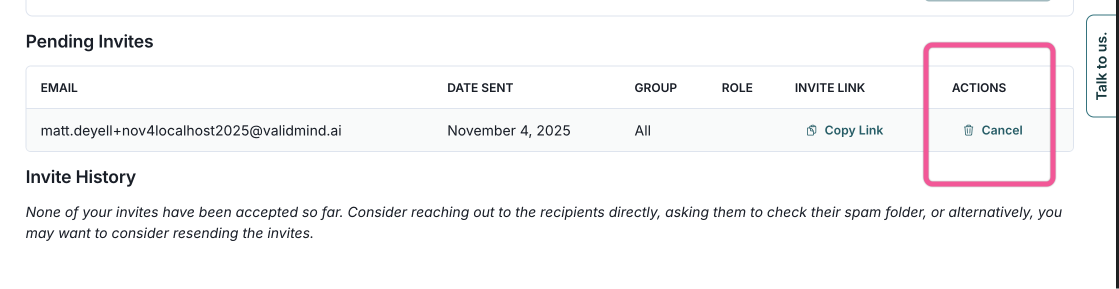
Cancel pending user invites
You can now cancel pending user invites, allowing you to manage and delete any outstanding invitations.
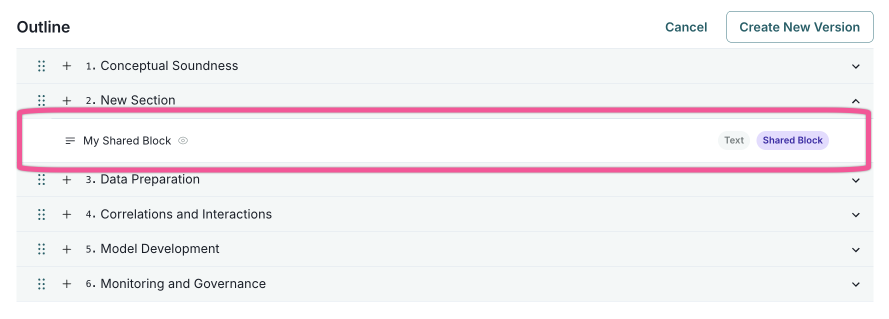
Use shared library blocks in templates
You can now use shared text blocks from the block library directly in our template editor. Previously, this functionality was available only in the advanced YAML editor.
- Shared block library integration
- The template editor now supports shared text blocks from the block library. Add shared blocks to templates via a selection interface. Added blocks are marked with badges and can be removed when needed.
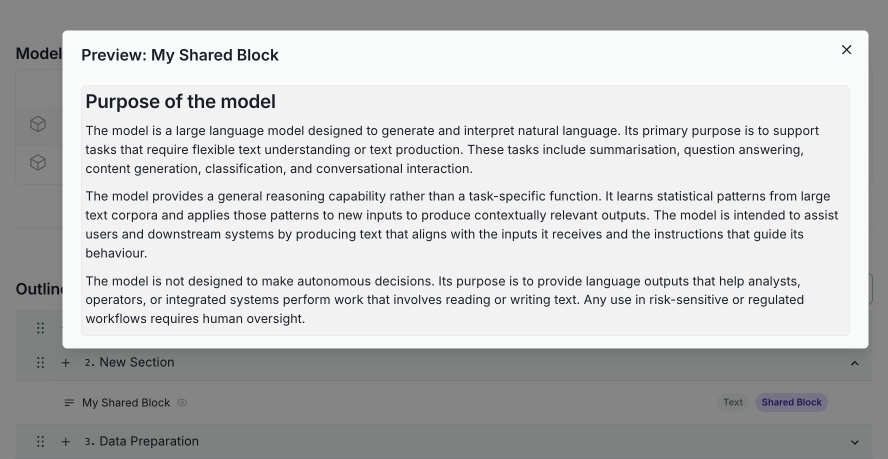
- Enhanced text block previews
- Preview text block content before finalizing templates. Preview blocks with default placeholder text and blocks linked to shared blocks. Click the block title or the preview icon to open a formatted preview.
Bug fixes
Template swap with dependency and evidence warnings
When you swap a template, the system now checks for dependencies and warns if evidence will be removed.
Before proceeding, you will see:
- The number of evidence items that will be removed
- The number of validation assessments affected
- Content blocks that will be removed, grouped by section
- A preview of the content that will be lost
You must acknowledge these removals before completing the swap. This fix helps prevent accidental data loss, letting you decide whether to proceed or preserve evidence by keeping specific content blocks in the template comparison view.
Fetch all models in dependency manager modal
We have resolved an issue where the Manage Dependencies modal in the Model Inventory module previously listed only the first 100 models. You can now view all available models in the modal.
Edit custom fields without losing data
You can now edit custom fields as expected. Previously, a bug caused filtered-out fields to be deleted from the schema when editing with active filters. This update ensures all fields are preserved, regardless of the filters applied.
Fixes for null checks and sorting issues
Sorting issues in the Inventory and Model Inventory Fields pages have been resolved. Previously, clicking column headers like Use Case or Key could cause the page to stop working. Now, all sortable columns function correctly. Non-sortable columns, such as In Workflows, are disabled to prevent confusion.
Additionally, an issue when editing models with empty Use Case fields has been fixed. Opening a model with an empty Use Case field no longer causes the page to stop working, as empty optional fields are now handled smoothly.
Preserve view columns when applying saved views
You can now apply saved views on the Model Inventory page without saving column configuration changes. This update resolves an issue where saved views were not displayed correctly, as only filters were retained. To fix the issue, we've added conditional logic to ensure saved views are applied accurately.
Documentation
Add filters to workflows timeline
The workflows timeline now features a filter popover for quickly filtering by workflow type and status, making it easier to focus on what you need.
Add your own policies and regulations to the document checker
You can now add your organization’s internal policies and any additional external regulations to the platform for use with the Virtual Document Validator.
The Virtual Document Validator is a compliance tool that reviews model documentation against a selected regulatory standard. You use the Document Checker to identify gaps, generate actionable recommendations, and focus your efforts on areas that require attention. Previously, regulations such as SR 11-7, SS1/23, E-23, and the EU AI Act were already provided for use by ValidMind.
With this enhancement, you can evaluate your documentation against all applicable internal and external standards, creating a powerful tool for assessing compliance across your organization's documentation.

Installation
Enhancements
Add templates for integrations deployment
This update introduces a new set of Helm chart templates and associated configuration values to manage integrations with external services.
Documentation
Documentation for email provider configuration and custom templates
You can now configure ValidMind to send emails using your own email provider. You also have the ability to customize email templates for notifications to match your organization's branding.
System access requirements
We have introduced a new documentation page outlining the system access requirements for using the ValidMind platform. The page provides information on the URLs to allow through your firewall and the supported browsers.
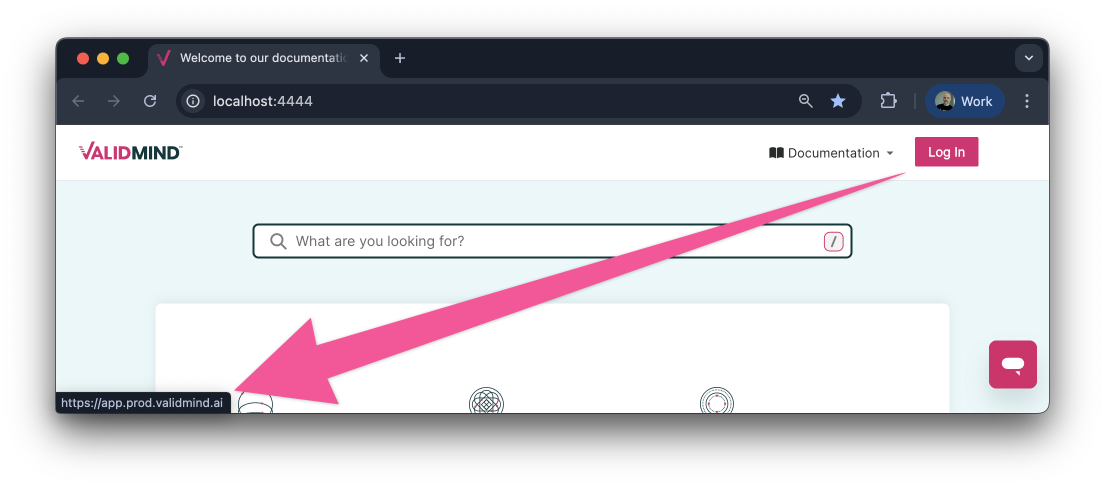
Simplified platform login
We have simplified the process of logging into the ValidMind platform from our documentation site. The login button now takes you directly to the correct location, eliminating the need to choose from multiple options.
Updated community resources
Our community Slack channels will be retired on November 15, 2025. You can continue to engage with our growing community through various platforms: