25.11 Release notes
This release includes support for multiple email providers for notifications, REST API improvements, the ability for admins to control GenAI features for organizations, enhanced workflow scheduling with date-based triggers, and more.
Backend
Highlights
Support SMTP and SES for email notifications
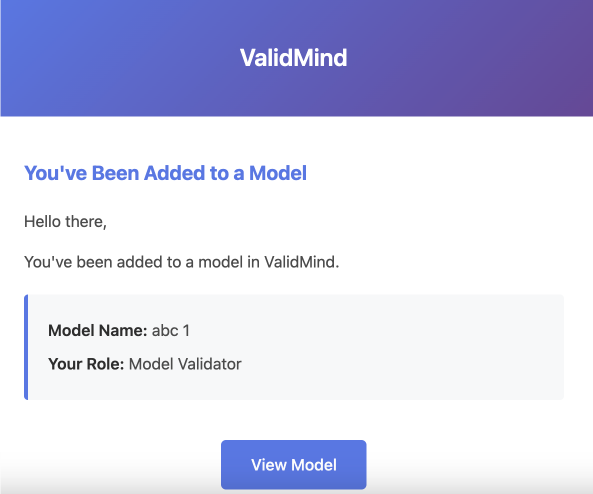
Configure the platform to send emails via SMTP or AWS SES, offering flexibility for those who do not wish touse our Postmark service.
Additionally, you can customize the email templates used by the ValidMind platform.
Specify the template path through the VMConfig parameter:
templates_directory = "/mnt/custom_template_folder/templates"Bypass field data restrictions when creating models and findings
You can now create models and findings via the public API using legacy values that may not currently be valid. A new boolean parameter, strict_custom_field_validation, controls whether custom fields are validated strictly for both findings and inventory models.
This change provides more flexibility when importing or managing legacy data.
Add method to remove user from organization
This update introduces a new approach to managing user memberships within organizations by adding an is_disabled flag to the user_organizations table.
Download attachments
You can now download attachments using a new public /vm/api/v1/assets endpoint.
Reporting support
Two new public API endpoints are available for accessing reporting data:
GET /vm/api/v1/reporting/datasetslets you list available datasets.GET /vm/api/v1/reporting/datasets/{id}/dataallows you to retrieve raw dataset data.
Additionally, the analytics query builder now includes additional methods for accessing raw data.
Enhancements
Assign non-custom and custom stakeholders in registration
This update improves how organizations manage stakeholder involvement when new models are added to the model inventory during the registration process.
For more information, see Enable assigning non-custom and custom stakeholders in registration.
Add days until API key expiration to client serialization
You can now view the number of days remaining until your API key expires. Admins can set expiration dates for API keys, and you can regenerate your keys once they expire.
For more information, see Regenerate your own API keys.
Add backend finding severity management
You can now create, update, and delete custom finding severities. These severities support custom colors and automatic level management. We've also improved the organization of finding severities with smart reordering.
For more information, see Configure finding severities with custom levels.
Automatically resume execution when user action deadlines expire
You can now automatically resume execution when deadlines for user actions expire, improving reliability and reducing manual intervention. This enhancement allows you to manage deadlines for user action steps effectively.
For more information, see Add deadline support for user action nodes in workflows.
Assign default template for custom document types
This update enhances custom document types with improved sorting and default template handling.
For more information, see Assign default templates to document types.
Add finding status
The public API has been updated to allow the creation of findings with initial statuses. Additionally, you can now use an optional field, status_cuid, in the model findings endpoint in the API.
POST /models/{inventory_model_cuid}/findings/{finding_type_cuid}
Return all custom finding fields in public API
The public API for model findings now returns all custom finding fields in its responses. Prior to this update, custom fields were missing from the response data.
Bug fixes
Improve bulk delete operations for enhanced efficiency and reliability
We have improved the deletion process by implementing bulk deletion queries. This update resolves deadlocks that occurred during document checking cascading deletions. By replacing per-row deletes with single-statement bulk deletes and ensuring audit updates occur within the same transaction, you will experience enhanced system efficiency and reliability.
Fix analytics query
The Past Due Findings analytics counter now accurately includes open findings with past due dates. This update improves the classification logic in the analytics view, offering more precise reporting of findings status.
Update model inventory counts for nested struct fields
The In workflows column in Model Inventory Settings now accurately displays the number of workflows using each custom field. Previously, this count incorrectly showed 0, even when workflows were actively using the fields.
Frontend
Highlights
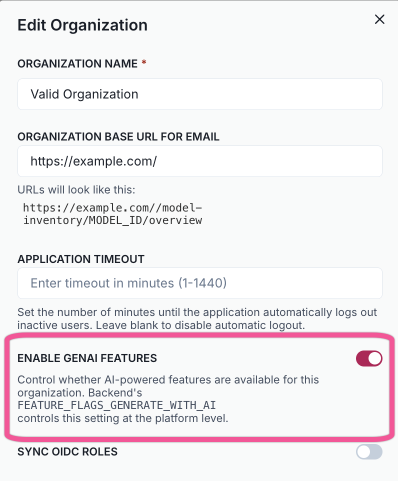
Allow admin to control GenAI features for organizations
Manage our AI-powered features at the organization level through the admin panel.
The Edit Organization modal includes a new Enable GenAI Features toggle, letting you enable or disable these capabilities for each organization—even if they're turned on for the whole platform.
Workflow scheduling with date-based triggers
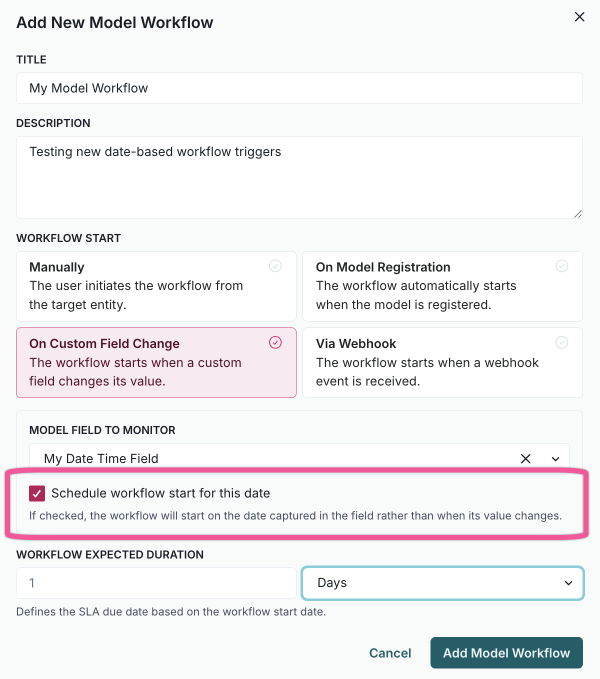
Model workflows triggered by a custom field change on a date, date-time, or calculated date field now include an option to schedule the workflow start for that date.
This feature is useful for recurring tasks such as annual model reviews. For example, if a model’s next annual review field is set to August 21, 2026, the related workflow will automatically start on that date. Updating the field to September 15, 2026 reschedules the workflow run.
Enhancements
Add workflow timeline to finding details page
You can now view and track workflow executions directly from individual finding details pages with the new workflow timeline visualization.
This update includes progress status, execution timelines, and the ability to filter by specific workflows, enhancing your ability to monitor and manage workflows efficiently.
Allow admins to edit Analytics dashboards
You can now edit default Analytics dashboards, such as Models and Validation Issues, to customize layouts, add widgets, and modify dashboard details according to your organization's needs.
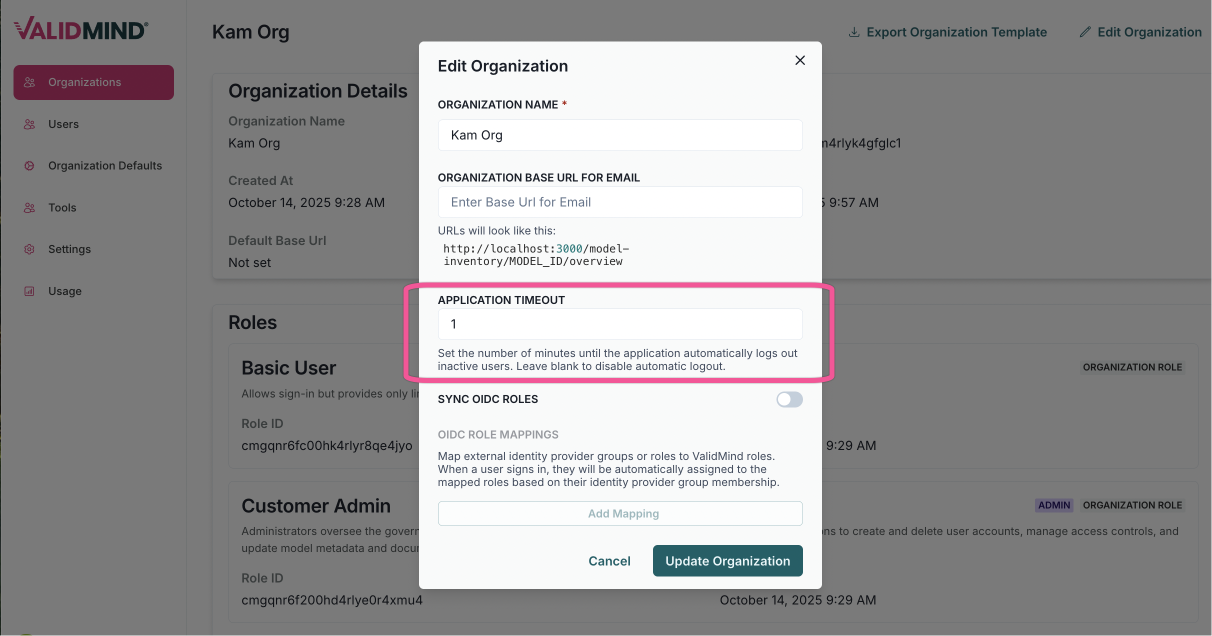
Configurable session timeout setting
Set the session timeout duration between 1 and 480 minutes or disable it entirely. This setting is available through the admin UI.
For users, a two-minute warning with a countdown timer alerts you before automatic logout. The session timeout resets automatically when you interact with the mouse, keyboard, or scroll.
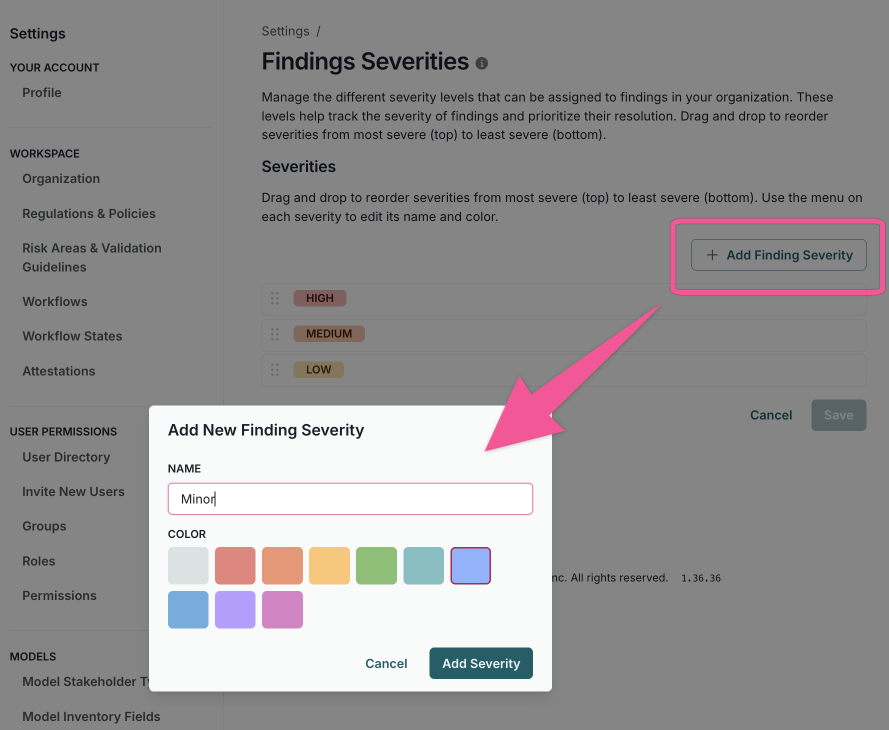
Configure finding severities with custom levels
Create custom finding severity levels for more detailed feedback and reorder these severity levels using a drag-and-drop interface. Color-coded severity badges with theme support ensure visual clarity. A dependency check prevents the deletion of severities that are currently in use.
Custom finding severities let you align risk classifications with your organization’s governance framework. These levels determine how findings are prioritised in workflows and reflected in governance reporting, helping ensure consistency with regulatory expectations and internal standards.
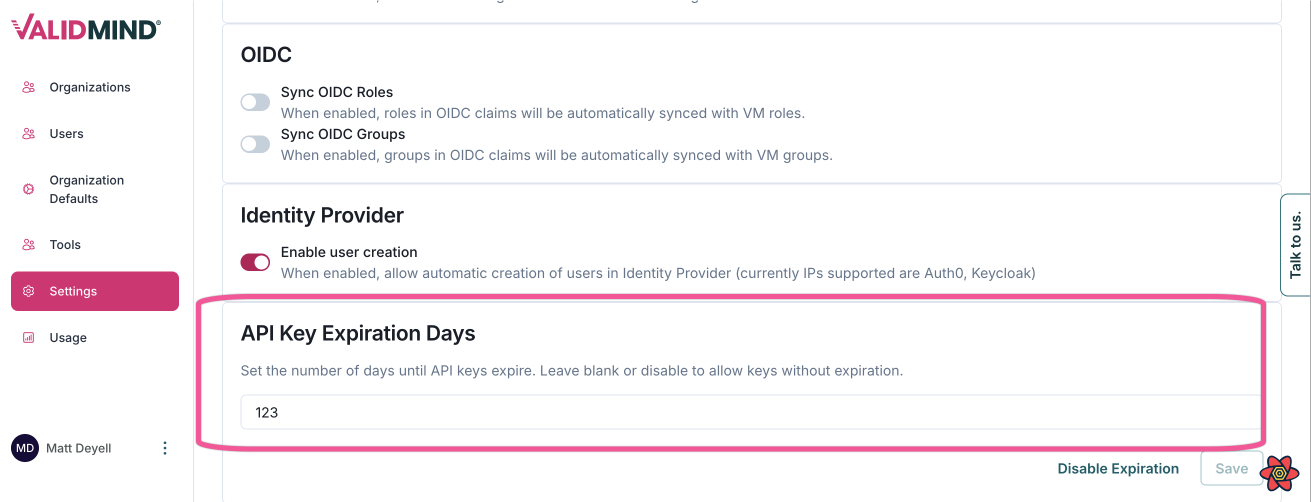
Admins can set API token expiration
You can now set an API key expiration period in days within the admin settings, enhancing security and control over API access. This setting is available through the admin UI.
Improve findings page integration with analytics
We have improved the Dashboard and Model Findings pages to enhance functionality. The Analytics Findings section is now renamed to "Validation Issues Analytics". This section retains the same dashboard features but is specifically filtered to show finding types related to validation issues.
Enable assigning non-custom and custom stakeholders in registration
Administrators can now decide whether certain roles, such as the model owner, are optional or required during model registration.
This change ensures that critical responsibilities are always assigned. The model creation form has also been redesigned to make stakeholder selection more straightforward.
Additionally, organization settings now offer a simpler way to manage role requirements. Administrators can configure these directly through the interface, making it easier to keep the system aligned with governance policies and organizational needs.
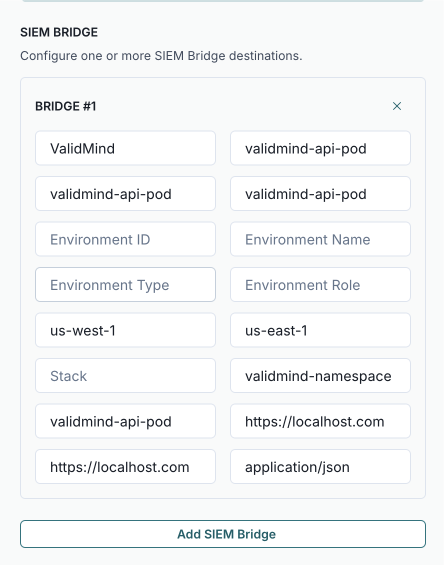
Allow admins to configure SIEM bridge for organizations
You can now send security audit information to SIEM bridges. To use this feature, configure the bridges in the admin interface.
Manage permissions for finding types
Specify which stakeholder types can create or update findings for each finding type, improving the management of findings and finding types.
You manage these permissions through the finding type modal by updating permissions for the organization role and the resource associated with the finding type.

Choose custom base URL for email links
You can now choose a custom base URL for email links, providing greater flexibility and personalization in your application settings.

Use custom URL for invite link copying
When your organization sets a custom base URL, this update ensures the Copy Link button on the Invite New Users page uses that custom URL.

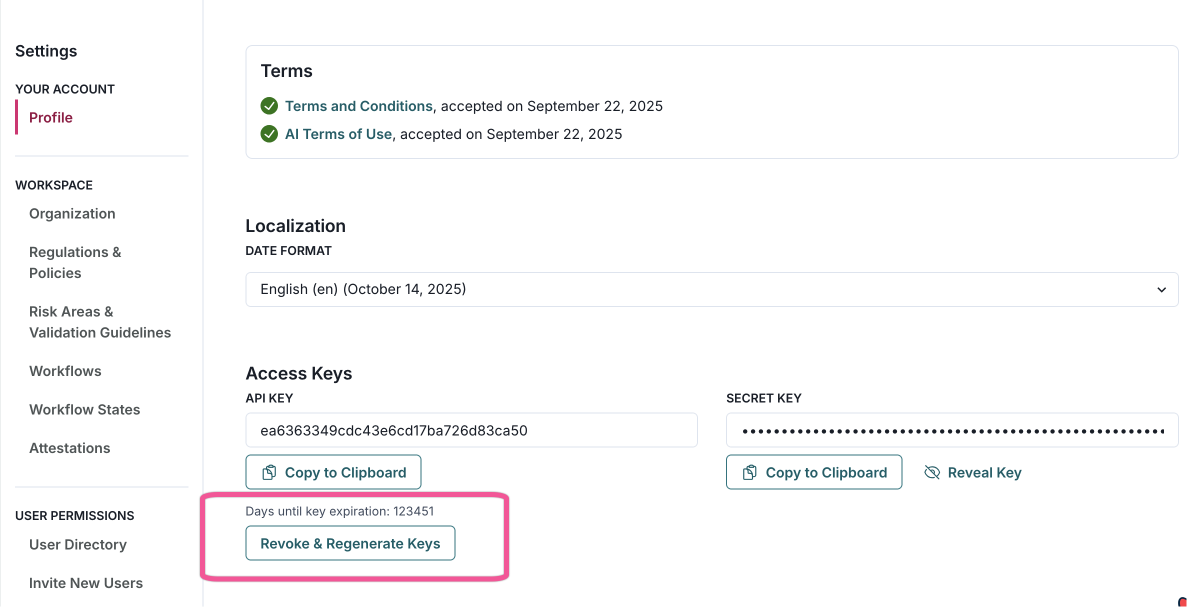
Regenerate your own API keys
Regenerate your own API keys directly from your profile page. If key expiration policies are in place, you will also see how many days remain until your keys expire.
Previously, this functionality was available only to admin users.
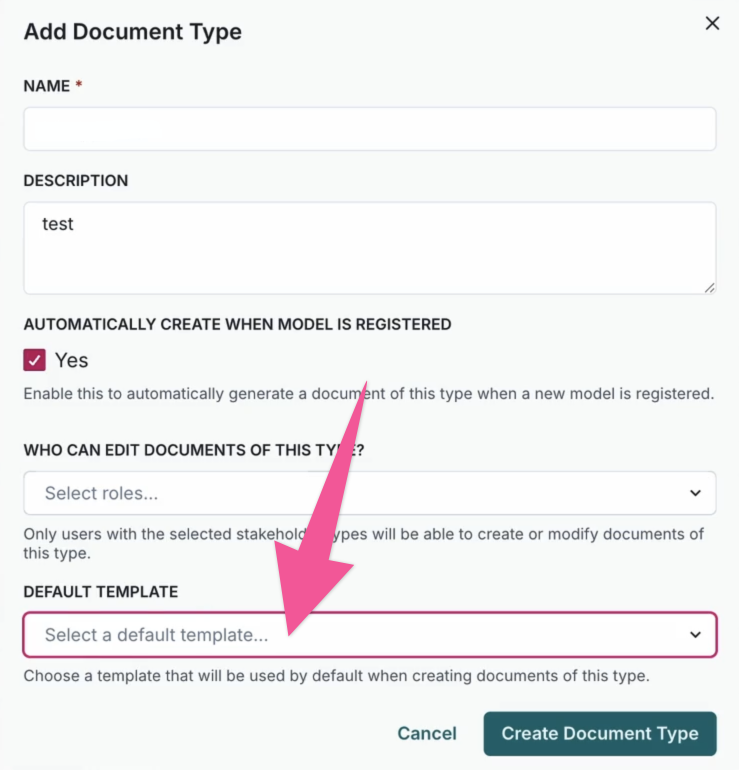
Assign default templates to document types
Use default templates for document types to standardize documentation. This enhancement streamlines document creation, ensures consistency, and helps you align with documentation standards without additional manual steps.
Previously, document types could only be created without a default template, requiring you to manually select a template each time you create a document.
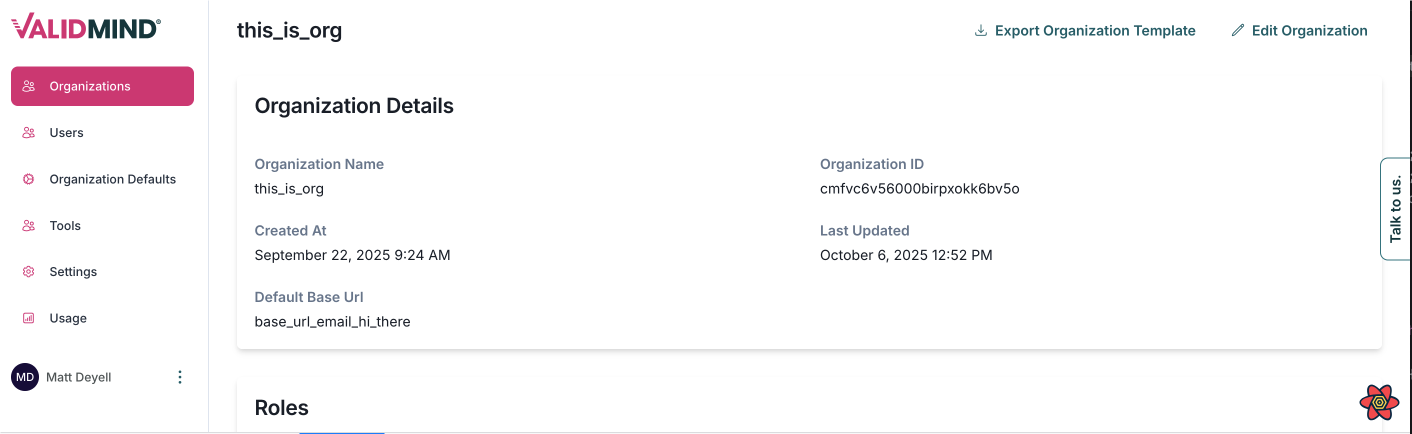
Add organization base URL management
Admins can now set custom base URLs for organizations via the admin interface. This base URL will be used for email links, unless overridden by individual user settings.
Add deadline support for user action nodes in workflows
You can now configure deadlines for user action nodes in workflows. This enhancement allows you to set automatic timeouts for user action steps, improving workflow reliability and reducing the need for manual intervention. The feature includes real-time countdown timers and flexible deadline configuration options.
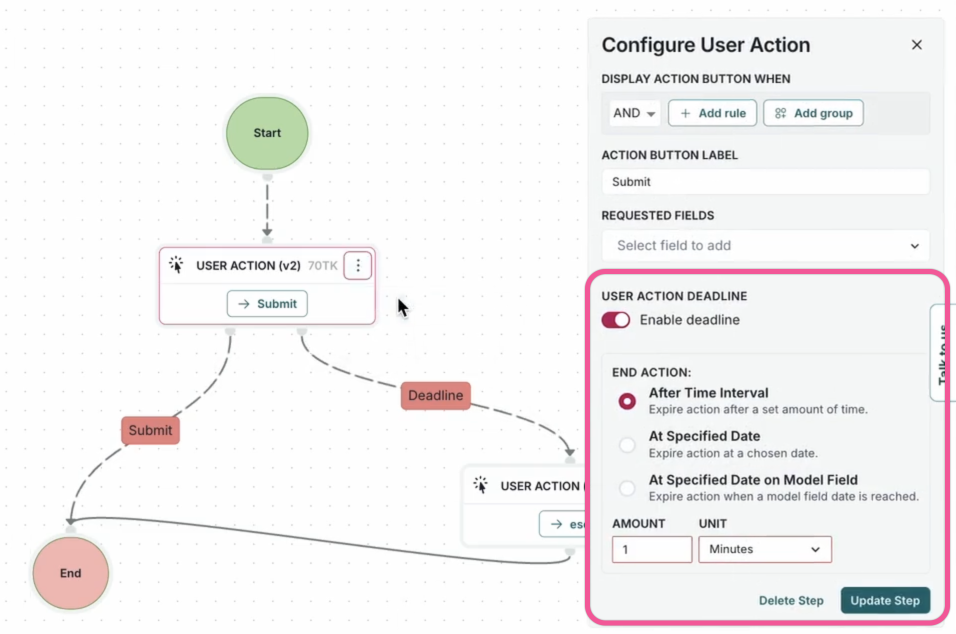
Automatic edge cleanup for User Action nodes on deadline updates
You now have automatic edge cleanup for User Action nodes in the workflow canvas. When you adjust deadline settings on these nodes, the system automatically removes invalid stale edges. This prevents workflow validation errors and ensures consistent UI behavior.
Bug fixes
Enhance workflow deadline configuration for consistent date/time field filtering
WYou can now dynamically filter custom fields to display only date/time fields, aligning with other workflow components for a consistent user experience.
Fix inventory view preference persistence
Fixed an issue where your preferred view for list or cards in the Model Inventory page would reset after refreshing the page. With this fix, your view preference now persists across browser sessions as expected.
Resolve issue with severity options not updating immediately
This update resolves an issue where newly created finding severities were not appearing in the severity options when creating findings. You will now see severities appear immediately across all components without needing to refresh the page.
Improve organization template download functionality
You can now use the "download org template" button on the admin page with improved functionality. This update enhances the Organization Defaults page and the Admin API by refining how template responses are managed and processed.
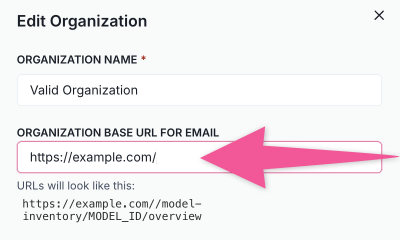
Keep trailing slash in custom URL preview
Trailing slashes now appear in the URL preview field when you set a custom URL for users or organizations.
Fix Entra logout compatibility
We have introduced a new custom logout handler to ensure compatibility with Entra IDP, such as Azure AD. This update resolves the issue where the logout button didn't function when you logged in with Entra.
Documentation
Updated community resources
Our community engagement is evolving, and we're excited to share new ways for you to connect with us. While our Slack community channels will be retired on November 15, 2025, there are many other spaces where you can stay involved: