25.06 Release notes
Backend
Introduce new API for custom fields permissions (#1531)
We have added new routes for retrieving permissions for custom fields. This update may introduce some changes that could potentially affect existing functionalities.
Here are the key changes:
Workflow update: The CASBIN database URI in the GitHub Actions workflow has been updated. It now uses the service alias "db" instead of "host.docker.internal".
Admin user management improvements: The admin user management script now explicitly uses the Flask app context to ensure that the database and application resources are properly accessible. The logic for upserting users based on the authentication configuration has been refactored for clarity.
RBAC and SQL initialization enhancements: File handling in the RBAC utilities now uses context managers to improve resource safety and error handling. The initialization function for role-based access control verifies the existence of required SQL files, logs the process, and gracefully handles exceptions by rolling back on errors.
Custom fields API refactoring: The old custom fields endpoints have been removed in favor of a new namespace that consolidates custom field code testing and permissions retrieval endpoints. A new method has been added in the database group module to retrieve roles (excluding admin roles) with proper read/write permissions for a given custom field key.
Additional logging and error handling: More detailed logging has been introduced across modules to assist with troubleshooting and monitoring.
Test improvements: Integration tests across text editor file uploads and custom field endpoints have been updated. These tests ensure XSS sanitization, file size validations, and proper serialization of role data. They also cover cases for unauthorized access and non-existent custom fields.
Frontend
Settings page reorganization (#1419)
We have reorganized the settings page to improve categorization and ease of use. The settings are now divided into three main categories: General Settings, Account Settings, and Privacy Settings. This change enhances readability and provides a clearer understanding of the purpose of each setting.
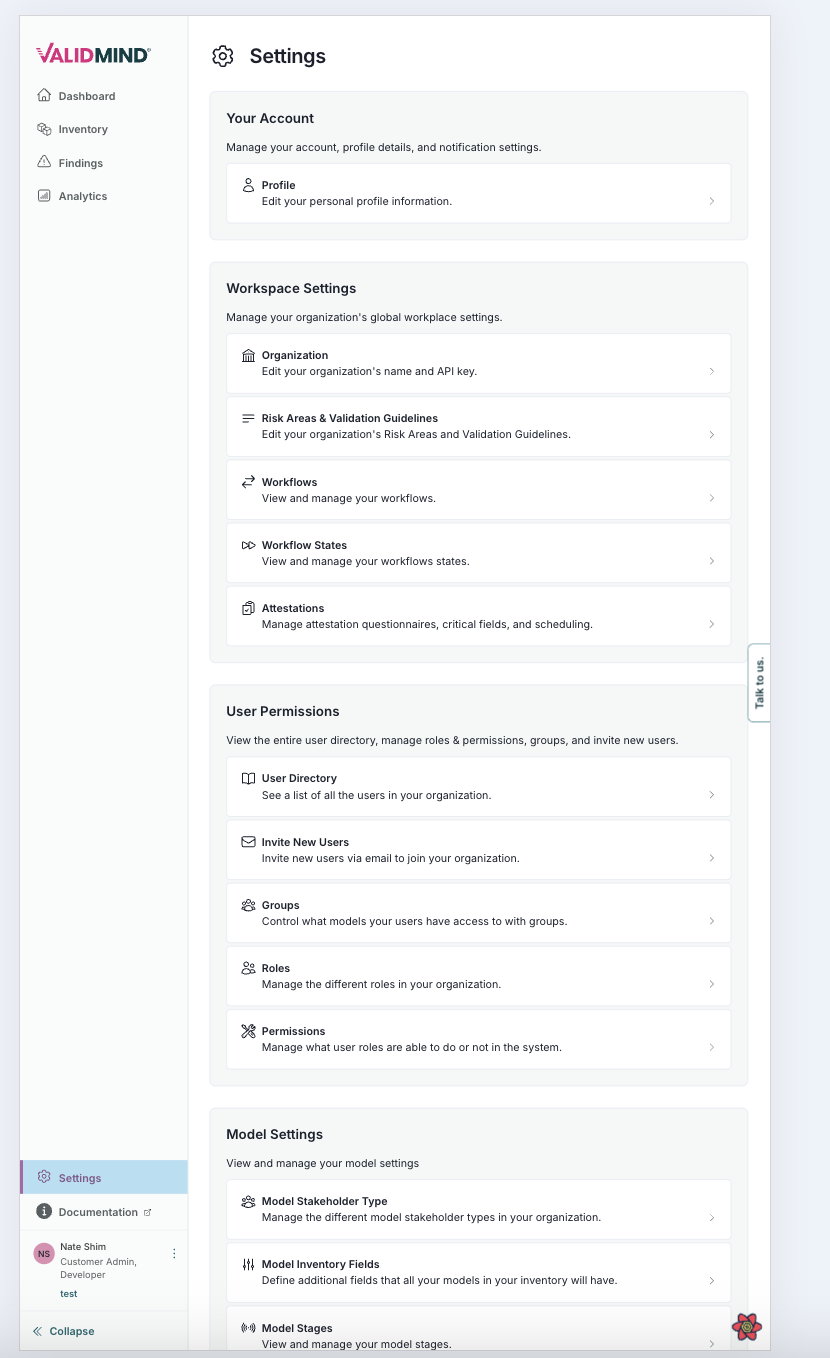
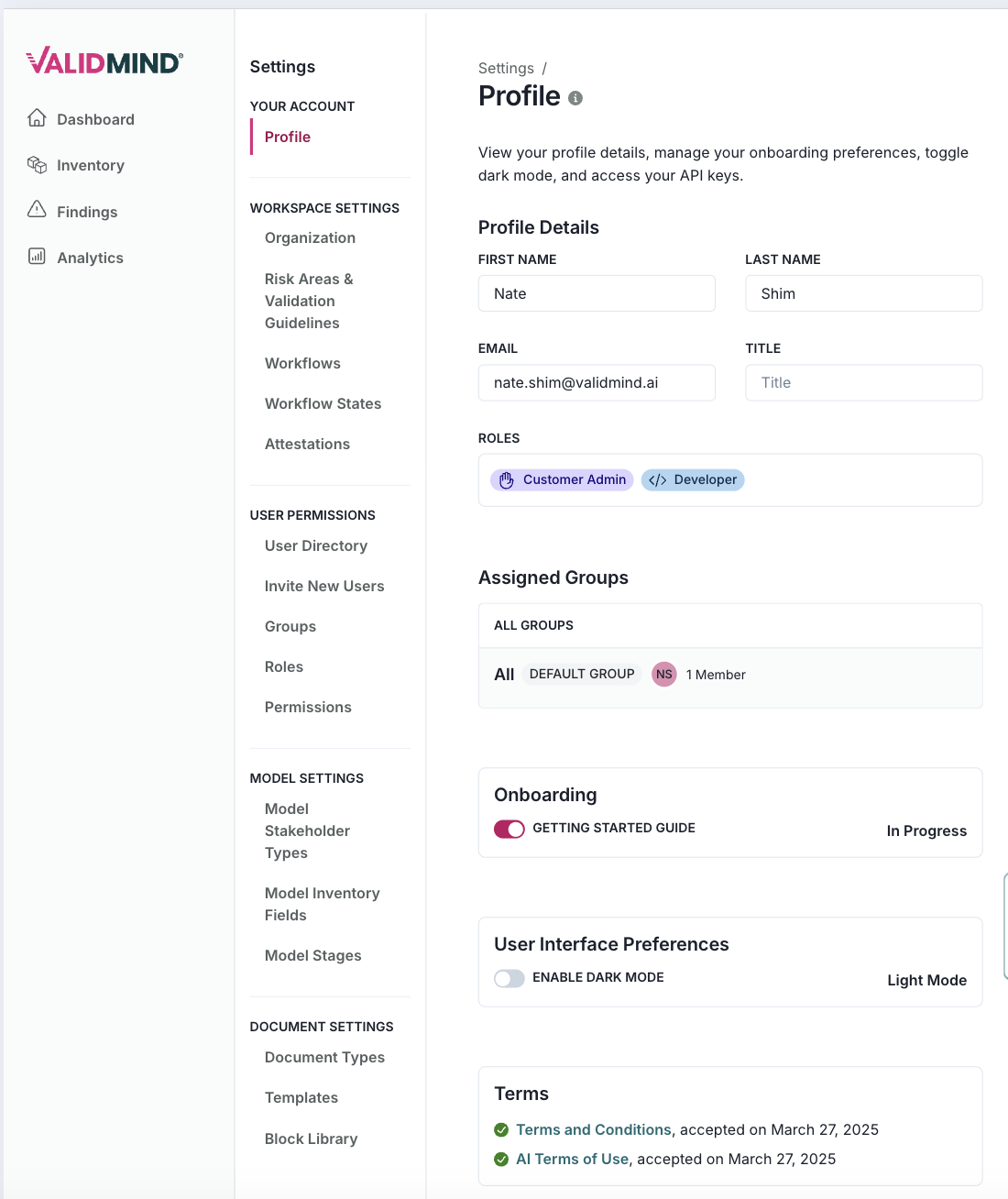
The key changes include:
- The Stakeholders section has been moved from the general workspace settings to a model-specific section and renamed to Model Stakeholder Types where applicable.
- Admin features like Workflows and Workflow States are now conditionally rendered and only displayed when user permissions are met.
- The order and grouping of links, such as Risk Areas & Validation Guidelines, have been adjusted to provide a more intuitive navigation experience based on user roles.
- The overall component structure has been enhanced by replacing some Box components with Stack and using the Heading component for titles, improving readability and accessibility.
The aim of these changes is to improve the maintainability, user experience, and adaptability of the settings interface based on user roles and permissions.
Enhanced management of custom field permissions (#1423)
This release introduces enhanced functionality for managing custom field permissions, focusing on three key areas:
In the API layer, we've added a new asynchronous function,
GetFieldPermissions. This function fetches permissions for a custom field and returns an object containing separate lists for write and read roles. We've also refactored some existing API functions for cleaner formatting.In the
CustomFieldModalcomponent, we've updated the import forCodeTestResponseto align with the new custom fields model.The
useCustomFieldPermissionshook now utilizes theGetFieldPermissionsAPI function, replacing the previous manual iteration over organization roles to determine update permissions. This simplifies the logic by directly setting update roles from the 'write' permissions received from the API.
We've also introduced a new type, TCustomFieldPermissions, in the custom_fields model. This consolidates the structure for field permissions and ensures type consistency across the codebase.
These changes enhance the clarity and efficiency of permission handling for custom fields by centralizing permission-related logic in the API and reducing repetitive code in UI components.